Surfer SEO uses NLP (natural language processing) to turn SERP analysis into a list of terms, entities, and structure targets that guide your writing, and those signals feed its SEO Score, AI Search Score, and Auto-Optimize. The term list in the Content Editor is the visible NLP layer: words and phrases sorted by relevance to your topic, which you can include, exclude, blacklist, or filter. Surfer states it combines NLP solutions, machine learning, and analysis of over 500 web and AI signals to build its guidelines.
| At-a-glance | Details |
|---|---|
| Tool | Surfer SEO |
| What NLP does | Analyzes top-ranking pages to suggest terms, entities, and structure |
| Where it appears | Content Editor guidelines, Customization Panel, Auto-Optimize, Surfer AI |
| Visible controls | All terms, Included terms, NLP, and Ignored terms filters |
| Scoring link | SEO Score and AI Search Score use semantic signals |
| Main caveat | NLP terms and scores are proprietary guidance, not ranking guarantees |
| Check date | August 10, 2026 |
Quick Answer: How Does Surfer Use NLP?
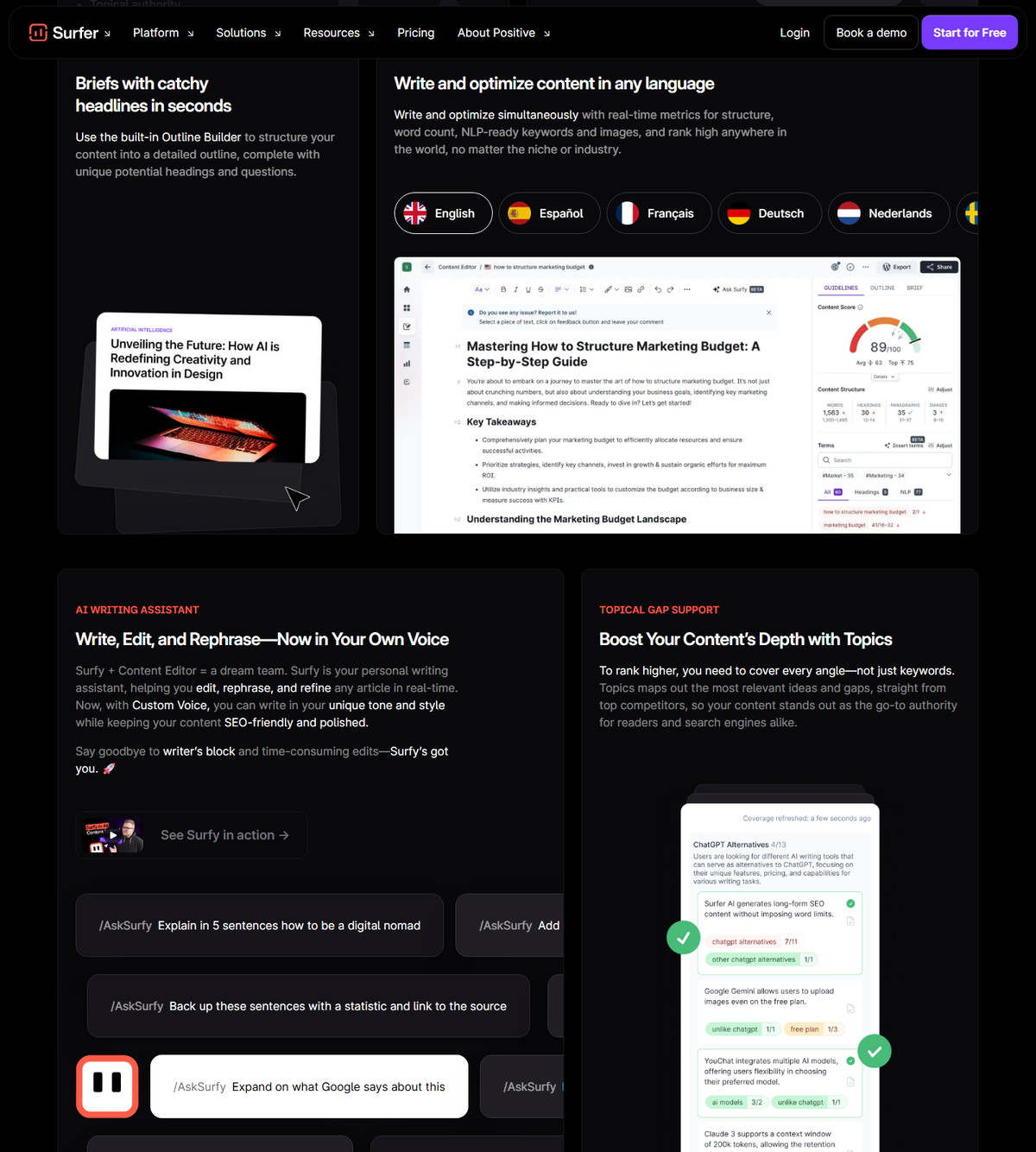
Surfer uses NLP to analyze what top-ranking pages have in common for a keyword, then hands you a relevance-sorted term list and structure targets to follow while writing. Its official materials describe NLP as part of the engine behind guidelines: the product page states Surfer uses NLP solutions, machine learning, and analysis of over 500 web and AI signals, and the Content Editor markets real-time metrics for structure, word count, and NLP-ready keywords and images.
- Terms: words and phrases from competitor analysis, sorted by relevance, with include, exclude, and blacklist controls.
- Semantic scoring: SEO Score weighs how terms are used in context, not just how often they appear.
- Enrichment: Auto-Optimize adds relevant NLP terms while preserving meaning.
- AI search: AI Search Score measures coverage of facts and entities common in AI-generated answers.
If the NLP-guided workflow fits your publishing process, check Surfer's current access options before creating queries.
What NLP Means in Surfer
In Surfer, NLP is the analysis layer that decides which terms and entities your article should cover, based on the pages that currently rank for your target query. It is not a separate product: it is the engine behind the guidelines, the term list, and the scoring components.
Surfer's dedicated NLP help article describes natural language processing as the ability of a computer program to understand human language as it is spoken and written. It notes that Google introduced NLP-style understanding during the BERT algorithm update, and that Surfer built its own SEO-oriented NLP engine to help marketers generate content that matches how search engines interpret queries. Each top Google search result is measured and analyzed with AI-powered techniques, according to the article.
Surfer's official documentation shows NLP appearing in four places:
<div class="scalewitai-table-scroll" role="region" aria-label="Surfer SEO NLP guide data table” style=”max-width:100%”>| Surface | What NLP does there | Source |
|---|---|---|
| Content Editor guidelines | Supplies terms, structure targets, and real-time metrics | Product page, overview |
| Customization Panel | Term filters: All, Included, NLP, Ignored | Customization Panel guide |
| Auto-Optimize | Adds SEO-friendly NLP terms to raise Content Score | Auto-Optimize guide |
| Surfer AI | Uses NLP analysis and search data to generate articles | Surfer AI guide |
The product page describes the underlying approach as NLP solutions plus machine learning plus an analysis of over 500 web and AI signals, with real-time, competition-based guidelines.
Two advanced details come from the dedicated NLP article: Audit and SERP Analyzer offer an optional NLP Sentiment enhancement that must be manually enabled, and language support works through a combination of Surfer's own NLP engine and Google's Natural Language API, which extends NLP coverage to more languages.
How Surfer Generates NLP Terms
Surfer derives its NLP term list from the top-ranking pages for your keyword and location, then sorts the terms by relevance to your main topic. The Customization Panel guide documents that competitors from the top ten pages for your keyword in Google search for your location shape the content structure and terms, and that terms are sorted with the most relevant at the top.
The workflow behind the list:
- NLP analysis is automatic: Surfer documents that you only need to pick a location associated with a supported language, and the query is enhanced with NLP without a manual toggle.
- Depending on the language of the query, Surfer uses either Google's NLP API or its own NLP engine to extract data about entities and sentiment, and crosses it with its True Density calculation.
- Surfer analyzes the pages you benchmark against, which by default are five of the top ten with the highest Content Score.
- Terms that appear meaningfully across those pages become candidates, along with topics and questions from Google's People Also Ask and Surfer's database.
- The list is presented as words and phrases you can include, exclude, or blacklist.
- You can also import your own list of secondary keywords in bulk, which appear at the top of the term list but at the bottom of the draft's suggestions.
At least 3 unique competitors from different domains must be selected for the guidelines and Content Score to calculate properly.
NLP Terms vs Keyword Density
Surfer's NLP terms are semantic targets, not keyword-density quotas. The Content Score guide is explicit that the algorithm prioritizes meaningful, high-impact terms that appear consistently across top-performing pages, and that how those terms are used in context matters more than how often they appear.
| Attribute | NLP terms in Surfer | Keyword density |
|---|---|---|
| Basis | Semantic analysis of ranking pages | Simple frequency counting |
| Guidance | Which terms and topics to cover naturally | How many times to repeat a phrase |
| Scoring role | Context and topical coverage | Raw repetition |
| Surfer's warning | Avoid over-optimizing any single suggested term | N/A |
Surfer documents that structural elements like word count, headings, and images still contribute to SEO Score, but they are not the primary drivers. Over-optimizing a single term can hurt the final content, which is why the guidance emphasizes natural use.
How to Review and Manage NLP Terms
Open the Customization Panel in the Content Editor, find the Terms section, and use the filters to review what Surfer suggests before you write. The panel documents four filter categories: All terms, Included terms, NLP, and Ignored terms.
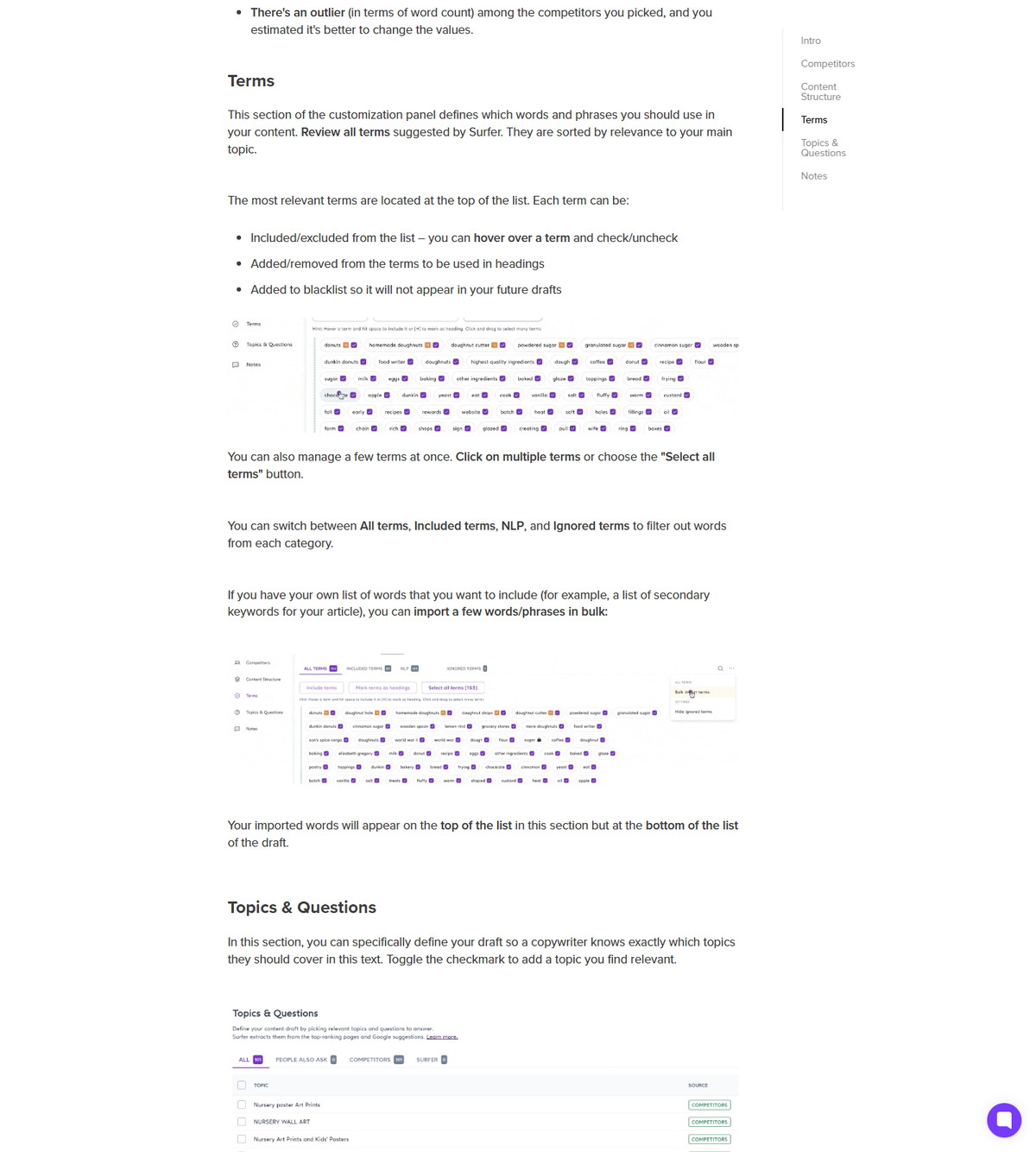
What you can do with terms:
- Include or exclude a term by hovering and checking or unchecking it.
- Mark terms to be used in headings.
- Blacklist terms so they do not appear in future drafts.
- Select multiple terms at once, or use Select all terms.
- Import your own words and phrases in bulk, useful for secondary keywords.
- Filter between the four categories to see what is active, suggested, or ignored.
| Term control | What it does | Filter category |
|---|---|---|
| Include or exclude | Hover a term and check or uncheck it | Included terms |
| Use in headings | Mark a term for heading placement | Included terms |
| Blacklist | Remove a term from future drafts | Ignored terms |
| Bulk import | Add your own secondary keywords | Top of the term list |
| Category filter | Switch views of the term set | All, Included, NLP, Ignored |
The panel also controls competitors, content structure (words, paragraphs, images, headings), and topics and questions. Any change can affect the maximum Content Score you can achieve, which Surfer documents as expected rather than something to avoid.
How NLP Terms Affect Content Score
NLP signals feed both components of Content Score: SEO Score weighs term context and topical coverage, while AI Search Score measures coverage of facts and entities. The Content Score guide documents the scoring model in detail.
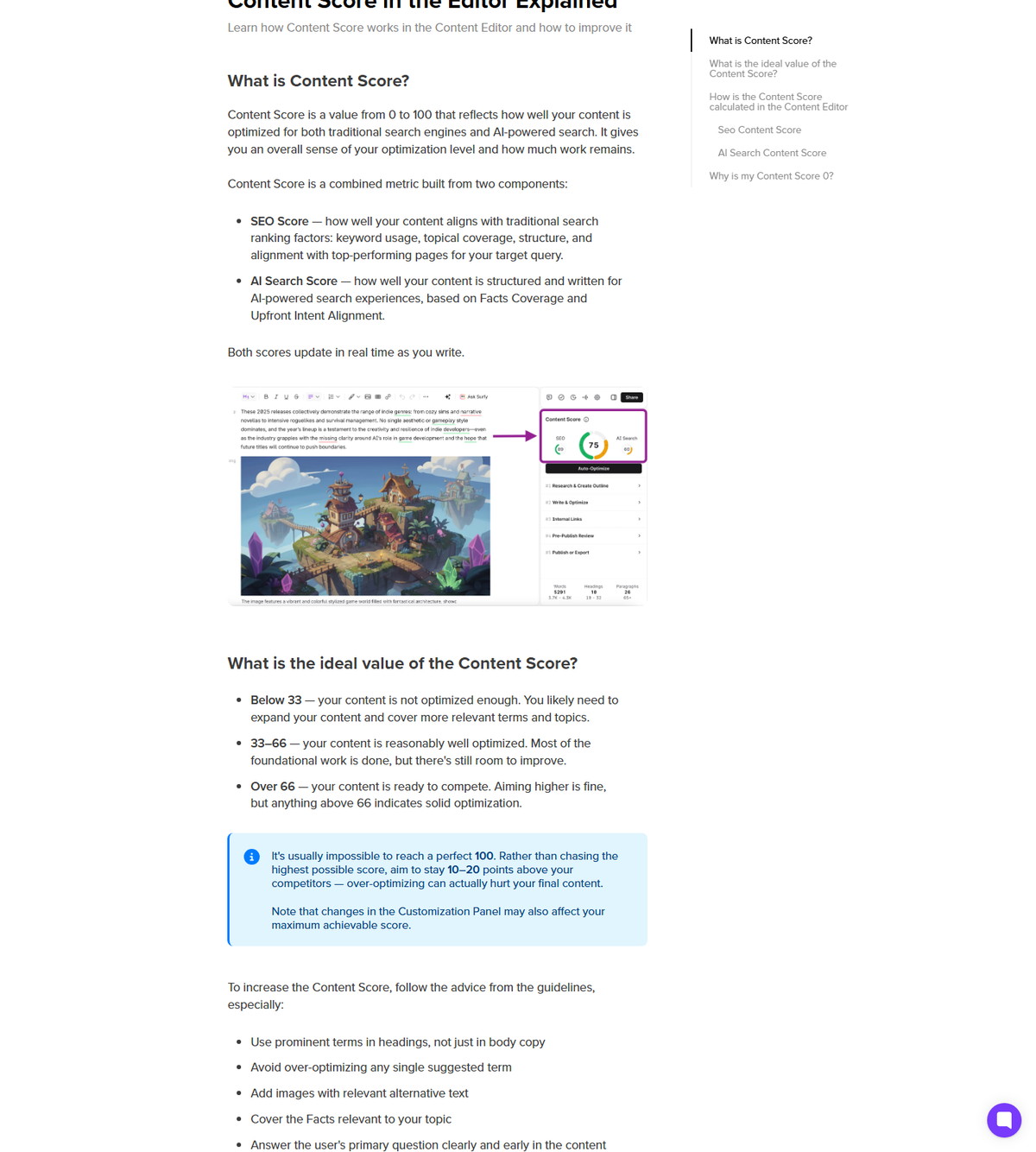
- SEO Score reflects how well content aligns with traditional search ranking factors: keyword usage, topical coverage, structure, and alignment with top-performing pages. Surfer says it focuses on the quality and natural use of relevant terms, and that context matters more than frequency.
- AI Search Score is based on Facts Coverage and Upfront Intent Alignment. Facts Coverage measures how comprehensively content addresses the facts, entities, concepts, and information commonly included in AI-generated responses for the topic.
- Both scores update in real time as you write.
| Score component | What it measures | NLP role |
|---|---|---|
| SEO Score | Keyword usage, topical coverage, structure, alignment with top pages | Term context and natural use |
| AI Search Score | Facts Coverage and Upfront Intent Alignment | Facts and entity coverage |
| Content Score | Combined 0-100 optimization level | Aggregate of both components |
Surfer's documented score guidance includes using prominent terms in headings, not just body copy; avoiding over-optimization of any single term; adding images with relevant alternative text; covering relevant Facts; and answering the user's primary question clearly and early.
Auto-Optimize and NLP Enrichment
Auto-Optimize is a one-click pass that adds relevant NLP terms to your article while preserving its original meaning and readability. Surfer's Auto-Optimize guide documents the mechanics and the plan gating.
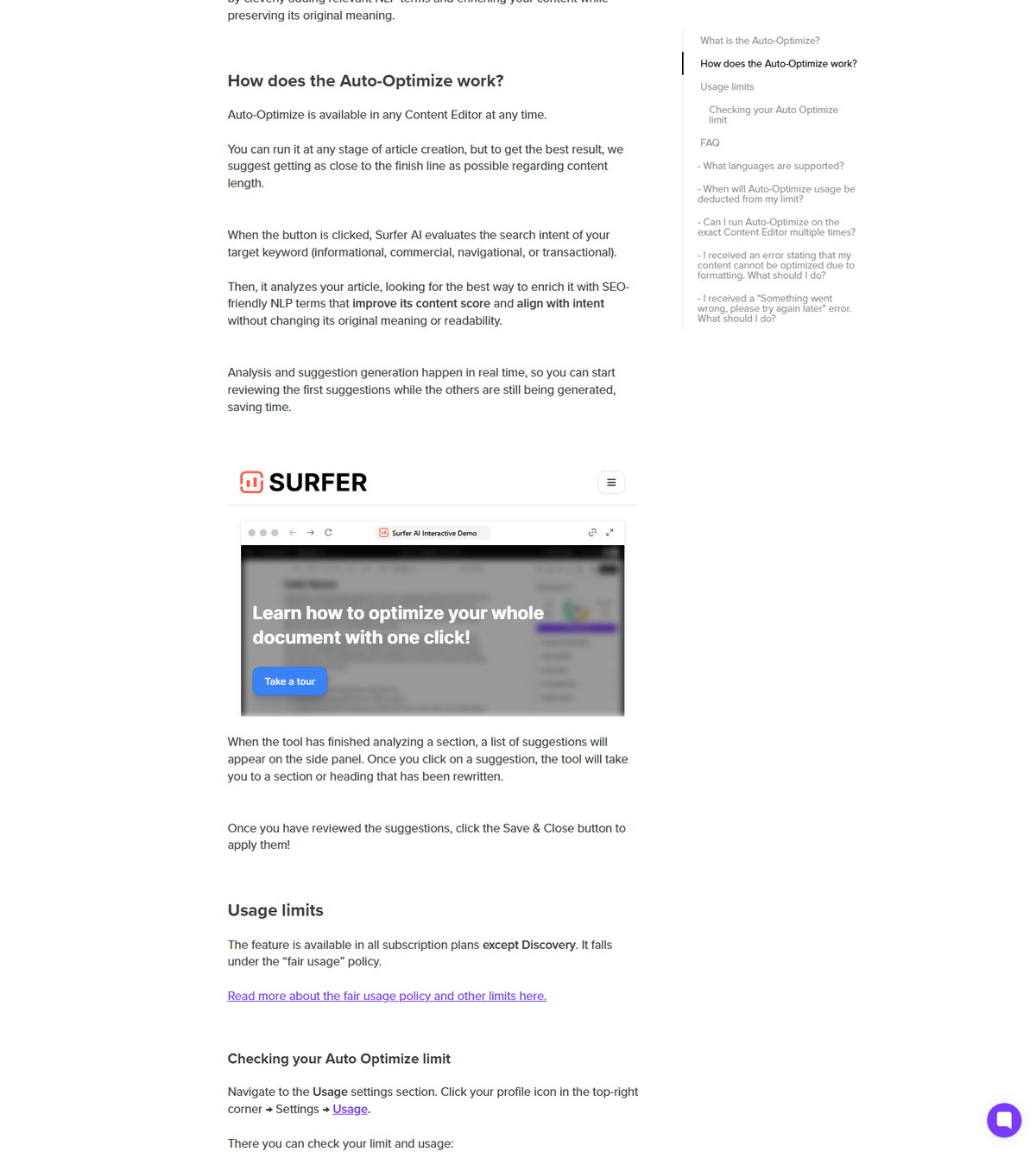
How it works, per Surfer's documentation:
- The tool evaluates the search intent of the target keyword: informational, commercial, navigational, or transactional.
- It analyzes the article to find the best way to enrich it with SEO-friendly NLP terms that improve Content Score and align with intent.
- Suggestions appear in real time in the side panel; you can review each one, compare it with the original, and save or discard it.
- Usage is deducted only when at least one suggestion is generated, even if you decline it.
- The feature is available in all subscription plans except Discovery, under the fair usage policy.
The same NLP enrichment appears in the Main Features guide, which describes adding relevant NLP terms while the original message and meaning remain unchanged.
Facts, Entities, and the AI Search Score
Facts and entities are the NLP layer aimed at AI search: Surfer measures whether your content covers the facts and entities that appear in AI-generated answers. The Facts tab, part of the AI Search section of the guidelines, uses large language models to suggest topical improvements.
Key documented points:
- Facts Coverage measures how comprehensively content addresses the facts, entities, concepts, and information common in AI-generated responses for the topic.
- The Facts tab shows the topic, its source, and the guideline keywords used to build it, and it can insert facts automatically when you run Auto-Optimize.
- Surfer documents that facts are drawn from up to the top 20 SERP results plus AI models such as ChatGPT, Perplexity, and Google AI Overview.
- The Facts feature is included in all subscription plans, supports a defined language list, and is not available on shareable links.
Entities in this context are the named concepts and terms the analysis tracks; they are part of the semantic coverage the scores reward, not a separate guarantee of citations or mentions.
How Surfer AI Uses NLP
Surfer AI uses search data, NLP analysis, and optimization technology to generate articles, and Surfer describes its engine as combining NLP solutions, machine learning, SERP analysis, and generative AI models. The Surfer AI guide documents the generation workflow and its boundaries.
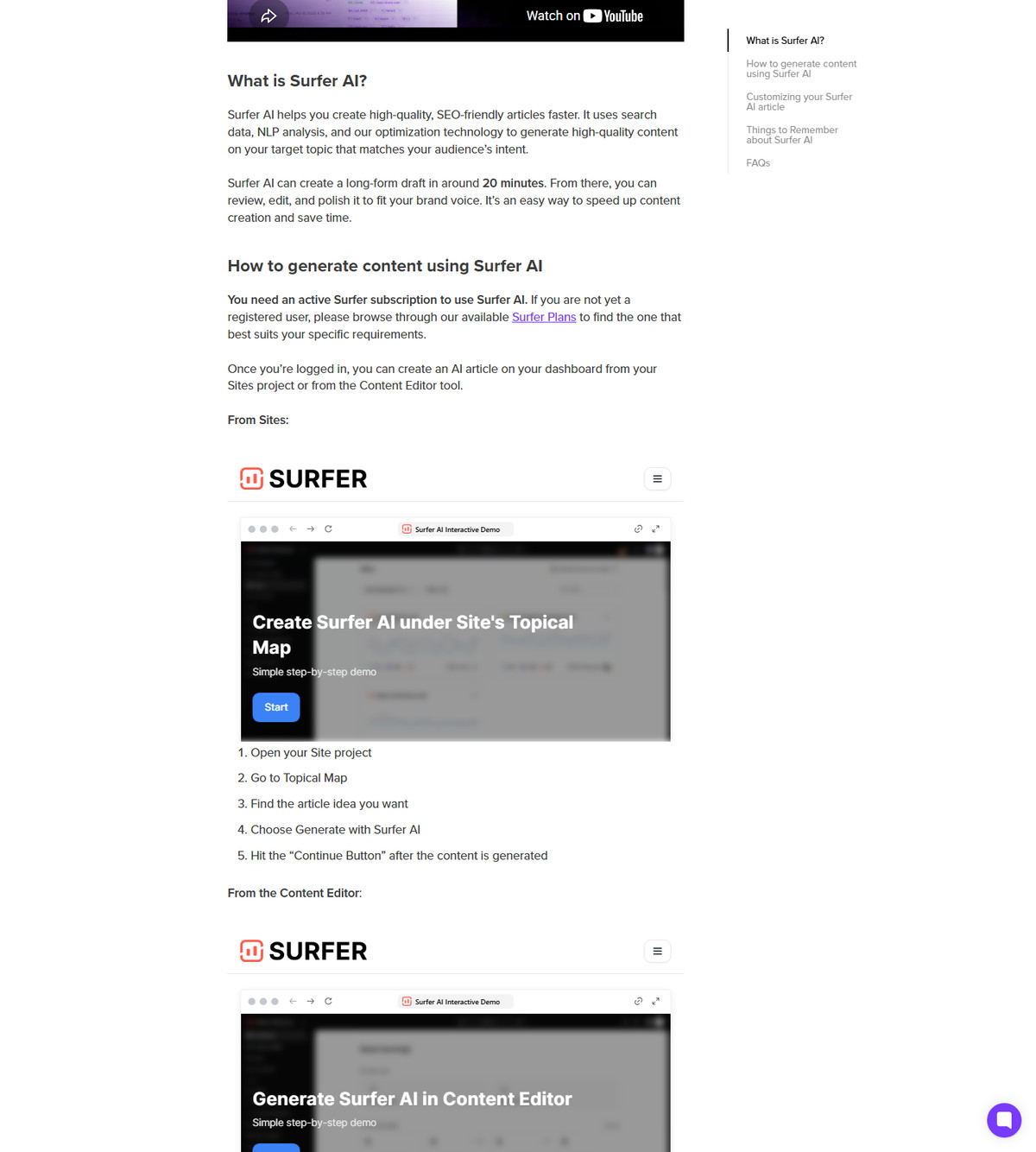
- Surfer AI can create a long-form draft in around 20 minutes, according to the official guide, with generation happening inside the Content Editor.
- The generated article is refined with the same Content Editor guidelines, including the NLP term and scoring feedback.
- Surfer states the tool combines NLP solutions, machine learning, analysis of over 500 web signals, and SERP analysis with generative AI models including GPT-4 Turbo, GPT-4o, and GPT-4o-mini.
- Manual selection of competitors affects the final AI output, so the NLP guidance stays relevant even in generation mode.
Surfer AI is a separate workflow from writing manually in the Content Editor, but it shares the same NLP foundation.
Best Practices for Using Surfer's NLP Guidance
Treat NLP terms as coverage guidance, review them before writing, and let context decide how often a term appears. The documented practices below keep the workflow honest.
- Review the term list in the Customization Panel before writing, and remove terms that do not fit your intent.
- Benchmark against competitors with matching search intent and content type; Surfer's product page suggests choosing pages with a Content Score of 68 or higher.
- Use prominent terms in headings, not just body copy.
- Avoid over-optimizing any single suggested term.
- Cover the Facts relevant to your topic, since they feed the AI Search Score.
- Answer the user's primary question clearly and early.
- Use Auto-Optimize once, after the article is close to final, for the best results.
- Remember that NLP terms and scores are proprietary signals: verify outcomes with your own analytics, not with the score alone.
FAQ
What does NLP mean in Surfer SEO?
NLP stands for natural language processing, and in Surfer it is the analysis layer that turns SERP data into term, entity, and structure guidance. Surfer states it uses NLP solutions, machine learning, and analysis of over 500 web and AI signals to build real-time guidelines.
Are Surfer NLP terms the same as keywords?
No. NLP terms are semantic coverage targets derived from ranking pages, while keywords are the queries you enter to create an editor. Surfer documents that context and natural use matter more than how often a term appears, unlike simple keyword-density counting.
Where do I find NLP terms in Surfer?
In the Content Editor's Customization Panel, under the Terms section. The panel documents filters for All terms, Included terms, NLP, and Ignored terms, plus include, exclude, heading, and blacklist controls.
Does Surfer NLP guarantee rankings?
No. NLP terms, Content Score, and semantic suggestions are proprietary optimization signals, not ranking factors. Surfer's scores and recommendations are not promises of rankings, traffic, conversions, or AI citations, and should be validated with your own analytics.
How does Auto-Optimize use NLP terms?
Auto-Optimize evaluates the search intent of the target keyword and enriches the article with SEO-friendly NLP terms that improve Content Score while preserving meaning and readability. Suggestions appear in real time and can be approved, compared, or discarded.
What is the difference between NLP terms and entities?
NLP terms are the words and phrases suggested for coverage, while entities are the named concepts the analysis tracks, such as products, brands, or topics. Both feed the scoring model, and Facts Coverage explicitly measures how comprehensively content addresses facts, entities, concepts, and information common in AI-generated answers.
Can I remove or blacklist NLP terms in Surfer?
Yes. In the Customization Panel Terms section you can exclude terms, mark terms for headings, or blacklist them so they do not appear in future drafts. You can also import your own list of secondary keywords in bulk.