Surfer Keyword Research is the in-app tool that turns a seed keyword into clusters of related keywords grouped by search intent, each with search volume, difficulty signals, and a Content Score benchmark of top-ranking pages. It is one of Surfer's core strategy tools, built on competitor and SERP data, and it feeds the rest of the platform: clusters can be sent to the Content Editor as tailored SEO briefs and connected to Topical Map for a domain-wide roadmap. Separately, the free Keyword Surfer extension provides on-SERP research data, and it is the page currently served at Surfer's keyword-research URL.
| At-a-glance | Details |
|---|---|
| Tool | Surfer SEO |
| What it does | Clusters keywords by intent with volume, difficulty, and score benchmarks |
| Data sources | Data partners (12-month volume averages), SERP analysis, competitor data |
| Main outputs | Keyword clusters with main topic, intent, sub-keywords, Content Score benchmark |
| Integrations | Content Editor briefs, Topical Map, WordPress plugin module |
| Related product | Keyword Surfer, the free Chrome extension |
| Main caveat | Keyword metrics are dated data, not ranking guarantees |
| Check date | August 10, 2026 |
Quick Answer: How Does Surfer Keyword Research Work?
You enter a keyword and choose a target location, and Surfer scans the top-performing Google pages for that keyword, identifies the terms they rank for, groups them by intent, and clusters them into actionable content ideas. The official Keyword Research guide describes this flow and the visual, data-backed roadmap it produces.
- Each cluster carries a Main Topic Keyword, a search intent label, suggested sub-keywords, and a Content Score benchmark.
- Clusters can be filtered by intent, search volume, or keyword difficulty.
- A cluster can be sent to the Content Editor with one click to generate a tailored SEO brief.
- Clusters connect to Topical Map for a visual, domain-wide roadmap.
If this research workflow fits your process, check Surfer's current access options before building your content calendar.
What Surfer Keyword Research Does
It is the starting point for content strategy: it discovers relevant, traffic-generating keywords based on actual competitor data, and organizes them into clusters you can plan around. Surfer's guide positions the tool for short-tail and long-tail targets, topical authority, and strategic clustering.
Documented uses:
- Map out a new blog from scratch using keyword clusters.
- Identify gaps in existing content.
- Decide which articles to update based on evolving search demand.
- Support topical authority with a series of interlinked articles around a main theme.
- Send any cluster into the Content Editor with Create Content Editor, which automatically generates a tailored SEO brief from that group of keywords.
The tool is not the same as Keyword Surfer, the free Chrome extension: Keyword Research is the in-app cluster builder, while Keyword Surfer shows data beside Google results. The extension landing page currently occupies Surfer's keyword-research URL, which this guide covers later.
What You See Inside a Keyword Cluster
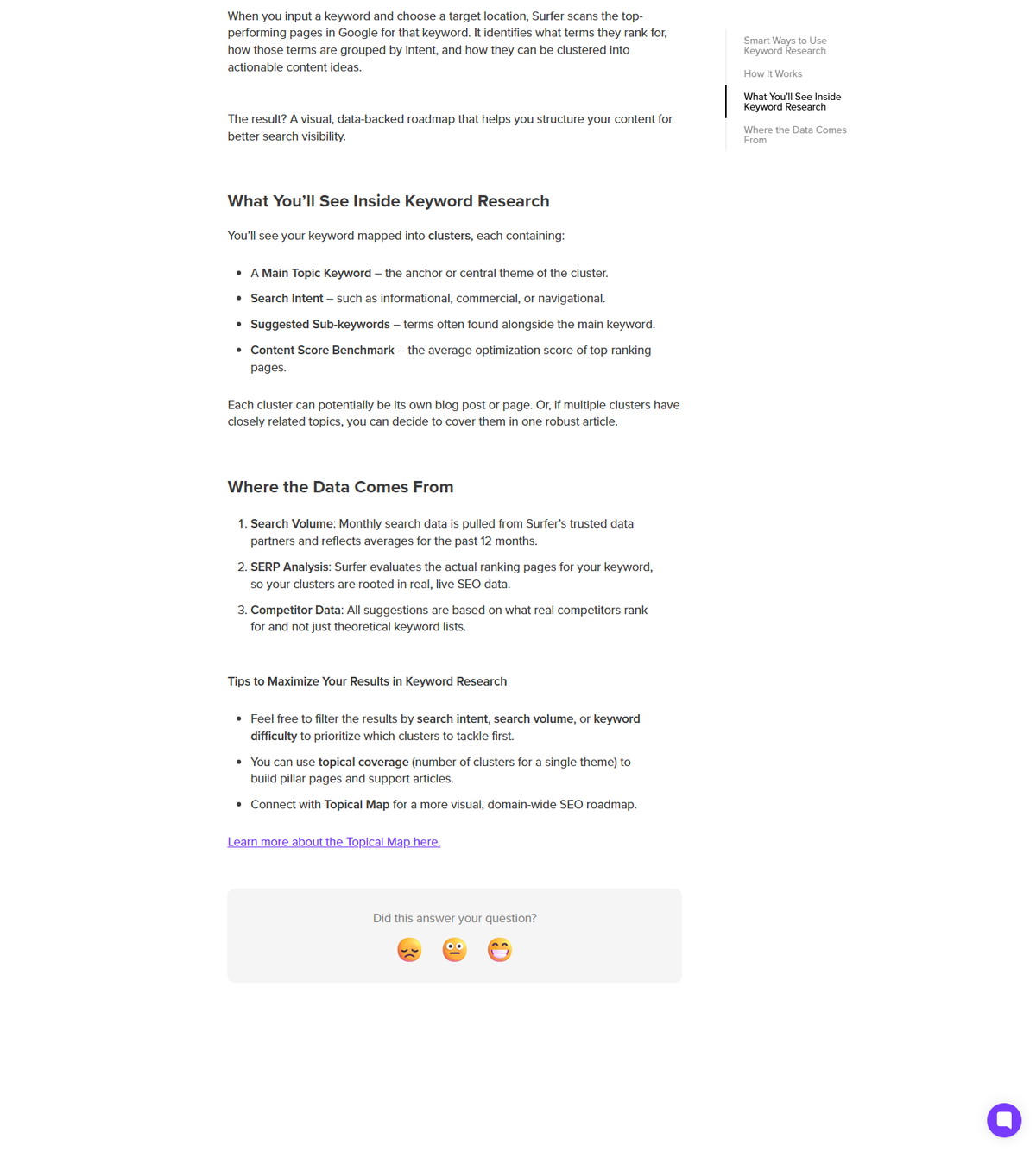
Each cluster is a group of related keywords with a main topic, intent label, sub-keywords, and a benchmark score. Surfer documents four components per cluster.
<div class="scalewitai-table-scroll" role="region" aria-label="Surfer SEO Keyword Research guide data table” style=”max-width:100%”>| Cluster component | What it is |
|---|---|
| Main Topic Keyword | The anchor or central theme of the cluster |
| Search Intent | Such as informational, commercial, or navigational |
| Suggested Sub-keywords | Terms often found alongside the main keyword |
| Content Score Benchmark | The average optimization score of top-ranking pages |
Each cluster can potentially become its own blog post or page. If several clusters cover closely related topics, Surfer notes you can combine them into one robust article. The clusters are not random lists: they are grouped by similarity and search intent so the topics make sense to cover together.
Where Surfer's Keyword Data Comes From
Surfer documents three data layers: partner search volume, SERP analysis, and competitor data. The official guide is explicit about each source.
- Search Volume: monthly search data pulled from Surfer's trusted data partners, reflecting averages for the past 12 months.
- SERP Analysis: Surfer evaluates the actual ranking pages for your keyword, so clusters are rooted in real, live SEO data.
- Competitor Data: suggestions are based on what real competitors rank for, not theoretical keyword lists.
| Data layer | What Surfer documents |
|---|---|
| Search Volume | Monthly data from data partners, 12-month averages |
| SERP Analysis | Evaluation of actual ranking pages for the keyword |
| Competitor Data | Suggestions based on what real competitors rank for |
That means the clusters reflect what currently ranks for your keyword and location, rather than being generated from a static database. Treat volume and difficulty as dated signals, since data sources and SERPs change.
How to Use Keyword Research for Content Planning
Filter clusters, prioritize by intent and difficulty, then move the winners into the Content Editor. Surfer's guide documents a practical workflow.
- Enter a seed keyword and choose the target location.
- Review the generated clusters and their intent labels.
- Filter by search intent, search volume, or keyword difficulty to prioritize which clusters to tackle first.
- Use topical coverage, the number of clusters for a single theme, to build pillar pages and supporting articles.
- Select Create Content Editor on a cluster to generate a tailored SEO brief.
- Connect with Topical Map for a more visual, domain-wide SEO roadmap.
The workflow loops into the rest of Surfer: briefs become Content Editor drafts, and the map view shows how the clusters fit the whole domain.
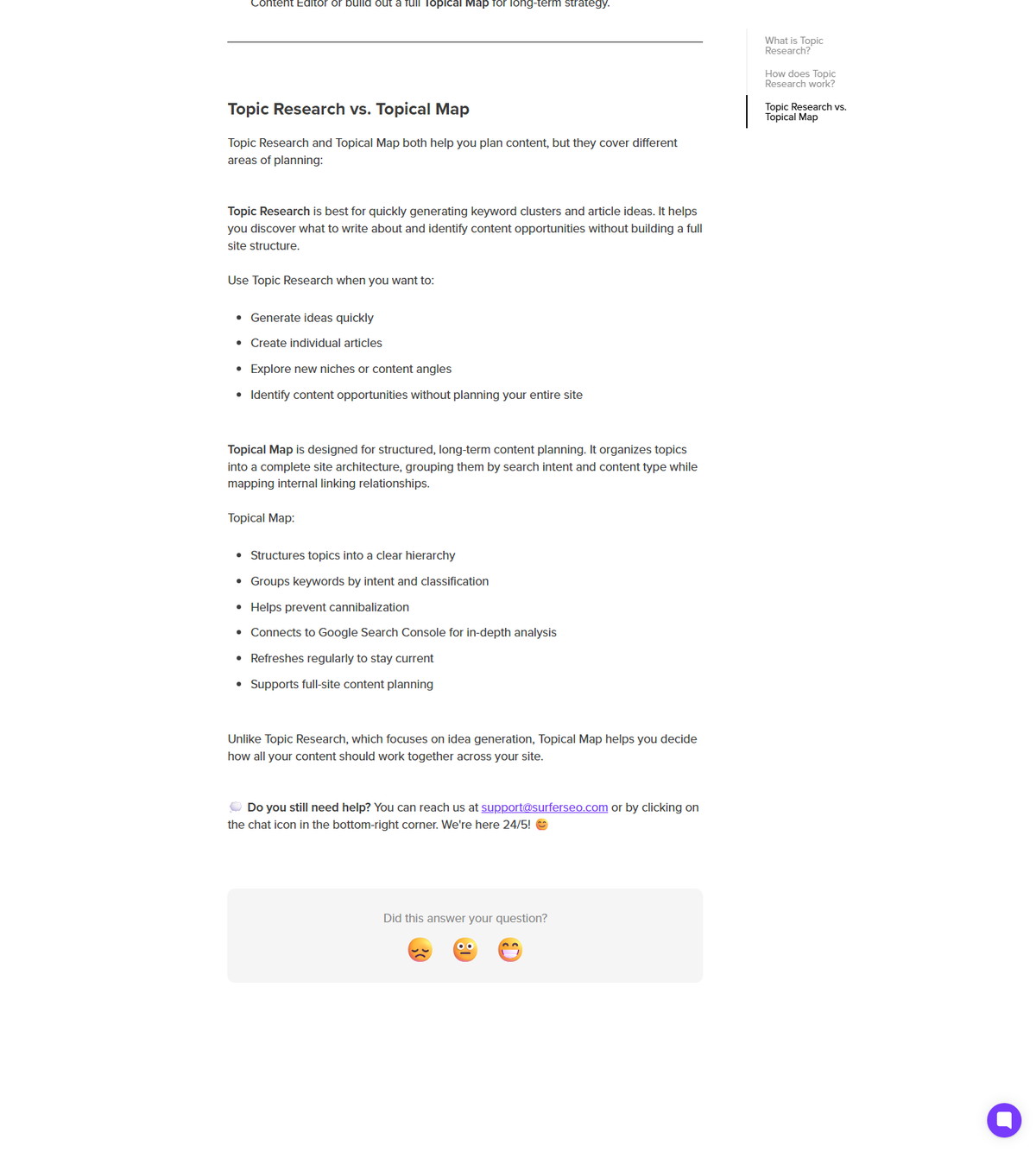
Keyword Research vs Topic Research vs Topical Map
Keyword Research builds clusters from competitor data, Topic Research generates idea clusters from a seed keyword, and Topical Map plans the whole site architecture. They overlap on clustering but differ in scope.
| Surface | Scope | Best for |
|---|---|---|
| Keyword Research | Cluster discovery with volume, difficulty, and score benchmarks | Building a keyword-driven content plan |
| Topic Research | Fast idea clusters from a seed keyword | Exploring new angles quickly, GSC optional |
| Topical Map | Full-site topic architecture and gap analysis | Long-term domain strategy |
Surfer documents that Topic Research was initially part of the broader Topical Map, and that Keyword Research clusters feed both Content Editor briefs and Topical Map planning. The three surfaces share data but serve different planning stages.
Keyword Surfer: the Free Extension at the keyword-research URL
Surfer's keyword-research URL currently serves the Keyword Surfer extension landing page, which describes the free Chrome extension for on-SERP keyword data. This matters for navigation: the in-app Keyword Research tool is documented in the help center, while the public URL leads to the extension.
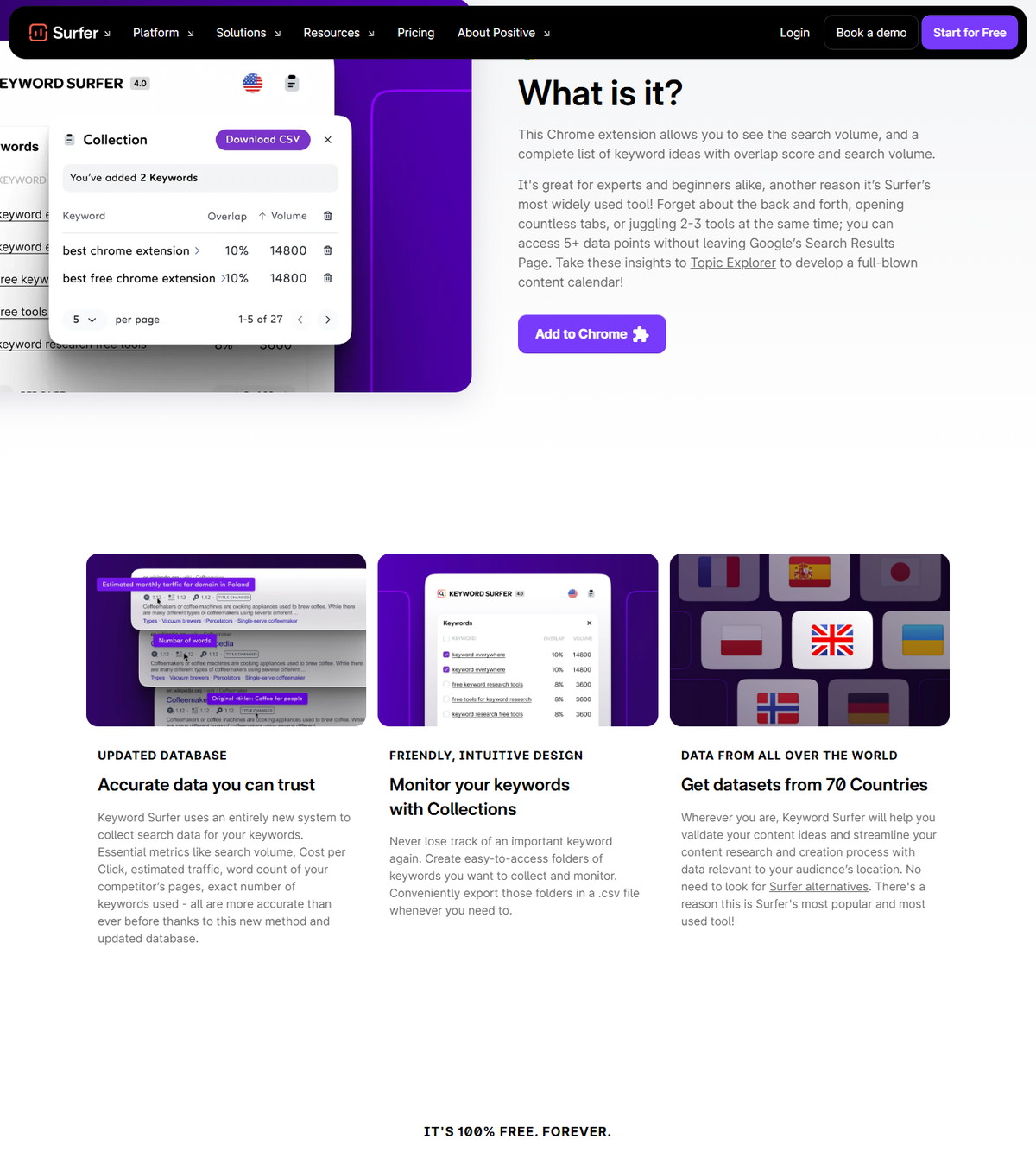
Documented extension features on the landing page:
- Search volume and keyword ideas with overlap score beside Google results.
- Collections: folders of keywords to collect and monitor, exportable as CSV.
- Datasets for 70 countries.
- Described as 100% free forever, with 700,000+ daily users.
The free positioning is a vendor claim, and feature-level access can still depend on Surfer account state for connected capabilities. The extension is a separate product from the in-app Keyword Research tool.
Keyword Data Elsewhere in Surfer
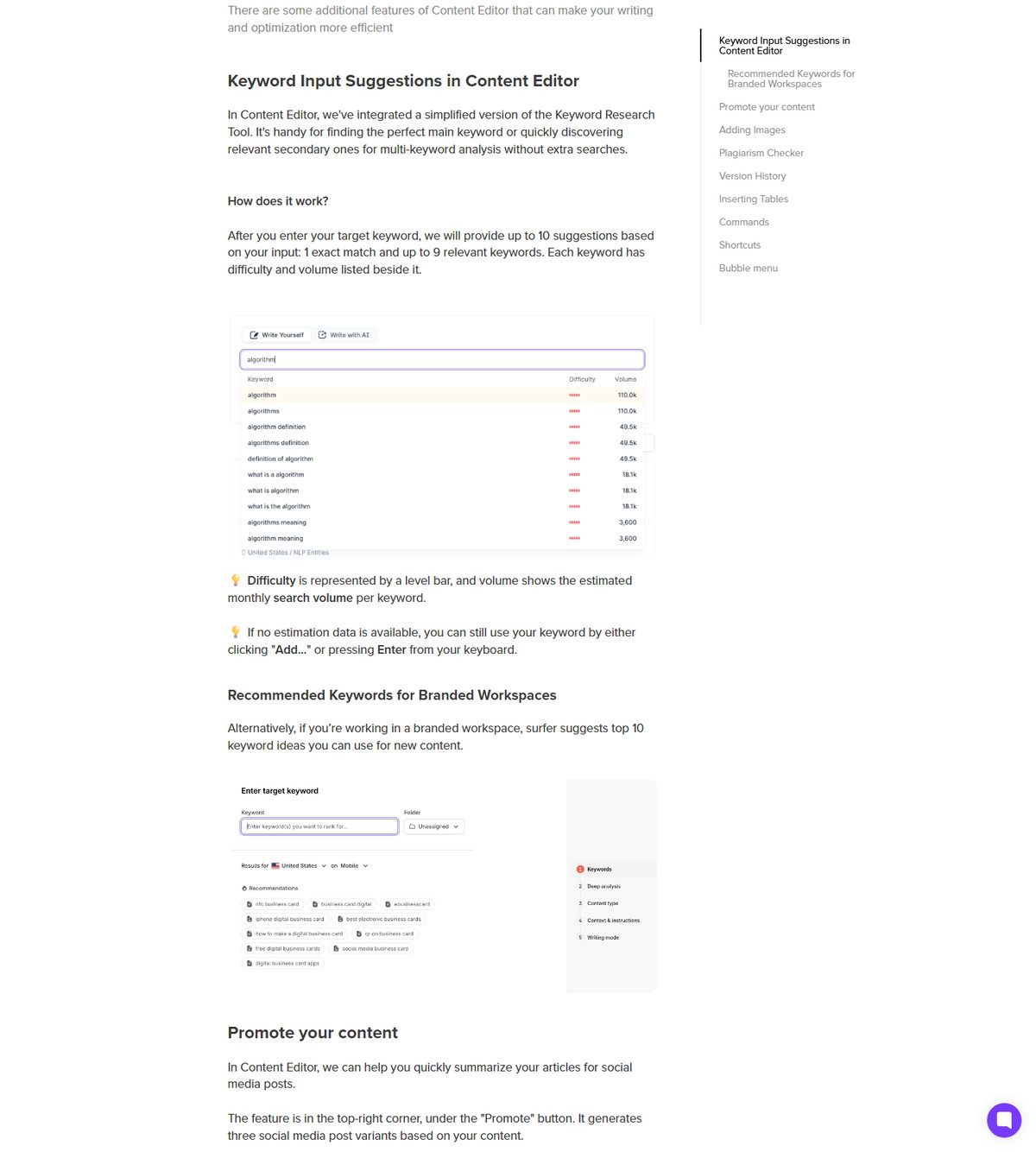
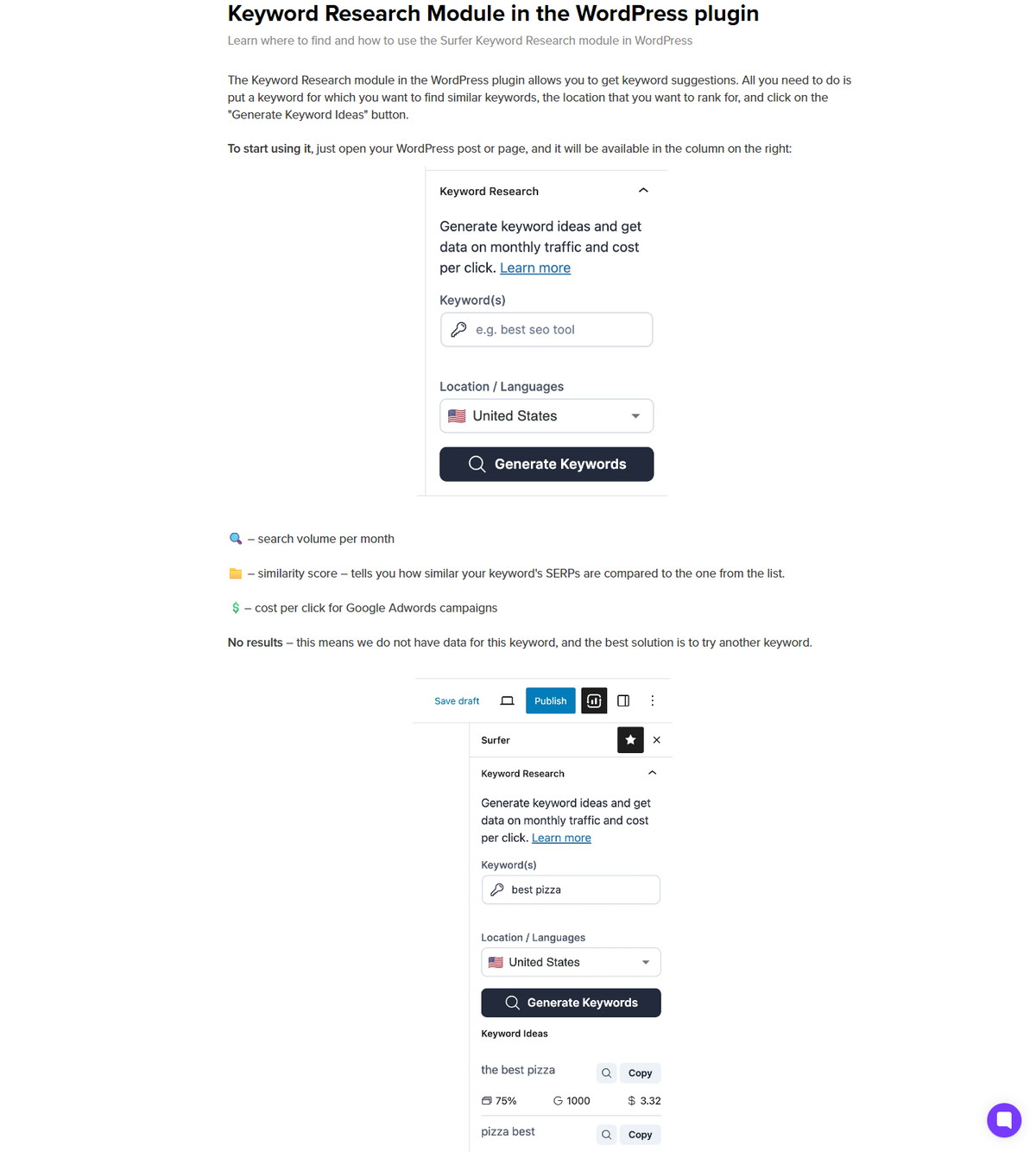
Keyword metrics appear across several Surfer surfaces, all drawing on the same research layer. Surfer documents keyword suggestions in the Content Editor and in the WordPress plugin.
| Surface | What keyword data appears |
|---|---|
| Keyword Research | Full clusters with intent, sub-keywords, volume, and Content Score benchmarks |
| Content Editor input | Up to 10 suggestions with difficulty bars and estimated monthly volume |
| WordPress plugin module | Suggestions with volume, similarity score, and cost per click |
| Topic Research | Idea clusters grouped by similarity and intent |
The Content Editor suggestions are a simplified version of the research layer, and the plugin module brings the same style of data into WordPress.
Limitations and Honest Use of Keyword Metrics
Treat volume, difficulty, and score benchmarks as dated signals, not promises. The documented data sources change as SERPs and partner datasets change.
- Volume reflects 12-month averages from data partners and will differ from other tools' numbers.
- Difficulty and score benchmarks are Surfer-specific values, not Google metrics.
- Clusters reflect the current ranking pages for the keyword and location you choose; changing the location changes the data.
- Keyword metrics are not promises of rankings, traffic, or conversions; validate with your own analytics after publishing.
The honest workflow is to use clusters for direction, prioritize by intent and effort, then measure real outcomes with your own tracking.
FAQ
Is Surfer keyword research free?
The in-app Keyword Research tool is part of the Surfer subscription, while the Keyword Surfer extension is described on its landing page as 100% free forever. Feature-level access to connected Surfer capabilities can still depend on your account state.
What is the difference between Keyword Research and Keyword Surfer?
Keyword Research is the in-app cluster builder with intent, volume, difficulty, and score benchmarks, while Keyword Surfer is the free Chrome extension that shows keyword data beside Google results. Surfer's keyword-research URL currently serves the extension landing page, so both names matter for navigation.
Does Surfer Keyword Research show search volume?
Yes. Search volume comes from Surfer's data partners and reflects 12-month averages. Each cluster and suggestion shows volume, and the Content Editor input shows estimated monthly volume next to each suggestion.
Can I send keywords from Keyword Research to the Content Editor?
Yes. The Create Content Editor action on a cluster generates a tailored SEO brief based on that group of keywords. Clusters can also connect to Topical Map for a domain-wide roadmap.
Is Keyword Research the same as Topic Research?
No. Keyword Research builds clusters from competitor and SERP data with volume, difficulty, and score benchmarks, while Topic Research generates fast idea clusters from a seed keyword with GSC optional. Both feed content planning, but they serve different stages.
Does Surfer keyword data guarantee rankings?
No. Volume, difficulty, and Content Score benchmarks are dated Surfer-specific signals, not Google metrics and not ranking guarantees. Validate outcomes with your own analytics after publishing.
Can I use Surfer keyword research for WordPress?
Yes, through the WordPress plugin's keyword research module, which generates keyword suggestions in the editor sidebar with volume, similarity, and cost-per-click data. The full cluster view lives in the Surfer app.