Surfer's content planner is a documented planning workflow, not a standalone product page: you find content ideas, analyze competitor coverage, check for cannibalization, and measure progress, following a weekly and monthly recipe from Surfer's own cheat sheet. The Surfer SEO Content Planner inputs come from Topical Map and Recommendations, and the output feeds Content Editor for writing. Surfer's content-planner URL currently redirects to the Keyword Surfer extension landing page, which is recorded here as part of the honest picture.
| At-a-glance | Details |
|---|---|
| Tool | Surfer SEO |
| What it is | Documented content planning workflow and calendar rhythm |
| Planning inputs | Topical Map ideas, Recommendations, competitor analysis |
| Cadence | Weekly recipe, monthly recipe, quarterly checks |
| Prerequisites | Google Search Console connected, Sites set up |
| Supporting tools | Content Editor, Content Audit, Rank Tracker |
| URL note | content-planner URL redirects to the extension landing page |
| Check date | August 10, 2026 |
Quick Answer: What Is the Surfer SEO Content Planner?
The Surfer SEO Content Planner is Surfer's documented content planning workflow: a repeatable rhythm of finding ideas, analyzing competitors, checking cannibalization, and measuring progress, with a weekly and monthly recipe documented in the Surfer Cheat Sheet. There is no dedicated Content Planner product page; the planning work happens in Topical Map, Recommendations, and the Performance section.
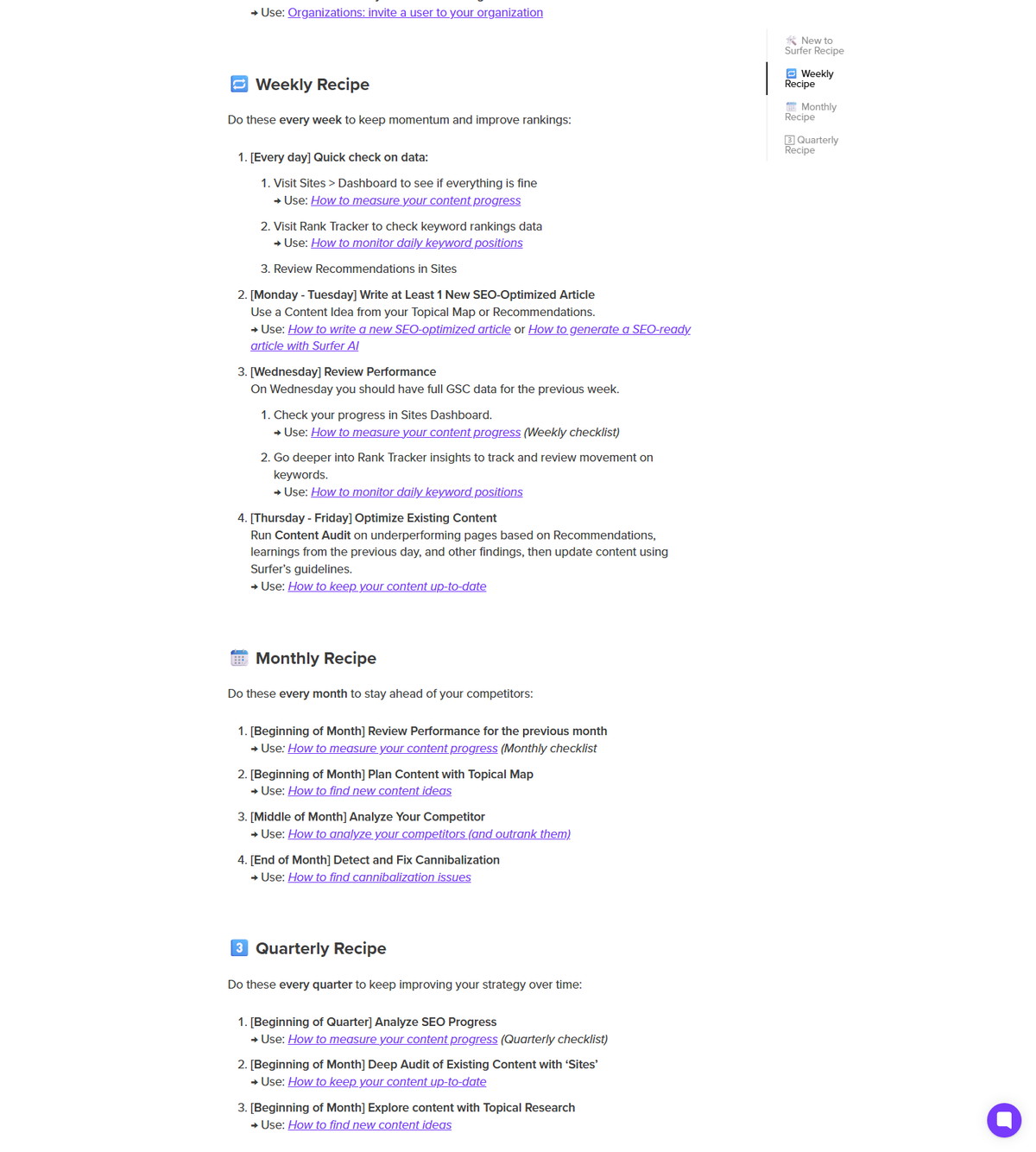
- Weekly: write at least one new article from a Topical Map or Recommendations idea, review performance mid-week, and optimize existing content late in the week.
- Monthly: plan content with Topical Map at the start, analyze competitors mid-month, and check for cannibalization at month end.
- Quarterly: deep audits, SEO progress reviews, and fresh topic exploration.
| Planning layer | Documented source |
|---|---|
| Ideas | Topical Map, Topic Research, Recommendations |
| Competition | Topical Map competitor filter, top 100 |
| Conflicts | Cannibalization Report (Pro and above) |
| Measurement | Performance section, up to 16 months of GSC data |
| Cadence | Weekly, monthly, quarterly recipe |
If this planning rhythm fits your publishing process, check Surfer's current access options before setting up Sites.
How Surfer Frames Content Planning
Surfer documents the Surfer SEO Content Planner as a step-by-step workflow called Create a winning content plan, covering ideas, competitors, and cannibalization. The step-by-step collection groups the workflow into three steps with supporting measurement guides.
| Planning step | Documented guide |
|---|---|
| Find new content ideas | Step 1: How to find new content ideas |
| Analyze competitors | Step 2: How to analyze your competitors (and outrank them) |
| Find cannibalization issues | Step 3: How to find cannibalization issues |
| Measure progress | How to measure your content progress |
| Monitor positions | How to monitor daily keyword positions |
Surfer frames topical authority as the goal: staying focused, relevant, and in-depth around one subject. The planning workflow is how teams decide what to publish next, in what order, and which gaps to close first.
What You Need Before Planning Content
Surfer documents Google Search Console connected to Surfer and a Sites project as the foundation for planning. The step-by-step guides treat these as prerequisites for Topical Map, Recommendations, and progress tracking.
| Requirement | Documented detail |
|---|---|
| Google Search Console | Connected to Surfer; main performance data source |
| Sites project | Enables Content Audit, Topical Map, and progress tracking |
| GSC data history | At least 30 days documented for Sites to work properly |
| Team setup | Members added to the organization for collaboration |
The Surfer Cheat Sheet lists these as the New to Surfer recipe to complete once: add GSC, connect GSC to Surfer, set up Sites, and add team members.
Step 1: Find New Content Ideas
Use Topical Map and Topic Research to surface content ideas, spot gaps, and fill your calendar. The find-content-ideas guide documents both paths.
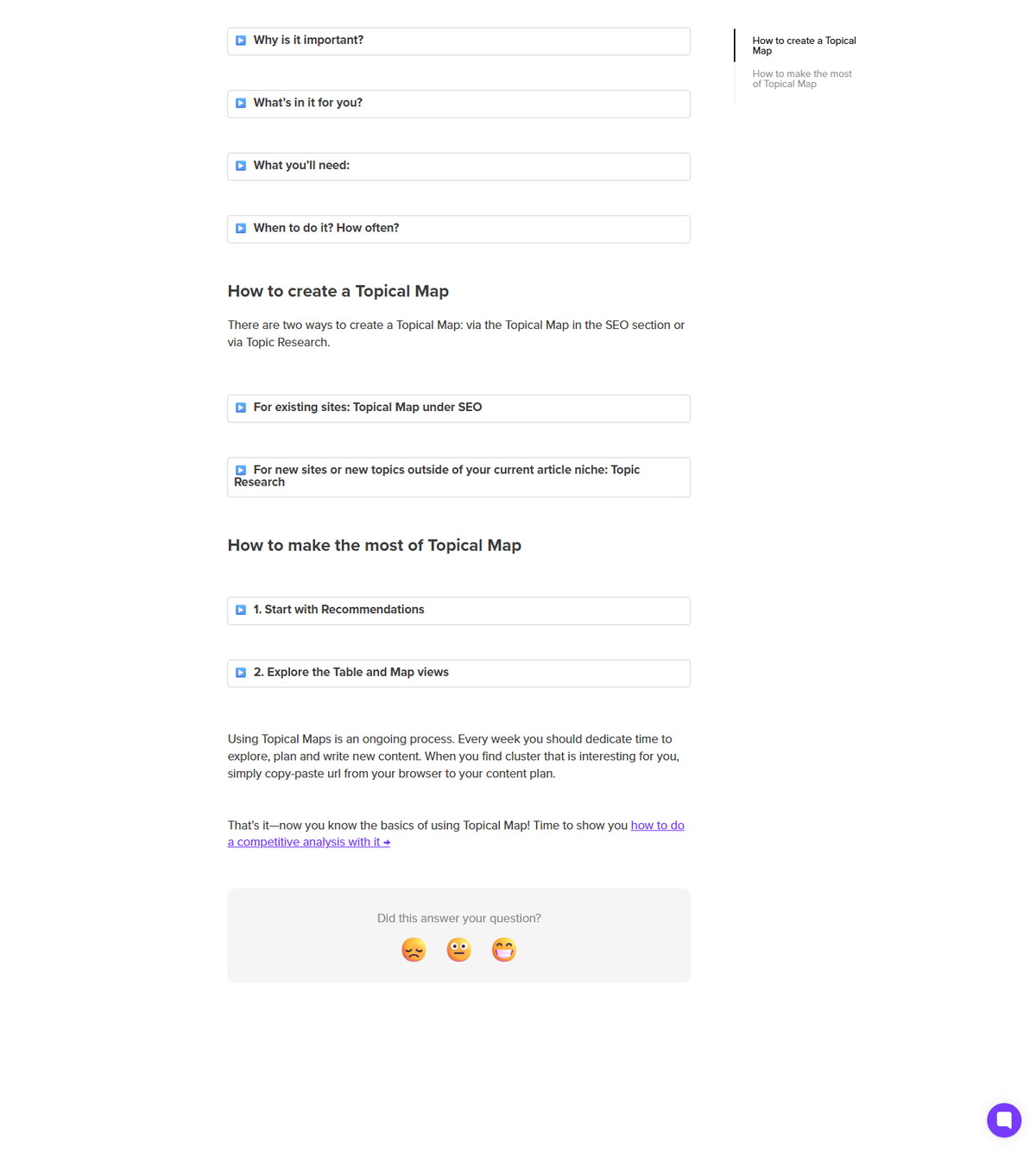
- Topical Map auto-generates article ideas for existing domains and refreshes on a documented cadence.
- Topic Research generates idea clusters from a seed keyword for new niches, with GSC optional.
- Recommendations highlight topics most likely to strengthen existing clusters.
- Surfer suggests copy-pasting interesting cluster URLs from the browser into your content plan.
- Cadence: monthly for content calendar planning, weekly to follow recommendations.
Step 2: Analyze Competitors and Coverage
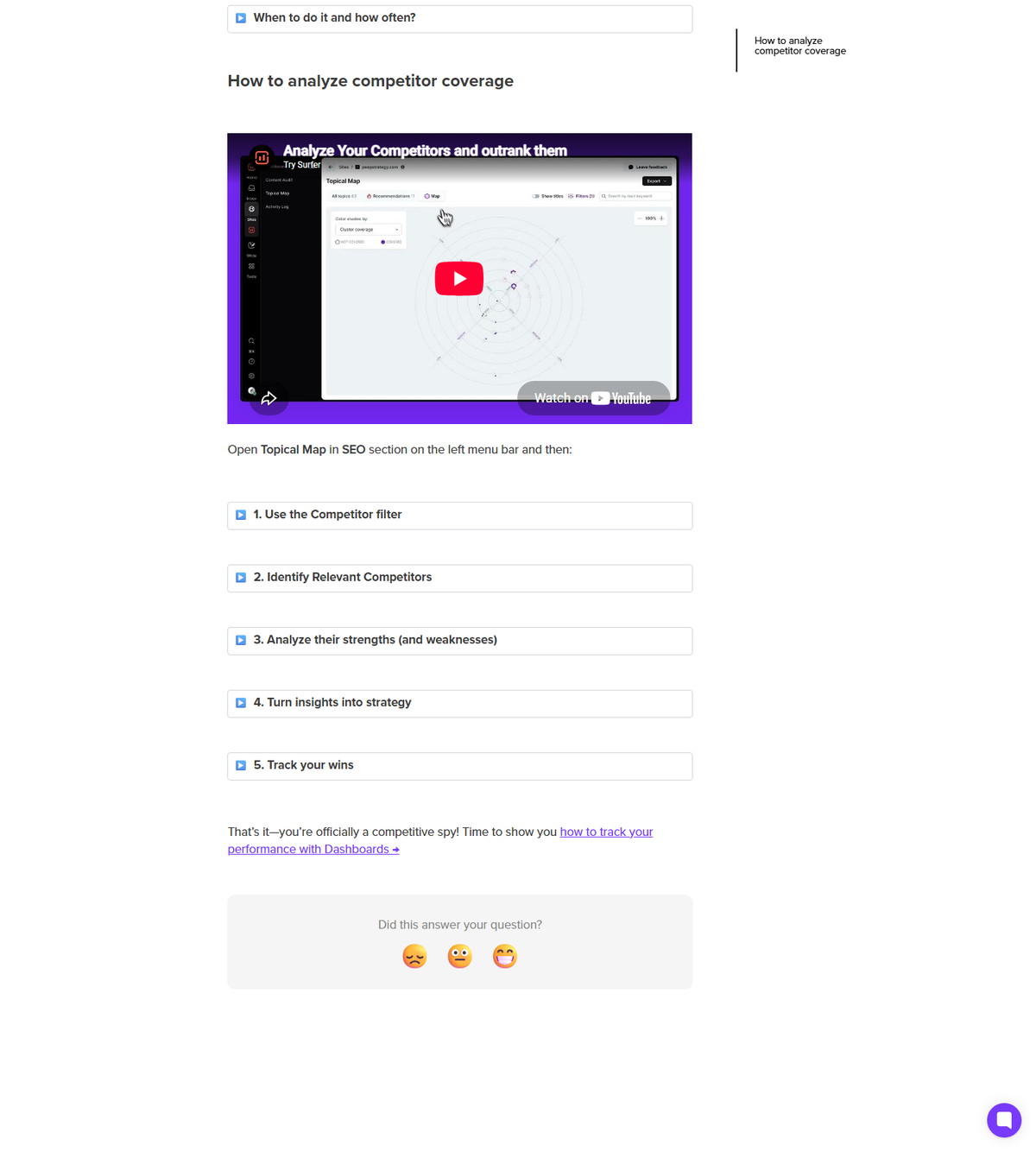
Use the Topical Map competitor filter to see the top 100 competitors by topic coverage, then target their gaps. The competitor guide documents the analysis flow.
- View the top 100 competitors based on topic coverage, and deep-dive into specific competitors.
- Uncheck competitors that are not relevant to your niche and focus on same-audience pages.
- Look for overlaps where you compete directly and white space where competitors cover topics you do not.
- Turn insights into strategy: target topics where you can quickly outrank them, prioritize low-effort clusters, and assign content tasks.
- Run the audit monthly or quarterly, especially when launching a campaign.
The guide positions this as the planning loop's competitive intelligence layer: the gaps you find become next month's content tasks.
Step 3: Check for Cannibalization
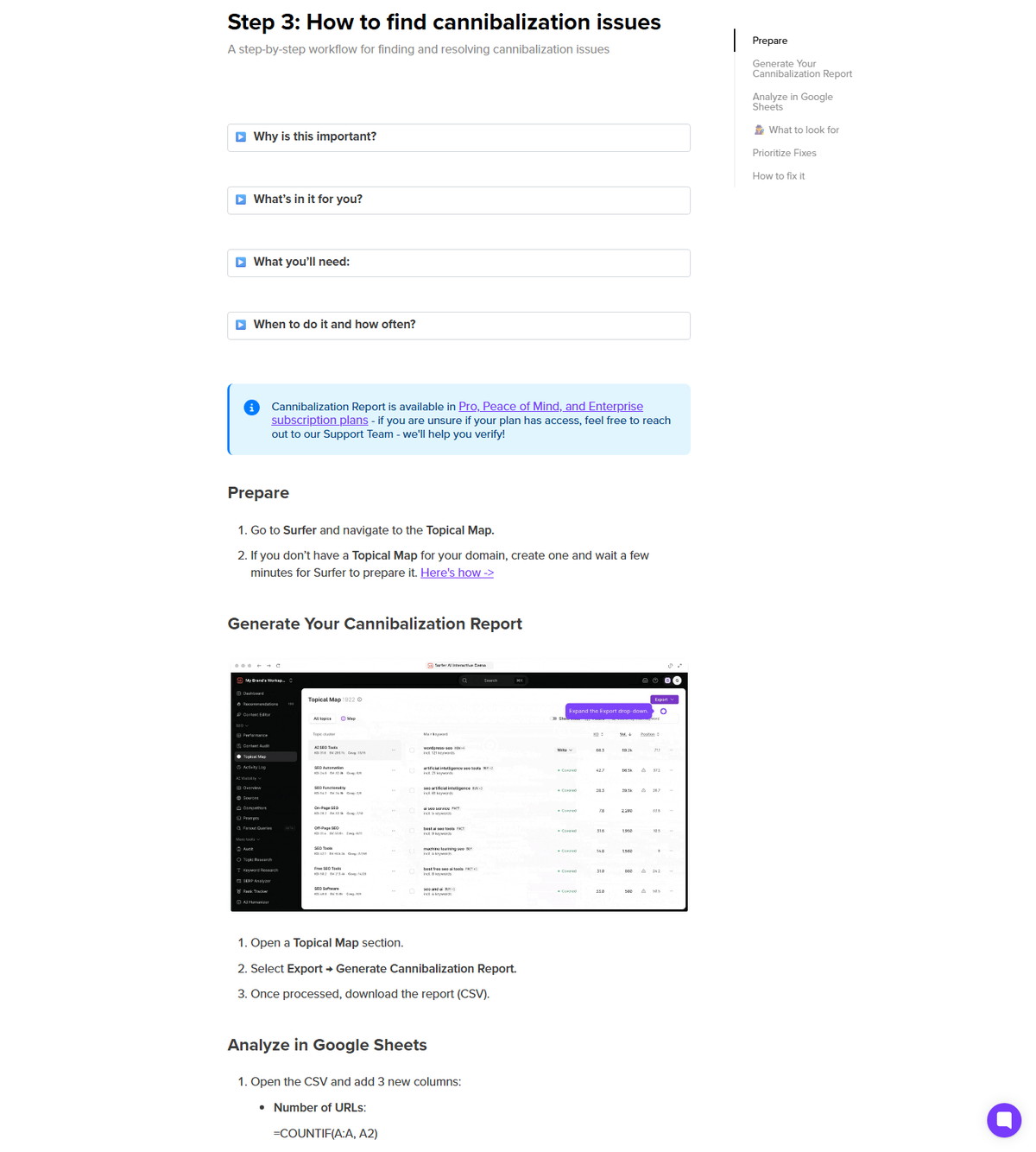
Run the Cannibalization Report from Topical Map quarterly to catch pages competing for the same keywords. The cannibalization guide documents the check and its plan gating.
- Cannibalization splits authority, reduces click-through rates, and confuses search engines.
- The Cannibalization Report is generated from Topical Map and is available on Pro, Peace of Mind, and Enterprise plans.
- Run the check quarterly, after algorithm updates, and after major content releases.
- Surfer documents organizing and analyzing the data with Google Sheets.
Resolving cannibalization is a planning task: decide which page keeps the keyword, then fold the plan accordingly.
How to Measure Content Progress
The Performance section pulls clicks, rankings, trends, rank drops, and algorithm updates into one view, with up to 16 months of GSC data. The progress guide documents the dashboard workflow.
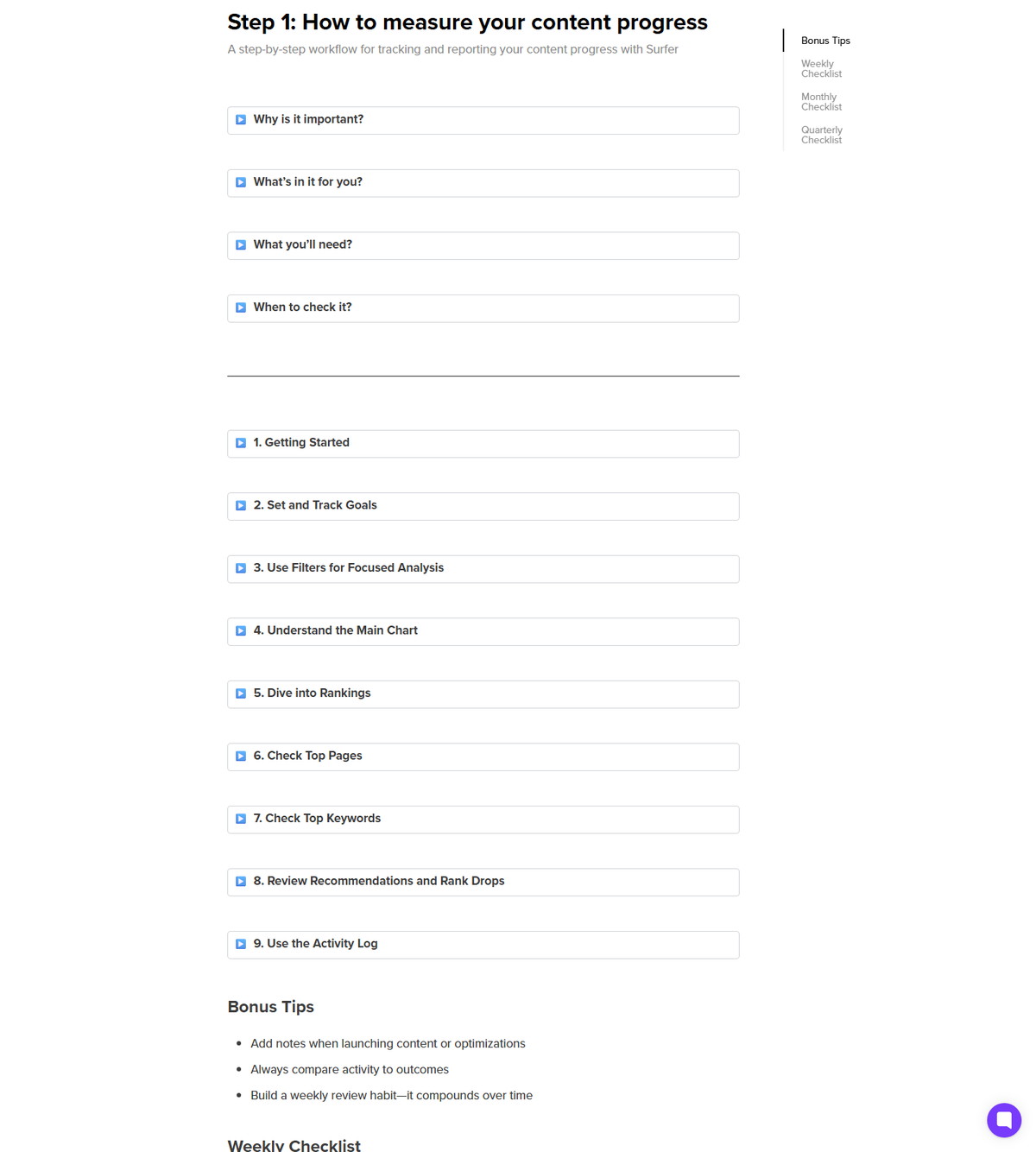
What you can do with it, per the guide:
- Track how optimizations, new content, and internal linking affect performance.
- Monitor high-priority pages and keywords.
- Spot growth or drops early and understand why they happened.
- Respond quickly to algorithm updates.
- Understand overall site visibility at a glance.
Measurement closes the loop: the plan produces content, the Performance section shows what worked, and the next plan iteration adjusts.
The Weekly, Monthly, and Quarterly Recipe
Surfer's Cheat Sheet turns planning into a calendar recipe with explicit cadences. This is the operational core of the content planner.
<div class="scalewitai-table-scroll" role="region" aria-label="Surfer SEO Content Planner guide data table” style=”max-width:100%”>| Cadence | Documented actions |
|---|---|
| Daily | Quick data check in Sites Dashboard and Rank Tracker; review Recommendations |
| Monday to Tuesday | Write at least 1 new SEO-optimized article from a Topical Map or Recommendations idea |
| Wednesday | Review performance with full GSC data for the previous week |
| Thursday to Friday | Run Content Audit on underperforming pages and update using guidelines |
| Monthly | Plan content with Topical Map, analyze competitors, detect cannibalization |
| Quarterly | Analyze SEO progress, deep audit existing content, explore with Topic Research |
The recipe makes planning continuous: ideas come from the map, writing happens weekly, and audits keep the calendar honest.
A Note About the Content Planner URL
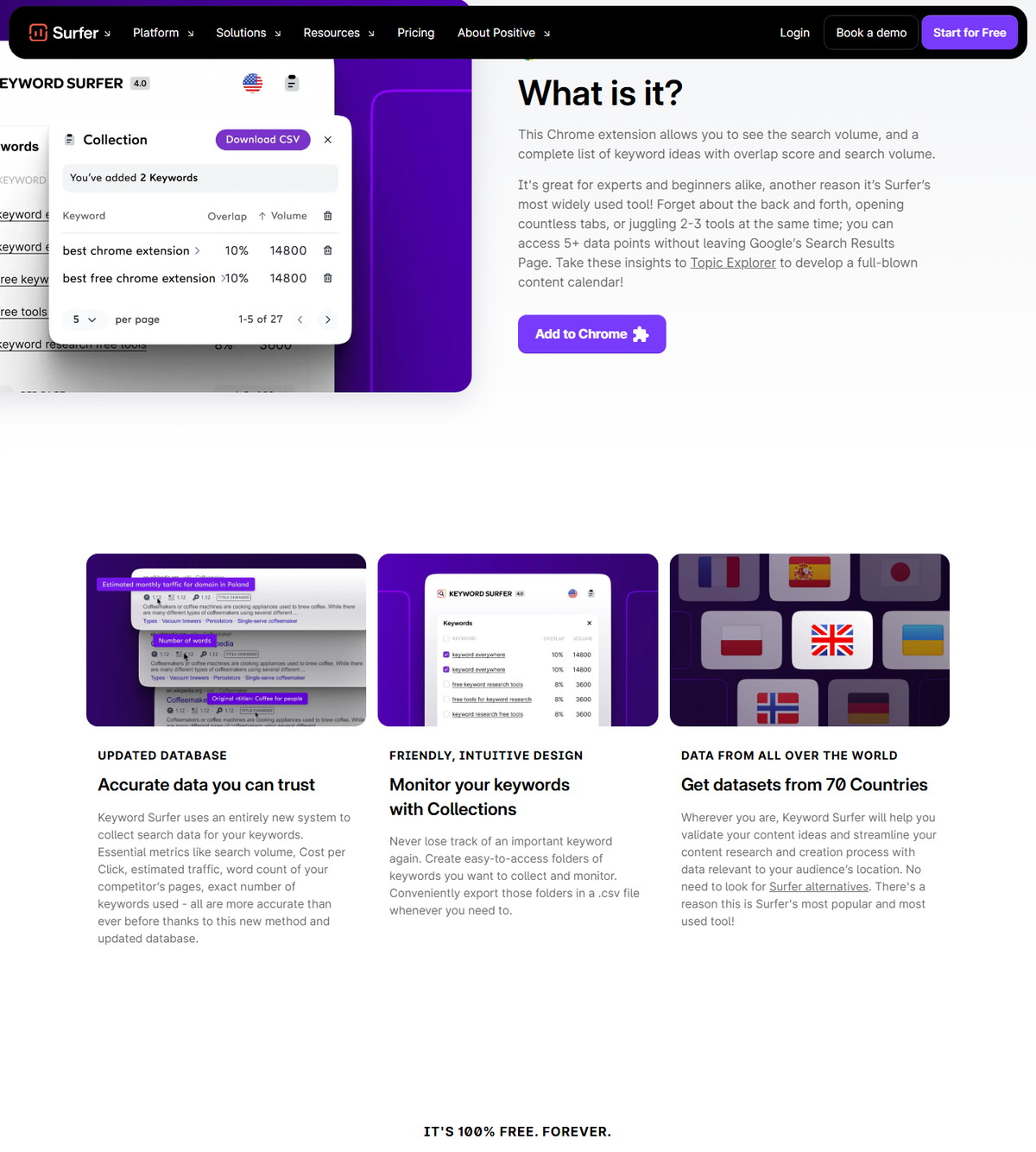
The URL surfer-seo-content-planner is the article slug, but Surfer's own content-planner URL currently redirects to the Keyword Surfer extension landing page. This package records that observation so readers know what to expect:
- No dedicated Content Planner product page was found on the official site at the check date.
- The planning workflow is documented across the step-by-step series and the Cheat Sheet.
- The Keyword Surfer extension landing describes the free Chrome extension for on-SERP keyword data, which is a separate product from the planning workflow.
If you are looking for a calendar view, the practical answer is that Surfer's planning surfaces are Topical Map, Recommendations, and the Performance section.
FAQ
Does Surfer have a Content Planner tool?
The Surfer SEO Content Planner is documented as a workflow across Topical Map, Recommendations, and the Performance section, not as a standalone product page. The content-planner URL currently redirects to the Keyword Surfer extension landing page.
How often should I plan content with Surfer?
Monthly for content calendar planning, weekly to follow recommendations, and quarterly for competitor and cannibalization checks. The Cheat Sheet documents a daily to quarterly recipe.
What do I need before planning content in Surfer?
Google Search Console connected to Surfer and a Sites project. Surfer documents at least 30 days of GSC data for Sites, and the Cheat Sheet lists GSC, Sites, and team setup as the foundation.
How does Surfer help me find content ideas?
Topical Map auto-generates article ideas for existing domains, Topic Research generates clusters for new niches, and Recommendations highlight high-potential topics. Surfer suggests copying interesting cluster URLs into your content plan.
What is the Cannibalization Report?
It is a report generated from Topical Map that flags pages competing for the same keywords. Surfer documents it as available on Pro, Peace of Mind, and Enterprise plans, with quarterly checks recommended.
Can I plan content without Google Search Console?
Surfer documents GSC as the main performance data source and a requirement for Sites and Topical Map workflows. Topic Research works without GSC, but the full planning loop relies on connected data.
Does planning with Surfer guarantee results?
No. Planning cadence, recommendations, and data are documented guidance, not guarantees of rankings, traffic, or conversions. Validate outcomes with your own analytics after publishing.