Writecream is better when one subscription must cover SEO articles, cold outreach, audio, images, and publishing. Rytr is better when you want a simpler, lower-cost writing assistant with 40+ use cases, tone matching, plagiarism allowances, and a browser extension. Both are current self-serve products, but Writecream sells breadth while Rytr sells a focused writing workflow.
| Decision point | Writecream | Rytr |
|---|---|---|
| Best fit | SEO, outreach, content, and multimedia in one menu | Short-form and routine writing with a lighter interface |
| SEO | Lexi research, scoring, article, and export path | SEO use cases, but not a comparable full SEO/GEO platform |
| Personalization | URL-based email and LinkedIn icebreakers | MyVoice tone matching and general message generation |
| Browser workflow | Writecream Chrome extension | Rytr extension for common web writing surfaces |
| Audio and images | Voice-overs, podcasts, audio icebreakers, images | Writing-centered product; no comparable media menu |
| Entry price | Free, then $29/month | Free, then $9/month monthly for Unlimited |
| Bottom line | Better feature breadth | Better low-cost writing focus |

Writecream vs Rytr: the direct answer
Choose Writecream if a typical week includes an SEO article, a batch of prospect icebreakers, a voice-over, an image, and WordPress publishing. Its higher monthly price buys a wider set of named production tools.
Choose Rytr if the main requirement is writing. Its free tier and $9 monthly Unlimited plan make it easier to justify for emails, social copy, rewrites, paragraphs, messages, and other routine use cases. Premium adds more tone matches, languages, and plagiarism allowances.
Neither product is an automatic publishing system. Human review, source checks, brand approval, and compliance remain required.
Product focus: breadth versus simplicity
Writecream is a marketing utility belt
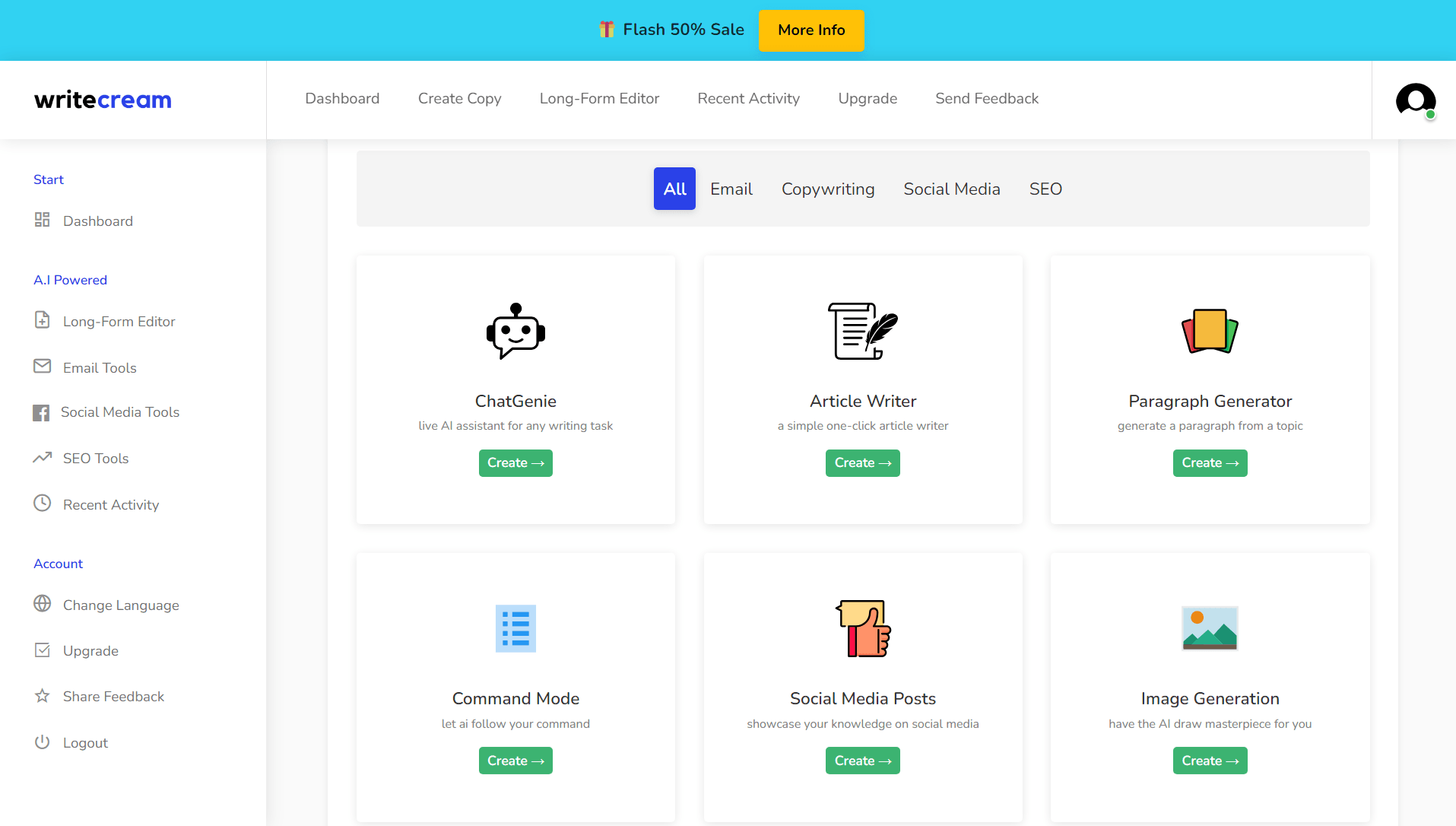
Writecream's current public suite covers long-form and short-form content, Lexi SEO/GEO workflows, cold-email and LinkedIn personalization, audio icebreakers, voice-overs, podcasts, images, Chrome, mobile, and WordPress handoff.
The benefit is consolidation. A small team may avoid paying for separate outreach, voice, image, and article utilities.
The cost is complexity. A large tool menu can include overlapping generators, inconsistent limits, and features that the team never uses.
Rytr keeps the center of gravity on writing
Rytr markets 40+ use cases for creating, editing, and improving text. Its public pages highlight email, replies, paragraphs, post ideas, calls to action, MyVoice, plagiarism checking, and a browser extension.

A focused interface can reduce training time and decision fatigue. It can also leave teams buying separate tools for SEO research, media, outreach data, and publishing.
Writing workflow and output control
Rytr is the cleaner choice for a user who wants to select a use case, add a few inputs, choose a tone, and get a draft. MyVoice is designed to make output resemble examples supplied by the user. Premium expands the number of tone matches.
Writecream uses the same template-led logic for many tasks but extends it into more categories. That is useful when the content workflow moves between text, audio, and visual formats.
For both tools, test a fixed evaluation set:
- one factual article section;
- one brand-sensitive landing page;
- one prospecting email;
- one rewrite that must preserve all numbers and qualifiers;
- one multilingual or tone-specific draft if relevant.
Score factual accuracy, meaning preservation, brand edits, originality review, and final approval time. “Sounds like you” is only valuable if the copy is also true and appropriate.
SEO and long-form content
Writecream has the stronger public SEO story. Lexi packages keyword research, competition analysis, content scoring, article generation, backlink-related automation, and WordPress export into a defined path.

Rytr can generate titles, descriptions, paragraphs, outlines, and long-form text, but it does not present the same end-to-end SEO/GEO operating layer. An SEO professional can still use Rytr effectively alongside trusted keyword, SERP, crawl, and optimization tools.
| SEO need | Better fit | Caveat |
|---|---|---|
| Guided keyword-to-article path | Writecream | Vendor scores and research still require verification |
| Low-cost drafting beside an existing SEO stack | Rytr | External data and briefing are the team's responsibility |
| WordPress export from the SEO workflow | Writecream | Verify formatting, links, metadata, and media after export |
| Plagiarism allowances in the writing plan | Rytr | A checker result is not a copyright clearance |
| Guaranteed rankings | Neither | Search performance depends on the published page and market |
Do not choose an AI writer because it promises “SEO optimized” output. Choose the tool that fits your evidence and editorial process.
Cold email and sales personalization
Writecream has the clearer sales-specific advantage. Its public tools can generate cold-email and LinkedIn icebreakers from a profile or website URL, and its batch workflow can accept a CSV. Audio and image icebreakers expand the formats.
Rytr can write emails, replies, calls to action, and messages. Its browser extension can bring those functions into common web surfaces. It does not present the same dedicated URL-to-icebreaker system.
Rytr may be better for a sales rep who already has accurate account research and only needs a cleaner writing assistant. Writecream may be better for a team that wants the personalization step packaged inside the product.
Neither tool validates the prospect fact, establishes consent, sends the campaign safely, or handles suppression by itself.
Browser extension and integrations
Rytr publicly promotes a browser extension that works where users write, including email, messaging, and document contexts. This is a strong fit for people who do not want to switch into a separate generator for every sentence.
Writecream also has a Chrome extension and public help content showing use in Gmail, Google Docs, LinkedIn, WordPress, Blogger, social platforms, and other text fields. Its current documentation is uneven and partly dated, so verify the exact extension behavior before standardizing a team workflow.
Rytr's product pages also mention an API in navigation. API access, authentication, quotas, and terms should be verified from current documentation rather than inferred from the link alone. Writecream does not have a sufficiently documented public API for us to promise custom automation.
Audio, images, and media breadth
This category strongly favors Writecream. Its public suite includes voice-over, podcasts, audio icebreakers, image icebreakers, and image generation beside writing and SEO.
Rytr is writing-centered. If your team already uses specialist image and audio products, that focus may be an advantage. If you want one subscription for several basic media tasks, Writecream provides more visible breadth.
Feature breadth is not the same as depth. Evaluate the exact output limits, formats, licensing terms, edit controls, and quality you need.
Pricing and plan limits
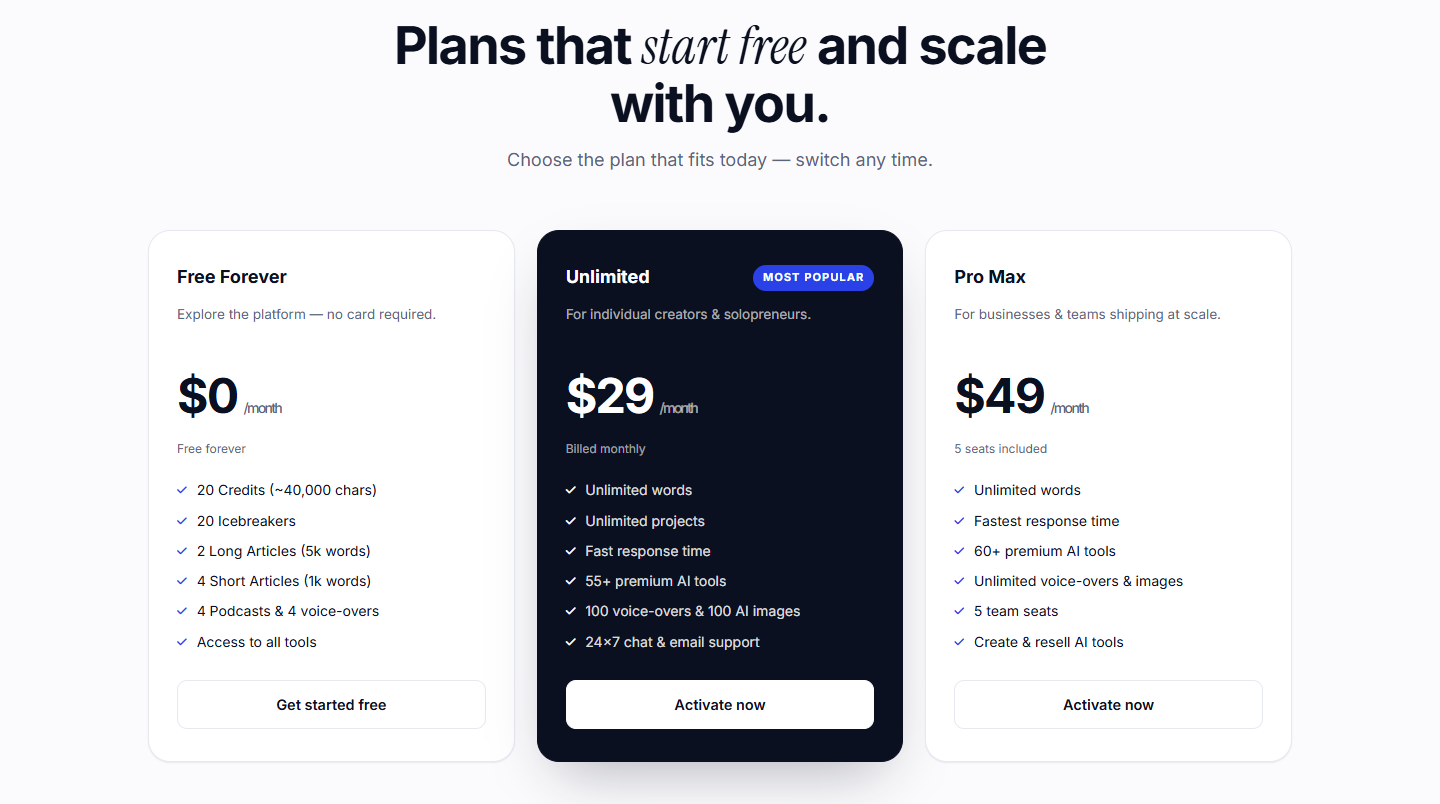
Rytr's current public pricing is unusually easy to compare:
| Rytr plan | Monthly billing | Annual equivalent shown | Selected limits |
|---|---|---|---|
| Free | $0 | $0 | 10,000 characters/month; no card |
| Unlimited | $9/month | $7.50/month billed yearly | Unlimited generation, one tone match, 50 plagiarism checks/month |
| Premium | $29/month | $24.16/month billed yearly | Unlimited generation, multiple tone matches, 35+ languages, 100 plagiarism checks/month |
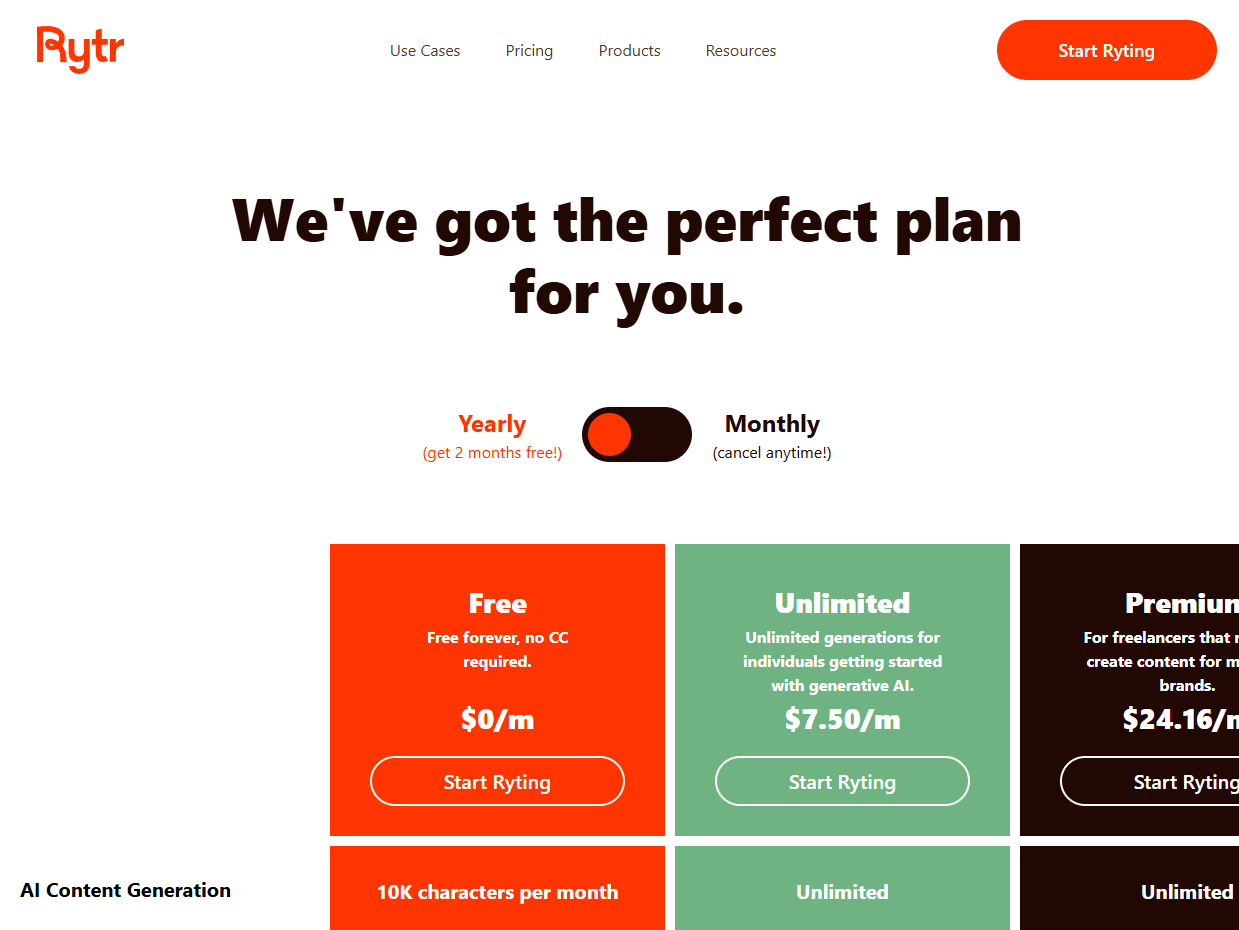
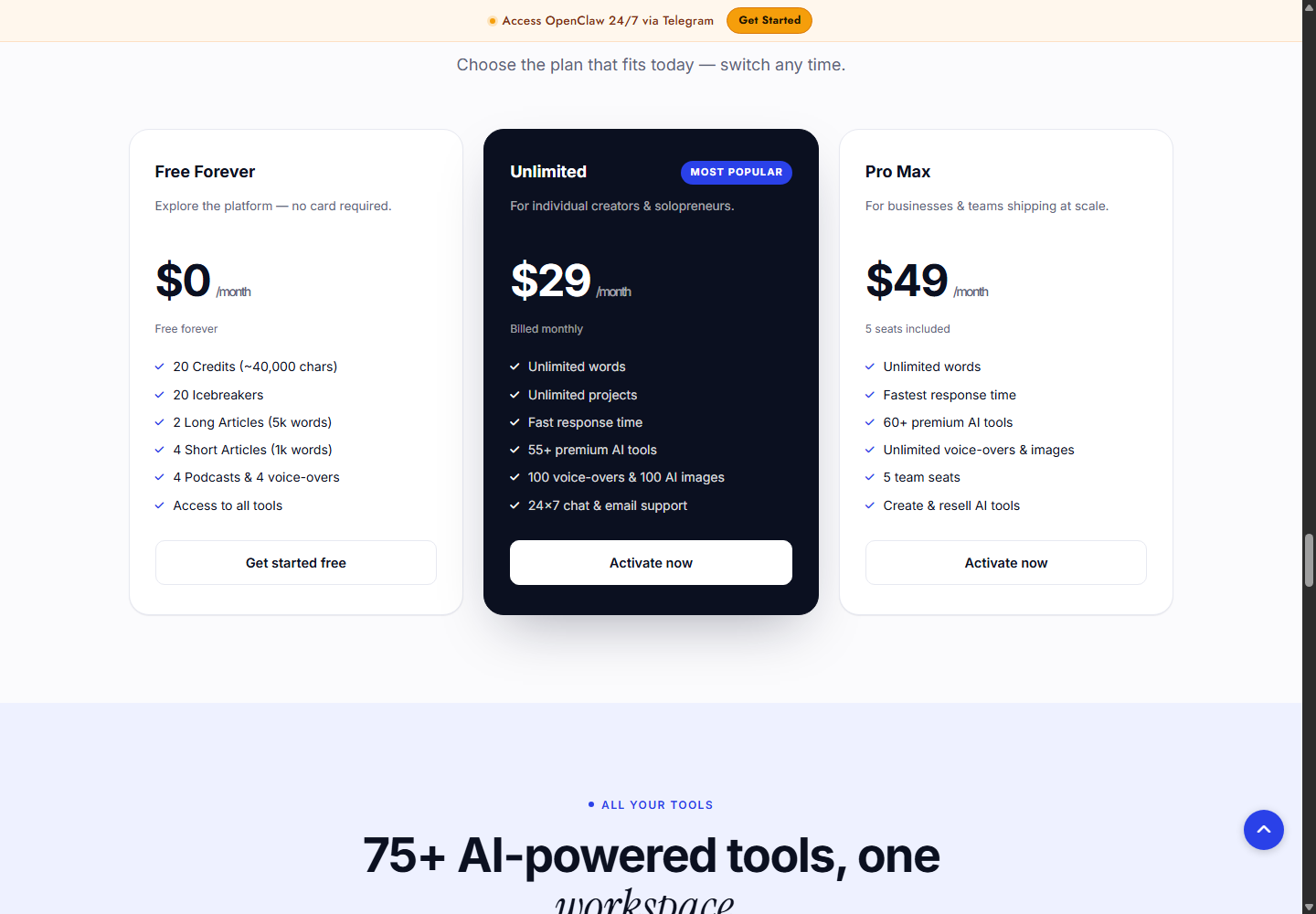
Writecream currently lists Free Forever, Unlimited at $29 per month, and Pro Max at $49 per month. It also promotes a separate $59 lifetime offer. Public free allowance wording varies, and “unlimited words” does not make every voice, image, or SEO feature unlimited.
See Writecream's current tools and plans
The value decision is straightforward:
- Choose Rytr's lower-priced plan if writing is the job.
- Pay for Writecream only if SEO workflow, outreach, audio, images, or publishing replace other labor or subscriptions.
Privacy and output safety
Writecream and Rytr publish legal pages, but neither should receive confidential or regulated data without a vendor review. Confirm retention, deletion, model-training use, subprocessors, security controls, and plan-specific workspace settings.
Rytr's plagiarism checks can be useful as a screening signal. They do not prove copyright ownership, factual originality, or freedom from infringement. Writecream's originality and humanizer claims require the same caution.
For any publishable or sendable output:
- verify facts and quotations;
- compare against the source brief;
- remove unsupported personalization;
- check rights and disclosures;
- keep a human approver accountable.
Who should choose Writecream?
Writecream is better for:
- creators producing text, audio, and images;
- SEO specialists wanting a guided Lexi path;
- sales teams using cold-email or LinkedIn icebreakers;
- small agencies consolidating several lightweight tools;
- users who want WordPress-oriented handoff.
Read our full Writecream review for its strengths, limitations, and current evaluation boundary. Our Writecream tutorial maps the draft-to-review workflow.
Who should choose Rytr?
Rytr is better for:
- writers who want a simpler product;
- users with an existing SEO and media stack;
- teams prioritizing browser-based drafting;
- buyers who need a permanent free tier or a $9 monthly entry plan;
- users who value MyVoice and included plagiarism checks.
A seven-day pilot that reveals the real cost
Use the free tiers to run the same controlled queue. Do not compare unrelated vendor samples.
Day 1: configure the baseline
Create one approved voice guide, one source pack, a list of prohibited claims, and a fixed output format. Record setup time. If the product cannot store the full context, keep the same external brief for both.
Days 2 and 3: writing quality
Generate an email, landing-page section, product description, and 800-word article section. Track unsupported facts, repeated phrases, tone violations, and minutes to approval. Run the same outputs through your normal originality and rights review.
Day 4: SEO handoff
Give both tools the same keyword evidence. Evaluate outline usefulness, heading logic, preserved citations, metadata quality, and CMS formatting. Separate vendor scores from your own acceptance criteria.
Day 5: outreach
Use five prospects whose facts have already been verified. Compare personalization specificity and the rate of invented details. Do not send the test messages.
Day 6: adjacent workflows
Test the Rytr browser extension in an approved low-risk document. Test one Writecream media or WordPress handoff that would otherwise require another tool. Record whether the feature saves real labor.
Day 7: calculate approved output cost
Use:
Subscription allocation + operator minutes + reviewer minutes + correction risk + other tools still required
A fast draft with ten minutes of correction can be more expensive than a slower draft needing two minutes. The pilot also reveals whether Writecream's breadth replaces subscriptions or merely adds unused menu items.
Final verdict
Writecream wins for workflow breadth. Rytr wins for focused writing value. Writecream is worth the higher price when your team uses Lexi, outreach personalization, audio, image, and publishing tools. Rytr is more economical when the requirement is to create and improve text without paying for adjacent features.
Run the same five briefs in the free tiers before deciding. Measure final edit time, not only the first output. A $9 plan that requires separate SEO and outreach tools may cost more overall; a $29 suite is wasteful if you only use the paragraph generator.
Try Writecream for the broader marketing workflow
Frequently asked questions
Is Writecream better than Rytr for SEO?
Writecream has the more explicit SEO workflow through Lexi. Rytr can assist with SEO copy but works best beside a trusted SEO data and optimization stack.
Is Rytr cheaper than Writecream?
Yes at the current public entry paid tiers. Rytr Unlimited is $9 per month, while Writecream Unlimited is $29 per month. Included categories and limits differ.
Does Rytr have a free plan?
Yes. Its current Free plan includes 10,000 characters per month and does not require a credit card.
Which tool is better for cold email?
Writecream has more dedicated personalization and icebreaker workflows. Rytr is useful for drafting and rewriting emails when the research is already available.
Which tool is easier for beginners?
Rytr's narrower writing focus can be easier to learn. Writecream's named templates are also approachable, but the larger tool menu requires more workflow choices.