A useful Writecream workflow does not start with the Generate button. It starts with a decision: who the article is for, what that reader must decide, which sources can support the claims, and which quality checks must pass before publication.
This tutorial shows how to turn that brief into an edited SEO draft using Writecream's current public Lexi workflow, Article Writer, Long-Form Editor, ChatGenie, and WordPress path. It also covers personalized outreach because Writecream combines content and sales tools in one account.
Our recommendation is to keep the method deliberately human-directed. Writecream can accelerate research organization, outlining, drafting, scoring, and transfer. It cannot guarantee factual accuracy, originality, rankings, backlinks, AI citations, legal compliance, or a human-sounding result. Some official help screenshots show an older interface, while the current homepage centers on Lexi. Use the free plan to confirm exact labels and limits in your account.
What this Writecream tutorial covers
By the end, you will have a repeatable process for:
- Converting a keyword into a decision-focused content brief
- Choosing the right Writecream workflow
- Collecting and mapping primary sources
- Using Lexi or the Article Writer to create an outline
- Drafting in controlled sections
- Editing for accuracy, originality, and brand voice
- Interpreting the SEO score responsibly
- Adding links, citations, media, and metadata
- Exporting or publishing to WordPress as a draft
- Generating personalized outreach with human review
- Running a final quality gate
The goal is a publishable draft, not one-click publication. A publishable draft has the correct structure and evidence but still receives a final editorial and rendered-page review.
Before you start: define the brief and evidence rules
Do not ask an AI writer to "write an SEO article about Writecream" and expect a differentiated result. That request leaves the audience, decision, evidence, risk, and information architecture undefined.
Create a one-page brief with the following fields.
| Brief field | Example | Why it matters |
|---|---|---|
| Canonical query | Writecream tutorial | Keeps the article aligned with the main search intent |
| Reader | US content creator evaluating an AI workflow | Determines vocabulary, examples, and purchasing context |
| Decision | How to create and safely publish a source-checked draft | Prevents a feature tour from replacing useful instruction |
| Primary outcome | WordPress draft that passes factual and formatting QA | Makes success testable |
| Required entities | Writecream, Lexi, Article Writer, ChatGenie, WordPress | Establishes topical coverage without keyword stuffing |
| Primary sources | Vendor product pages, help center, legal pages, Google guidance | Separates evidence from generated claims |
| Claims requiring verification | Prices, limits, integrations, rights, safety, rankings | Prioritizes fact-checking effort |
| Prohibited claims | Guaranteed ranking, undetectable text, automatic compliance | Stops unsafe marketing language before generation |
| Internal links | Review pillar, alternatives, deals | Connects the topic cluster deliberately |
| Conversion action | Evaluate the free plan with a real benchmark | Matches the buyer's stage |
Build a claim-source map
For every important factual claim, record at least one primary source. A simple spreadsheet can use these columns:
- Claim ID
- Draft claim
- Source URL
- Source type
- Checked date
- Exact supporting passage
- Volatility
- Caveat
Prices and plan limits are highly volatile. Company identity and basic product category are less volatile. Ranking, traffic, backlink, AI-visibility, and detector statements require a vendor-claim label and an explicit boundary.
For SEO content, Google's generative-AI guidance and spam policies are useful control sources. Google allows useful AI assistance but warns that scaled content created without added value can violate spam policies. The safe rule is to use automation to reduce repetitive work, then add evidence, analysis, and editorial responsibility.
Prepare an input packet
Writecream will produce a better first draft when the prompt contains structured facts rather than asking the model to research and write simultaneously. Prepare:
- The approved brief
- Source summaries
- Product names and exact spelling
- Current price and checked date
- Required headings
- Internal-link targets
- Brand voice examples
- Claims that must include caveats
- Claims that must not appear
- Desired word-count range
Never paste credentials, unpublished customer information, regulated data, or confidential strategy into the prompt unless your organization has approved the vendor's data handling. Writecream publishes privacy and terms pages, but the public documents do not fully explain prompt retention, model-provider training, subprocessors, or enterprise data controls.
Choose Lexi, Article Writer, Long-Form Editor, or ChatGenie
Writecream documents several routes to a draft. Choose based on control requirements rather than novelty.
| Workflow | Best use | Main advantage | Main risk |
|---|---|---|---|
| Lexi | SEO article from research through optimization | Connects SERP patterns, brief, draft, score, and publishing | Vendor automation claims can encourage overreliance |
| Article Writer | Guided idea-to-article sequence | Clear steps for beginners | Public tutorial shows an older interface and can create generic structure |
| Long-Form Editor | Section-by-section drafting and expansion | More editorial control inside a canvas | Expansion can add repetition or unsupported claims |
| ChatGenie | Flexible research questions, rewrites, repurposing, and problem solving | Conversational control across varied tasks | Output quality depends heavily on prompt and source discipline |
| Chrome extension | Assistance in Gmail, Google Docs, and other editors | Reduces copying between applications | Public documentation is older; compatibility must be retested |
Choose Lexi for an SEO-centered article
The current homepage presents Lexi as an autonomous SEO companion. Public materials describe SERP analysis, competitor and entity extraction, brief generation, drafting, scoring, internal linking, and WordPress publishing.
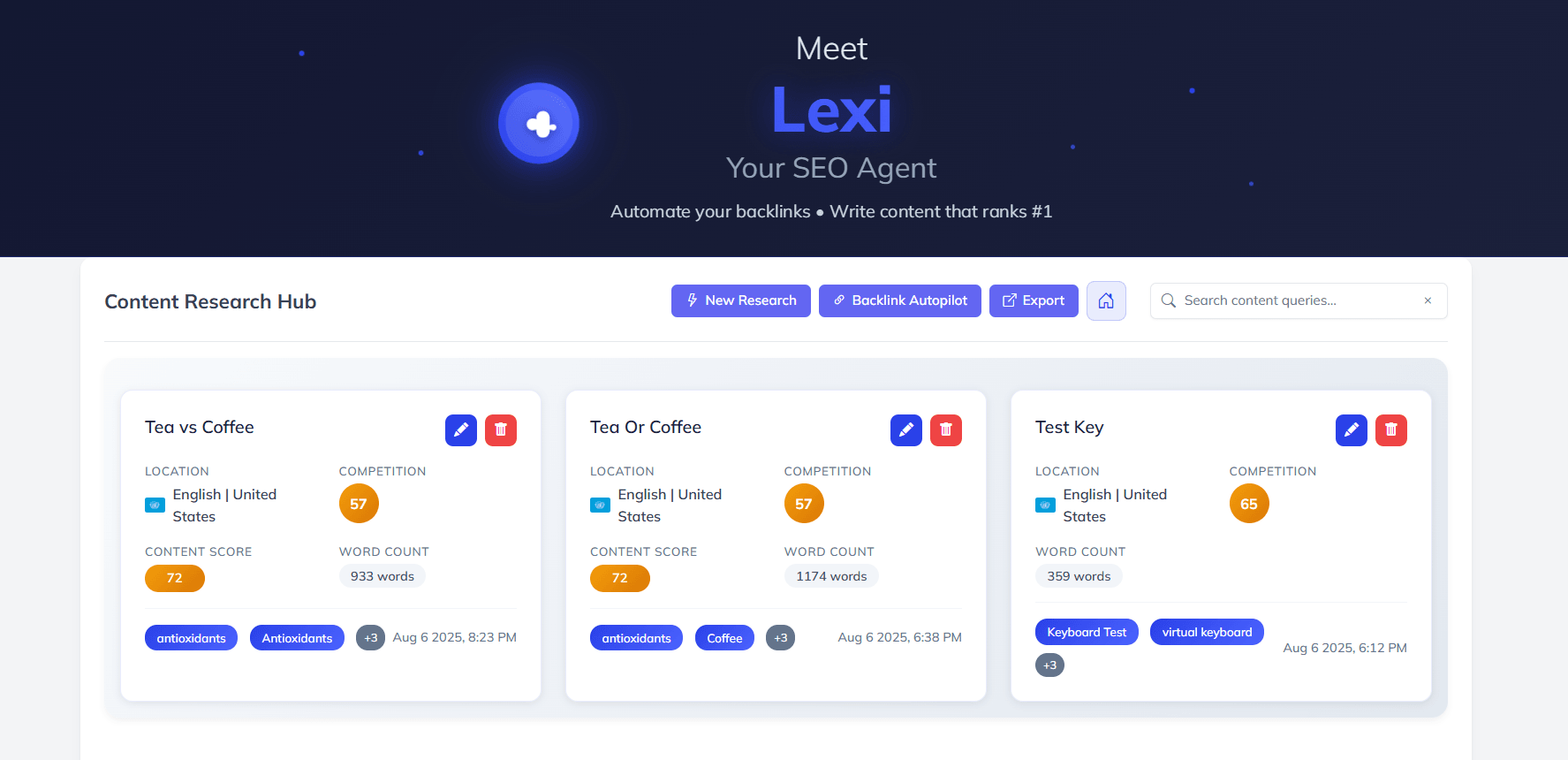
Use Lexi when the primary deliverable is a search-focused article and you want one connected workflow. Keep control of the source set and final outline.
Choose Article Writer for a guided sequence
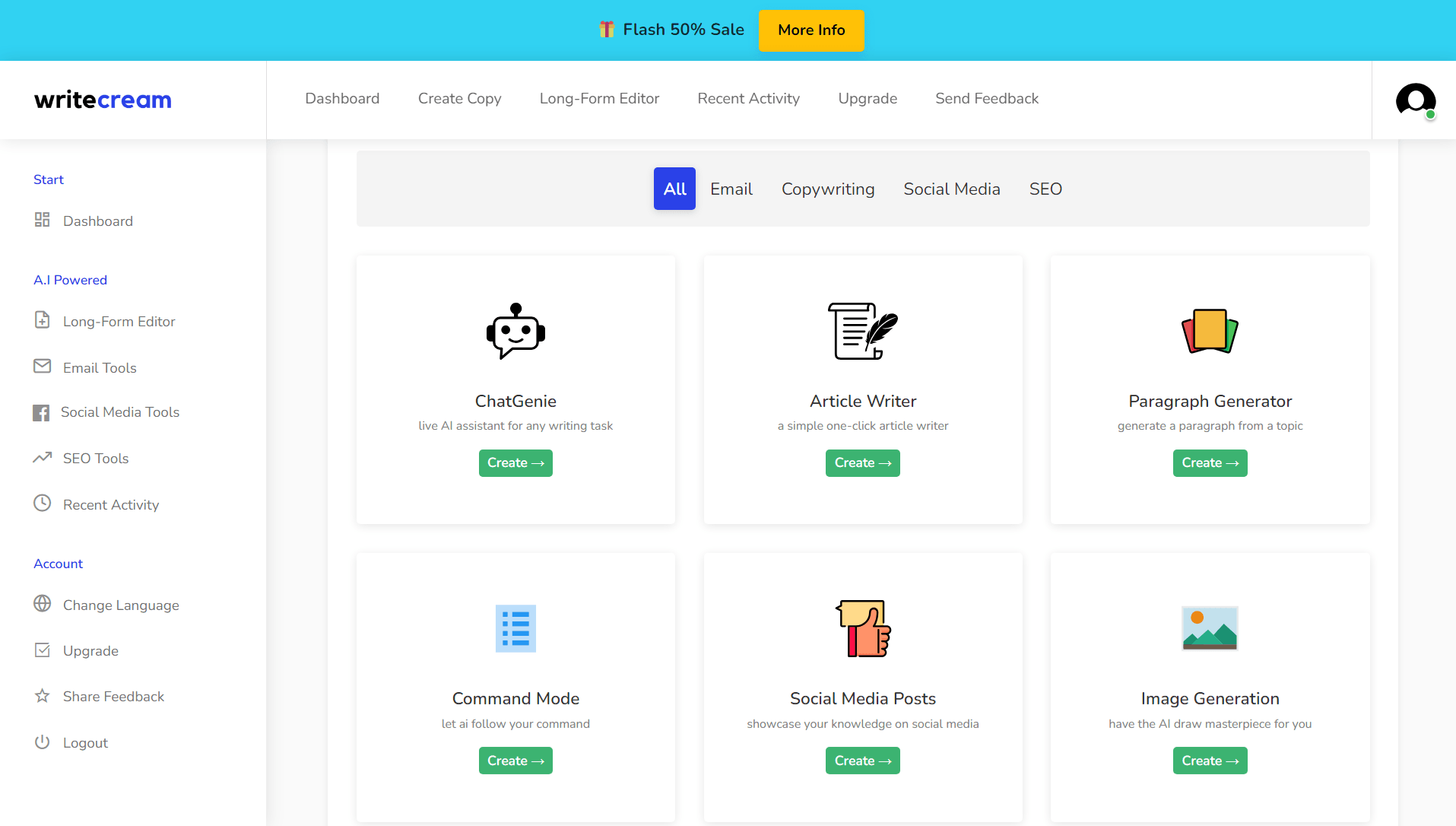
Writecream's public help tutorial presents four stages: ideas, introduction, outline, and article generation. This is useful for a beginner who wants visible checkpoints.
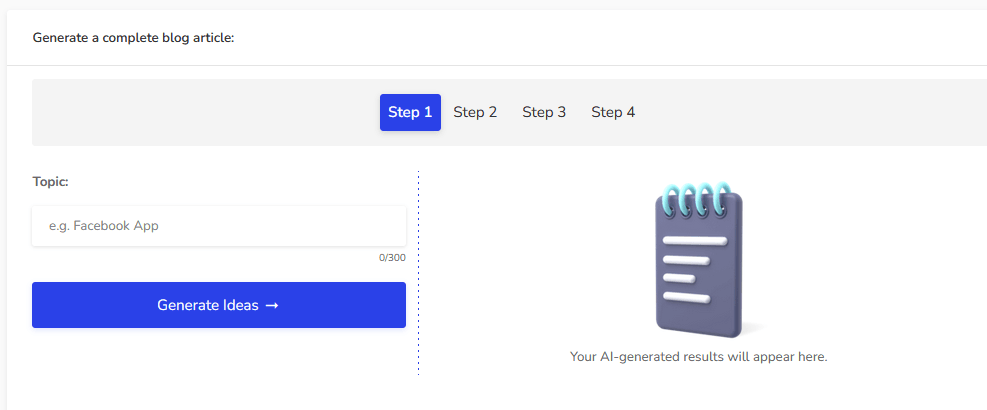
Use Article Writer when you want to approve the angle and outline before a full draft. Do not accept generated ideas merely because they contain the keyword.
Choose Long-Form Editor for controlled expansion
Long-Form Editor is appropriate when you already have an outline and want help producing one section at a time. It can also support rewriting, shortening, expanding, and tone adjustment.
Generate small sections rather than a complete article. Short generation windows make it easier to catch unsupported claims and duplicated arguments before they spread through the draft.
Choose ChatGenie for flexible tasks
ChatGenie is useful for transforming an evidence packet into:
- Alternative outlines
- Decision tables
- FAQ candidates
- Counterarguments
- Content gaps
- Social variants
- Editing suggestions
- Structured checklists
Ask it to cite the source ID from your packet after every factual statement. The citations still require verification, but this instruction makes unsupported claims easier to identify.
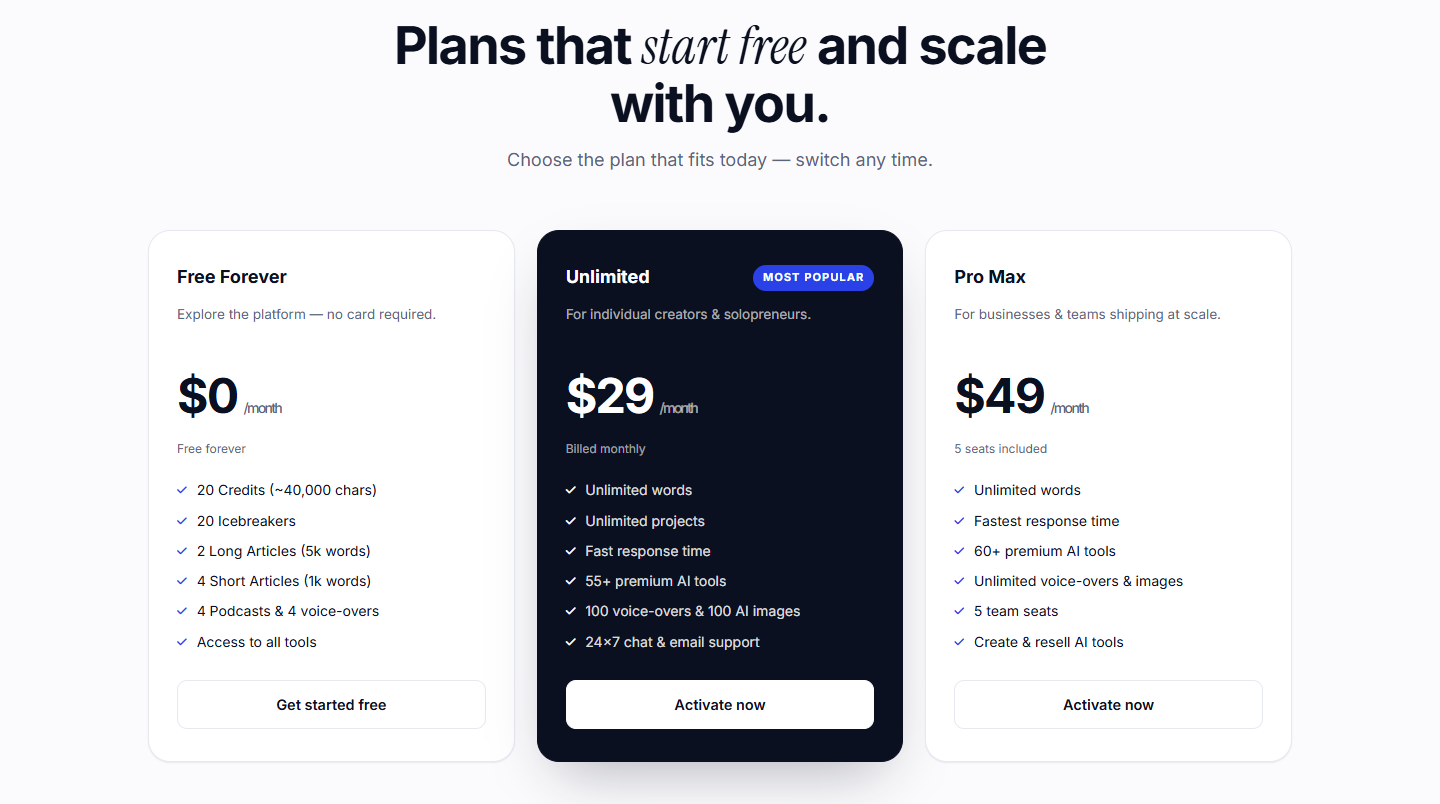
Start with Writecream's free plan
Research the SERP and build an outline
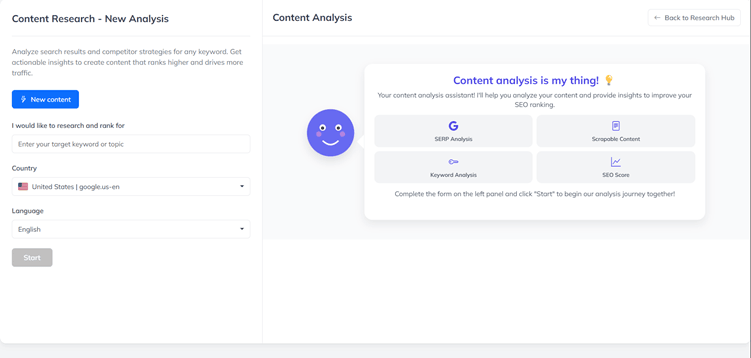
If using Lexi, enter the canonical query, target country, and language. The public research interface shows fields for these inputs.
Step 1: classify intent
For each leading result, record its dominant intent:
- Informational tutorial
- Commercial review
- Alternatives list
- Deal or coupon page
- Integration documentation
- Safety question
- Comparison
Do not combine every intent into one page. A Writecream tutorial should teach the workflow. Pricing belongs only where it helps the reader choose a starting plan. Detailed review, alternative, and deal analysis belong in their own cluster pages.
Step 2: extract questions, not just headings
Competitor headings are useful because they reveal common reader questions. They are not a template to copy. Translate each heading into the underlying job:
- "How to use Article Writer" becomes "Which workflow should a beginner choose?"
- "Writecream SEO score" becomes "How should the score influence editing?"
- "Publish to WordPress" becomes "What must be checked before a CMS draft is trusted?"
This approach creates a more useful outline than merging competitor headings mechanically.
Step 3: identify information gain
Add sections competitors often miss:
- Claim-source mapping before generation
- Current versus legacy interface documentation
- Factuality and source preservation during rewrites
- WordPress credential handling
- Duplicate-post and media checks
- Outreach compliance and deliverability boundaries
- A release checklist after rendered browser QA
Step 4: define heading ownership
Every H2 should answer one distinct macro question. H3s should divide the process by decision or action, not repeat the H2 in different words.
A practical outline sequence is:
- Preparation and evidence
- Workflow selection
- Research and outline
- Controlled drafting
- Editorial revision
- SEO review
- Links and media
- WordPress publishing
- Outreach workflow
- Final QA
- FAQ
Make FAQ the last H2. Avoid a generic Conclusion heading because the final decision should be clear throughout the tutorial.
Generate a section-by-section draft
A single request for 4,000 words creates a large verification problem. Generate one H2 at a time and include only the source facts that section is allowed to use.
Use a structured section prompt
A useful prompt template is:
Draft the H2 section "[heading]" for [reader]. Its job is to help the reader [decision]. Use only facts in source notes [IDs]. Label vendor claims. Do not claim hands-on testing. Do not invent prices, features, statistics, integrations, or outcomes. Include one practical example and one limitation. Use US English, short paragraphs, and no em dash. Return 500 to 700 words without an introduction or conclusion.
This constrains scope and reduces model drift.
Generate the argument before polishing
The first generation should solve the information problem:
- What is true?
- Why does it matter?
- When does the recommendation change?
- What must be verified?
Do not spend the first pass making every sentence elegant. A polished unsupported claim is more dangerous than an awkward supported one.
Preserve source boundaries
Mark statements in your working draft:
- Observed: visible on the checked public page or in the interface evidence
- Vendor claim: stated by Writecream but not independently validated
- Editorial verdict: ScaleWitAI's interpretation based on the evidence
- Unknown: requires authenticated testing or written vendor confirmation
Remove the labels only after the prose itself makes the boundary clear.
Control repetition
AI drafts often repeat the same idea across setup, features, benefits, and best-practices sections. At the end of each H2, write a one-sentence summary of its unique contribution. If two summaries match, merge or rewrite the sections.
Edit for accuracy, originality, and brand voice
Writecream's own long-form help content recommends reviewing and modifying generated text. Treat that as a minimum requirement.
Run a sentence-level factual audit
For every sentence containing a number, date, price, named feature, legal statement, integration, or outcome:
- Identify the supporting source.
- Open the current source rather than relying on memory.
- Confirm the exact scope.
- Add the checked date if the fact is volatile.
- Add a caveat when the source is a vendor claim.
- Delete the sentence if it cannot be supported.
Pay particular attention to phrases such as "guarantees," "always," "unlimited," "secure," "compliant," "original," and "undetectable."
Distinguish editing from humanizing
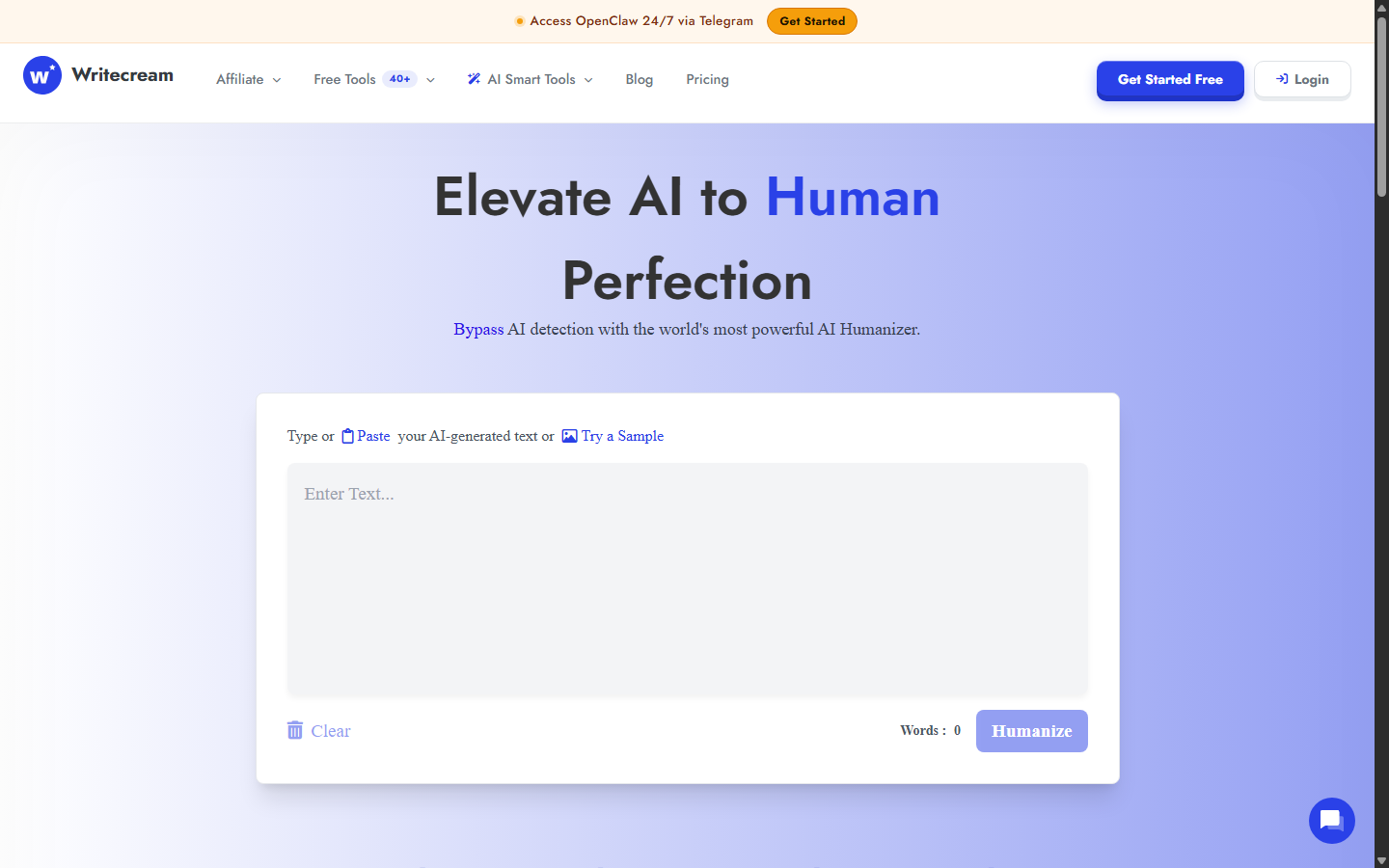
Writecream's Humanizer can alter tone and phrasing. It does not prove human authorship, factual accuracy, originality, or success against every detector.
A real editorial pass adds value rather than camouflage:
- Replace vague benefits with decision rules.
- Add source-backed examples.
- Explain trade-offs.
- Remove repeated transitions.
- Check whether pronouns and references remain clear.
- Preserve legal or technical meaning.
- Match the brand's actual vocabulary.
Do not use a humanizer to conceal prohibited submissions or bypass disclosure requirements.
Test originality responsibly
A plagiarism checker can identify matching language, but a low similarity score does not prove originality. Review whether the article contributes a distinct structure, synthesis, benchmark, example, or recommendation.
For product content, avoid reproducing vendor marketing language. Translate the feature into a buyer consequence and then state the limitation.
Check language and localization
Writecream markets support for more than 75 output languages, although its current published language list names 71. Language availability is not the same as native-level localization. For a US English article, verify:
- Spelling and punctuation
- Currency and date conventions
- Regulatory context
- Local examples
- Natural idioms
- Reading level
For another market, use a fluent human reviewer rather than relying on translation alone.
Use the Writecream SEO score responsibly
The current public interface displays an overall score plus title, heading, keyword, and word-count components.
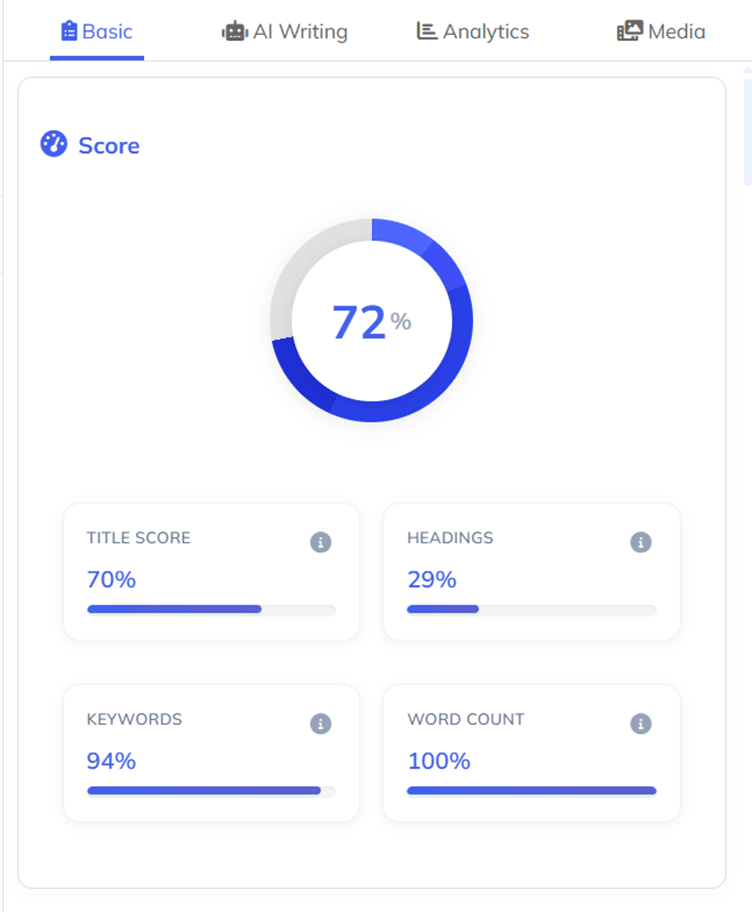
Use the score as a question generator:
- Does the title state the canonical query and buyer decision?
- Do headings cover the major intent without duplication?
- Are important entities explained naturally?
- Is the article long enough to answer the decision, but no longer?
- Are missing topics actually relevant to this page?
Do not add a keyword merely to increase a percentage. Do not copy competitor headings or pad word count. Do not assume a score of 90 will rank above a score of 80.
Add information the score cannot measure
Optimization scores usually cannot validate:
- Factual accuracy
- First-party experience
- Original evidence
- Honest commercial disclosure
- Product availability
- Procurement risk
- Quality of recommendations
- Current internal-link targets
- Rendered-page usability
Those attributes often determine whether the article is valuable.
Review SEO and GEO claims separately
Writecream uses SEO, AEO, and GEO language. Content can be made easier to retrieve and understand through clear entities, direct answers, evidence, and accessible structure. No tool can guarantee that an AI system will cite a page.
Evaluate AI-search work with observed referral data, citation monitoring, query sampling, and conversions. Treat vendor visibility claims as hypotheses to test.
Add links, citations, and media
Links and images are not decoration. Each should have a semantic job.
Internal links
A supporting tutorial should link once to its Review pillar and then to relevant siblings. Use the complete Writecream review for product fit and risk. This is the only pillar link in this article.
Use the Writecream alternatives comparison when a workflow gap suggests another platform. Use the Writecream deals guide when the reader is ready to compare the free, monthly, and lifetime paths.
Do not link to the tutorial itself. Do not publish links to planned cluster pages until those targets exist or the article remains behind a release gate.
External citations
Link directly to the relevant vendor help page, legal document, or platform policy. A source should support the sentence next to it. A homepage link does not support every product claim.
Use sponsored qualification for affiliate links. Open affiliate destinations in a new tab and confirm the production redirect before publication.
Images
Use official product screenshots that prove a feature or step. Every image needs:
- A descriptive filename
- Concise ALT text
- A factual caption
- Source URL and checked date in the package manifest
- A position next to the relevant explanation
- Privacy review and redaction if identifiers or credentials appear
Avoid generic stock images in a procedural tutorial.
Publish to WordPress or export as a draft
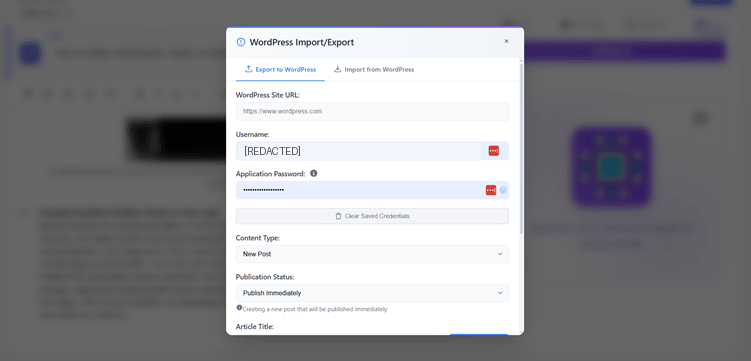
Writecream's current homepage shows a WordPress import and export interface. Test it on a draft site before trusting production publishing.
Protect WordPress credentials
Use a WordPress Application Password rather than the main administrator password when the integration supports it. Create it for the required user, store it securely, and revoke it when no longer needed.
Never place an application password in:
- An article screenshot
- A prompt
- A source package
- A repository
- A public error log
- A support message without an approved secure channel
Publish as Draft first
The first transfer should create a Draft, not a Published page. Confirm:
- Correct Post versus Page type
- Exact slug and parent hierarchy
- One H1 supplied by the template
- Heading hierarchy
- Image uploads and dimensions
- Captions and ALT text
- Table rendering
- Internal and external links
- Affiliate link attributes
- Rank Math title, description, focus keyword, and schema
- Author and category
- Featured and social images
Test idempotency
Run the publishing process a second time. A safe automation should update the same object rather than creating duplicates. It should reuse or update media and tables, preserve taxonomy, and leave one canonical redirect.
Record the WordPress object ID after the first run. The second run should return the same ID.
Inspect the rendered draft
The editor view is not enough. Open a restricted front-end preview and check:
- No raw Markdown
- No broken images
- No horizontal overflow
- No duplicate H1
- Correct dynamic year
- Tables visible on mobile width
- Captions readable
- Affiliate links opening correctly
- No browser console errors
Only after rendered QA should the draft be considered technically ready.
Build personalized outreach without unsafe automation
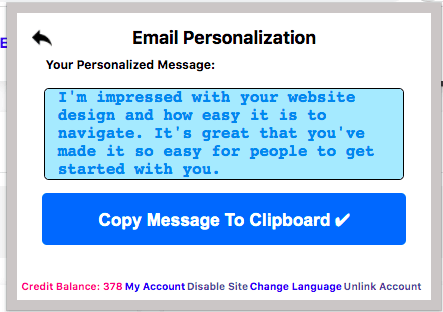
Writecream also documents website-based icebreakers, cold emails, LinkedIn messages, backlink outreach, and CSV generation. Use the same evidence discipline applied to articles.
Start with a narrow list
Do not generate thousands of messages before testing quality. Select 20 representative prospects from different company types and website structures.
Define allowed personalization evidence
Tell the system which public pages it may use and which claims it may make. Good evidence includes a clearly published product, article, job post, or company announcement. Avoid guessing personal traits or using sensitive information.
Review every generated first line in the pilot
Check:
- Correct company and product
- Current information
- Natural wording
- Relevance to the offer
- No exaggerated praise
- No fabricated familiarity
- No personal or sensitive inference
The official Chrome-extension tutorial shows Writecream assistance in email and document editors.
Keep sending infrastructure separate
Generated copy does not manage domain reputation, consent, suppression lists, sending limits, authentication, or legal compliance. Use an approved outreach platform and follow applicable rules. Monitor replies and complaints, not only opens.
Scale only after measuring accuracy
Calculate the percentage of first lines accepted without correction and the average review time per record. Stop scaling if personalization errors create more work or reputational risk than the automation saves.
Reusable Writecream QA checklist
Use this gate before every publication.
Evidence
- [ ] Every number, price, date, integration, and legal claim has a current source.
- [ ] Vendor performance claims are labeled or caveated.
- [ ] No ranking, traffic, citation, backlink, detector, or factuality guarantee appears.
- [ ] Unknown features are described as unverified rather than assumed.
Editorial quality
- [ ] The article answers one canonical intent.
- [ ] Each H2 has a unique job.
- [ ] Repeated benefits and transitions are removed.
- [ ] Examples and decision rules replace generic claims.
- [ ] The opening verdict matches the evidence.
- [ ] FAQ is the final H2.
SEO and links
- [ ] Title starts with the canonical query.
- [ ] Metadata adds a distinct buyer decision.
- [ ] Keywords are natural.
- [ ] Internal links match existing or release-gated targets.
- [ ] Affiliate links are sponsored and point to a working production route.
- [ ] External sources support nearby claims.
Images and tables
- [ ] Every image is official or properly licensed.
- [ ] No private identifier or credential is visible.
- [ ] ALT text and captions describe the actual evidence.
- [ ] Every listed alternative has its own homepage visual when applicable.
- [ ] Tables render through the site's managed table system.
WordPress
- [ ] Correct object type, slug, hierarchy, category, and author.
- [ ] Rank Math title, description, focus keyword, and schema verified.
- [ ] Featured image and social images verified.
- [ ] Second publisher run updates the same object.
- [ ] Restricted rendered preview passes desktop and mobile checks.
- [ ] Draft remains unpublished while any production route or internal target returns an error.
Evaluate Writecream with a controlled benchmark
Writecream tutorial FAQ
Can Writecream write a complete article automatically?
Writecream publicly documents Lexi, Article Writer, and Long-Form Editor workflows that can generate a complete draft. The draft still requires source verification, structural editing, originality review, link checks, and rendered publishing QA.
Which Writecream tool should a beginner use?
Article Writer offers the clearest guided sequence in public help documentation. Lexi is the newer SEO-centered workflow. Start with Article Writer for visible checkpoints or Lexi when connected SERP research and optimization are the main goal.
Should I publish directly from Writecream to WordPress?
Publish as Draft first. Verify headings, images, captions, tables, links, metadata, schema, author, category, and duplicate behavior on the rendered page before considering publication.
How should I use the Writecream SEO score?
Use it as a diagnostic checklist for titles, headings, keyword coverage, and length. Do not treat it as a ranking prediction. Add factual accuracy, original evidence, intent satisfaction, and editorial judgment outside the score.
Can Writecream generate personalized cold emails in bulk?
Writecream documents URL-based personalization and CSV workflows. Pilot a small list, verify every first line, manage compliance and deliverability separately, and scale only when measured accuracy justifies the review burden.
Is Writecream's Humanizer required before publishing?
No. Use it only when rewriting improves clarity or tone. It cannot guarantee human authorship, factuality, originality, or detector outcomes. A real editorial pass is more important.
Does Writecream support WordPress?
The current public homepage shows WordPress import and export. Use a protected Application Password, test on a draft site, inspect formatting, and revoke credentials if they may have been exposed.
Can I use confidential information in Writecream prompts?
Do not do so without organizational approval and adequate vendor documentation. Public policies reviewed for this tutorial do not fully explain prompt retention, model training, subprocessors, or enterprise data controls.
How long should a Writecream article be?
The correct length is the shortest form that fully supports the reader's decision. Competitor word counts and optimization scores provide context, not a target to pad. Remove sections that do not add unique information.
How do I know whether Writecream saves time?
Benchmark a real task against your current process. Measure time to usable outline, unsupported claims, editing minutes, formatting defects, and accepted outreach lines. Include review time in the effective cost.