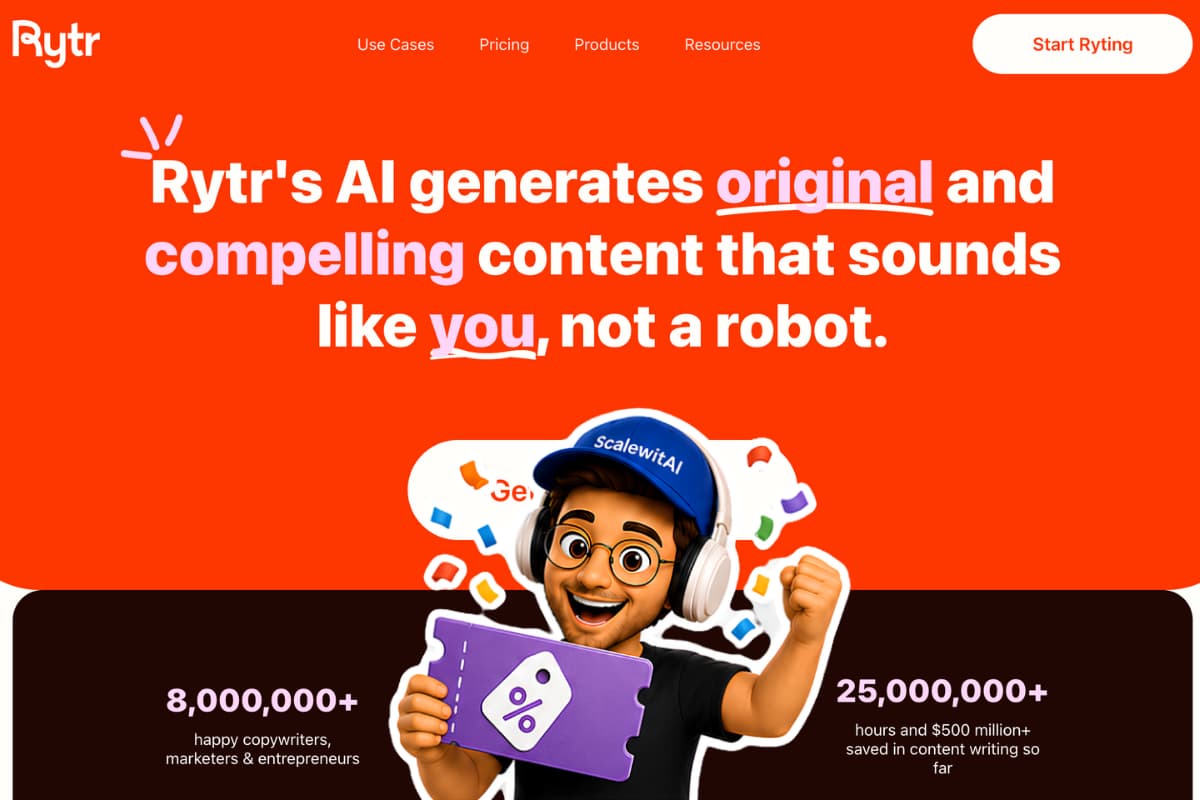
Rytr can help you turn an approved announcement fact sheet into a press release draft, but it does not currently advertise a dedicated press-release use case. The practical method is to use its general AI Command Generator, work section by section in the document editor, then apply its editing commands selectively. Rytr should draft and refine language. A human owner should verify every fact, approve every quotation, review legal risk, and manage publishing and distribution.
| At a glance | Details |
|---|---|
| Best starting point | Approved announcement fact sheet |
| Rytr feature | AI Command Generator, also described as Magic Command |
| Drafting method | Generate section by section in the document editor |
| Human approvals | Facts, names, dates, claims, quotations, legal issues, final release |
| Originality check | Rytr plagiarism checker, powered by Copyscape |
| Final handoff | Approved DOCX or clean text, newsroom copy, media assets, distribution brief |
This workflow is for copywriters, marketers, freelancers, and entrepreneurs who need a controlled first draft rather than one-click automation. For a broader view of the product before adopting the process, see our Rytr review. If you already know the tool fits your team, you can start drafting with Rytr.
Can Rytr Write a Press Release?
Yes, Rytr can assist with a press release when you give it structured, verified source material and clear instructions. Its official AI Command Generator page says users can tell the AI what they want written and generate content according to those instructions. Rytr also documents an inline editor and commands for rephrasing, improving, shortening, and expanding selected text.
That is enough to build a useful press-release workflow, but the distinction matters: Rytr's current public use-case pages do not clearly list a dedicated press-release template. Do not tell a client that the platform has a native press-release generator unless the current interface and official documentation confirm one at the time of use.
Treat Rytr as a drafting layer, not a source of truth, legal reviewer, wire service, media database, or journalist outreach platform. It cannot decide whether an announcement is genuinely newsworthy, verify an executive's words, obtain approvals, or guarantee coverage. Those jobs stay with the communications team.
What You Need Before Opening Rytr
Starting from scattered notes invites factual drift. Create a compact release brief and have the relevant owner approve it first. If a field is unknown, label it `TBD` instead of asking AI to fill the gap.
| Required input | What to capture | Who should approve it |
|---|---|---|
| Announcement | One factual sentence stating what happened | Product, operations, or executive owner |
| Company identity | Legal name, public brand name, location, website | Company owner or legal team |
| Timing | Announcement date, launch date, embargo time if any | Communications lead |
| Audience | The people or industries affected | Marketing or PR lead |
| Evidence | Approved figures, methodology, source documents, public URLs | Data owner and legal reviewer |
| Spokesperson | Full name, current title, approved quotation or interview notes | Spokesperson and communications lead |
| Availability | Markets, eligibility, pricing, access conditions | Product or sales owner |
| Media contact | Name, role, business email, phone, response hours | Communications lead |
| Assets | Approved logo, images, captions, credits, press kit links | Brand and rights owner |
| Distribution plan | Owned newsroom, selected outlets, wire service, pitch owner | PR lead |
Build a source-controlled fact sheet
Give every claim a source reference. A simple identifier such as `F01` makes review faster:
- `F01`: approved announcement sentence, source: signed launch brief.
- `F02`: launch date and time zone, source: release calendar.
- `F03`: product availability, source: approved product page.
- `F04`: measured result, source: dated analysis with method and sample.
- `Q01`: exact approved quotation, source: spokesperson approval email.
- `B01`: company boilerplate, source: current press kit.
Do not paste confidential personal data, unannounced financial information, customer details, trade secrets, or privileged legal advice into an AI tool without authorization. Reduce the input to information the organization is permitted to process and publish.
Decide whether the announcement deserves a release
A press release should communicate verifiable news, not inflate routine activity. Common candidates include an actual product launch, a material partnership, a leadership appointment, a documented research result, an event, an award confirmed by the awarding body, or a significant company milestone. If the central sentence is only “we want attention,” a blog post, customer email, or targeted pitch may be a better format.
How a Press Release Should Be Structured
Use an inverted pyramid: the most important verified news first, followed by supporting detail, context, quotations, and company background. Publication requirements vary, so confirm the recipient's current specifications rather than assuming one universal format.
| Section | Purpose | Control question |
|---|---|---|
| Release timing | State immediate release or an approved embargo | Has the timing been authorized? |
| Headline | Name the company and the news plainly | Does it describe an event rather than hype? |
| Optional subheadline | Add one useful detail | Does it add information instead of repeating the headline? |
| Dateline | Establish place and date | Are city, state, date, and time zone correct? |
| Lead | Answer who, what, when, where, and why | Can a reader understand the news from this paragraph alone? |
| Supporting body | Add evidence, scope, access, and context | Is every material claim sourced? |
| Quotations | Add perspective, intent, or consequence | Did the named speakers approve the exact words? |
| Boilerplate | Provide stable company background | Does it match the current approved version? |
| Media contact | Enable follow-up | Is the contact available and authorized? |
| End mark | Signal the end when required | Does the chosen outlet request it? |
Follow the style required by your organization or target outlet. The Associated Press maintains a regularly updated Stylebook, but having Rytr produce “AP style” does not prove compliance. A human editor with access to the current guidance should check capitalization, dates, numbers, titles, punctuation, geography, and company naming.
How to Write a Press Release in Rytr
The safest workflow separates approved facts from generated prose. Generate one controlled section at a time, compare each output with the fact sheet, and keep an audit trail of changes.
Create a clean document and paste the control block
Open a new document in Rytr. At the top, paste a short control block containing the audience, purpose, approved facts, prohibited inventions, required sections, and style constraints. Keep source IDs beside facts during drafting, then remove them from the publishable version.
Set the language to US English if that option is available in your plan and current interface. Choose a restrained professional or informative tone. Avoid “enthusiastic” when it encourages superlatives that the evidence cannot support.
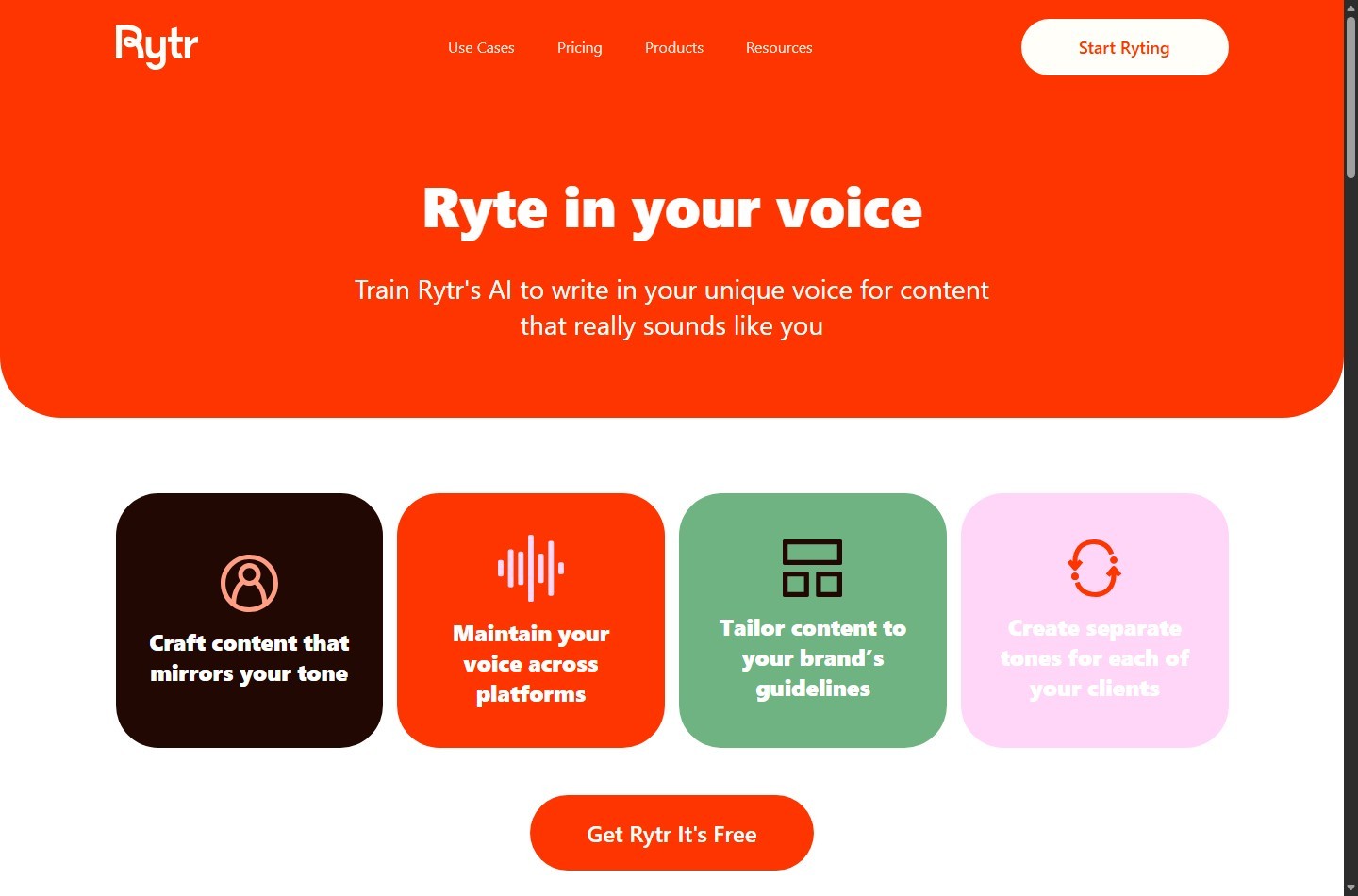
If you use My Voice, be cautious. Rytr says the feature analyzes writing samples and mirrors tone, with options for scenarios, projects, or clients. It may help with brand consistency, but a learned voice is not an approval system. Use only authorized samples, and override any voice behavior that adds hype, certainty, or unsupported positioning.
Select the general command workflow
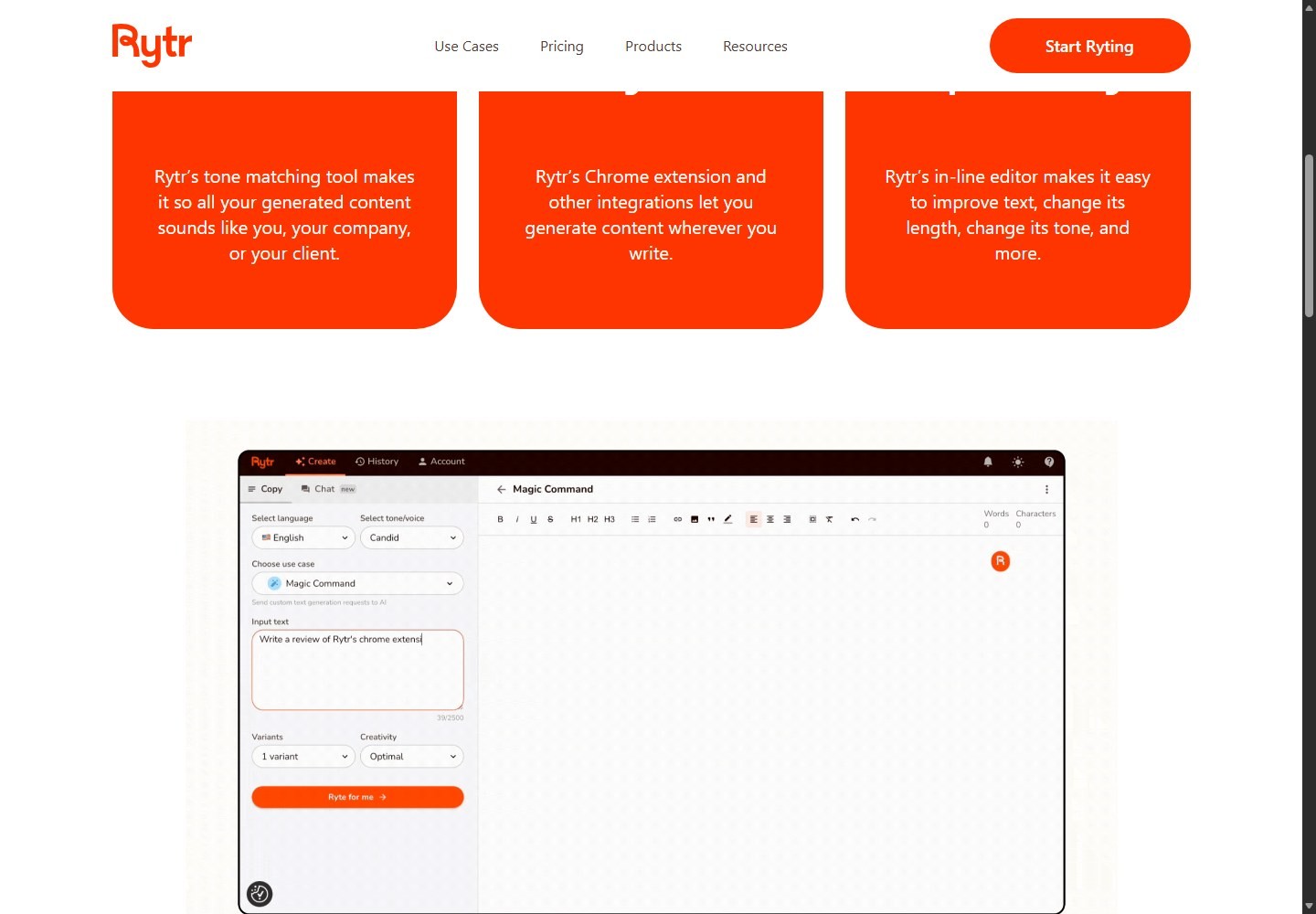
Rytr's official public page calls the relevant feature the AI Command Generator and describes Magic Command in its input step. Depending on the current interface, the label may appear as Rytr's Prompts, AI Command Generator, or Magic Command. Select the general instruction-based option rather than forcing the announcement into an unrelated template.
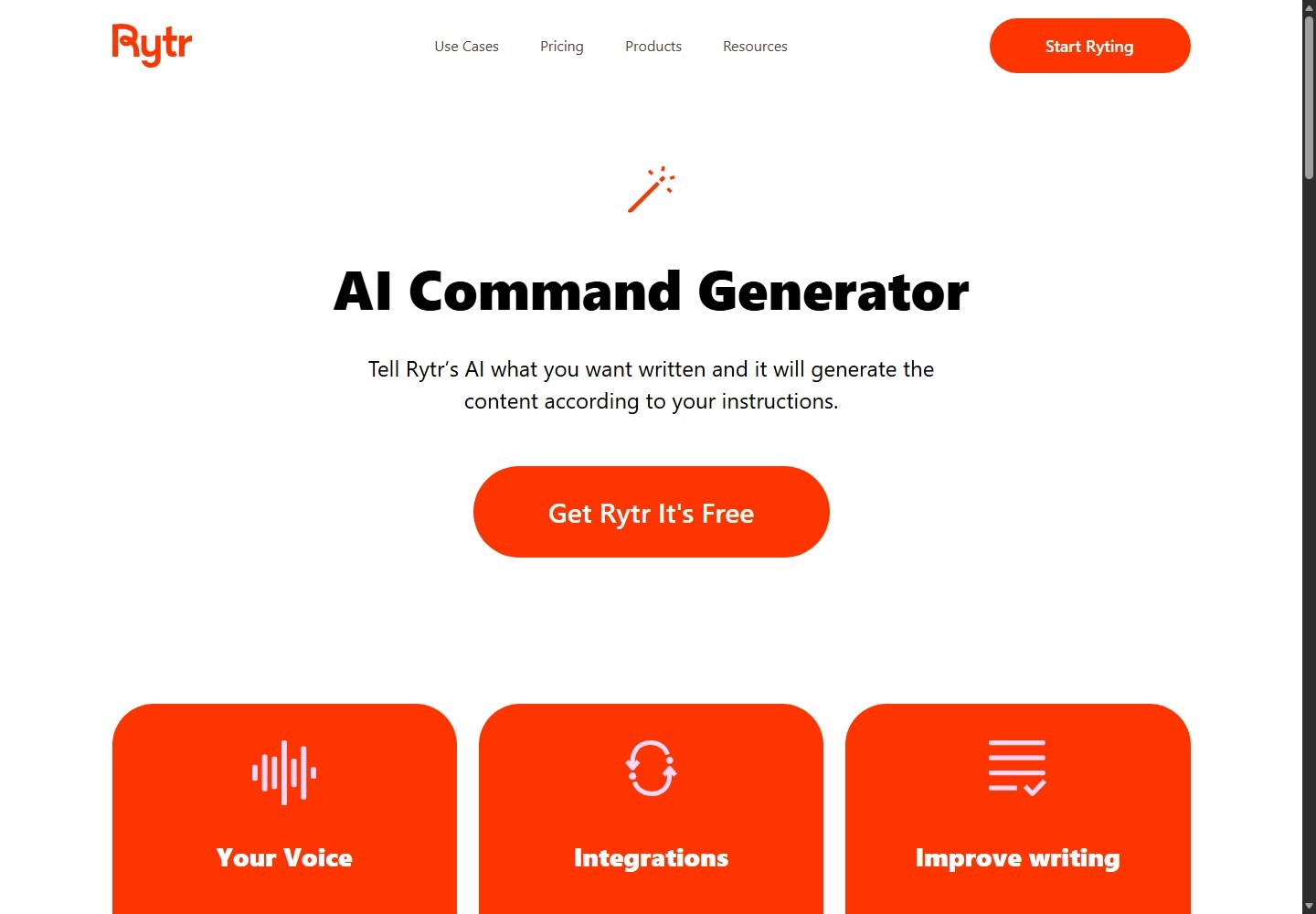
Do not claim there is a dedicated press-release use case. Interface labels can change, so focus on the capability: provide a precise instruction and approved inputs, generate a draft, then review it in the editor.
Generate the headline and lead first
Ask for several factual headline options that contain the company and specific announcement. Reject vague phrases such as “revolutionizes the industry,” “game-changing,” “first-ever,” or “best” unless legal review has approved robust evidence for the claim.
Next, generate one lead paragraph from the fact sheet. Require Rytr to use only supplied facts and to insert `[VERIFY]` wherever necessary information is missing. The lead should answer the core questions without burying the announcement under company history.
Compare the output line by line with the source IDs. If the model adds a market size, customer result, launch date, location, product capability, or causal statement that was not supplied, delete it. Do not merely soften an invented fact.
Draft the body in controlled sections
Generate the supporting paragraphs separately. A useful order is:
- What is changing, launching, or being announced.
- Who can access it, where, when, and under what conditions.
- Why the announcement matters, supported by approved evidence.
- One approved spokesperson quotation.
- Next steps, product page, event registration, or availability details.
- Approved company boilerplate and media contact.
Keep one job per generation. A request for the entire release at once can make omissions and inventions harder to spot. After each section, compare names, figures, dates, units, locations, and links against the fact sheet.
Add quotations without fabricating them
Never ask Rytr to invent a publishable quotation for a real person. A quotation signals that the named person said or approved those words. Use one of these methods:
- Paste an exact, approved quotation and ask Rytr only to check surrounding transitions.
- Paste approved interview notes and request clearly labeled draft options for the spokesperson to rewrite and approve.
- Insert `[APPROVED QUOTE FROM NAME, TITLE]` until approval arrives.
A useful quote adds judgment, motivation, implications, or future direction. It should not simply repeat the date and product name already stated in the lead. Preserve the speaker's meaning and avoid laundering marketing claims through quotation marks.
Refine selected text with editor commands
Rytr's help center documents three selection-based commands. Use them narrowly:
- Improve or Rephrase: revise awkward text or repetition while checking that meaning and factual qualifiers remain intact.
- Shorten: reduce length while retaining the core meaning. Recheck dates, conditions, exceptions, and attribution after shortening.
- Expand: add wording to a thin passage. Use this sparingly because extra language creates more room for unsupported details.
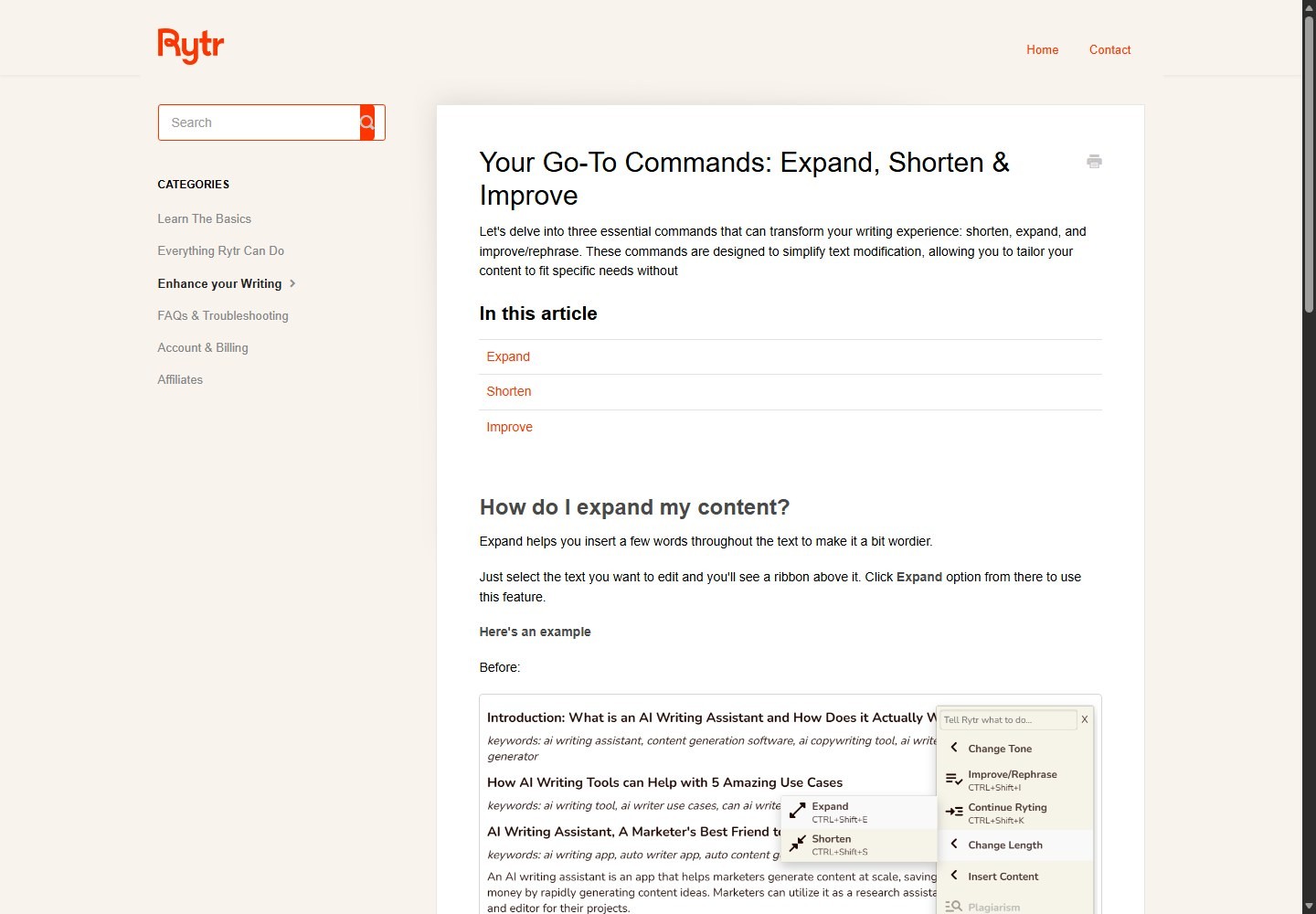
Rytr's public pages also describe an inline editor that can improve text and change length or tone. Apply edits to a sentence or paragraph, not the whole approved release, so reviewers can see what changed. If an edit turns “may” into “will,” removes “in a pilot,” or changes “survey respondents” to “customers,” restore the verified wording.
For adjacent workflows, our How to Use Rytr guide explains the broader section-level drafting and revision process without changing this release-specific control system.
Rytr Prompt Template for a Press Release
Paste the following into the general command field and replace every bracketed item. Remove any instruction that conflicts with your organization's policy. If the interface has a shorter input limit, split the request by section rather than deleting fact controls.
“`text TASK Draft [SECTION: headline options / lead / supporting body / full assembled draft] for a US-English press release.
AUDIENCE [Target journalists, industry readers, customers, investors, local community, or other approved audience]
APPROVED FACTS [F01: Company and announcement] [F02: Announcement and availability dates, including time zone] [F03: Locations, markets, eligibility, pricing, or access conditions] [F04: Approved metrics with source, method, period, and sample] [F05: Approved product or event details] [Q01: Exact approved quote, or insert placeholder only] [B01: Approved boilerplate] [C01: Approved media contact]
RULES Use only the approved facts above. Do not invent names, titles, dates, quotations, metrics, customers, partners, awards, links, results, legal claims, journalist contacts, or distribution details. If required information is missing, write [VERIFY: missing item]. Use a factual, concise, professional tone in third person. Put the most newsworthy fact first. Avoid hype, unsupported superlatives, vague market leadership, and guaranteed outcomes. Preserve all qualifiers, units, date ranges, attribution, and conditions. Do not present draft quotation language as approved.
OUTPUT Return only [requested section]. After the draft, list each fact ID used and any unresolved verification items. “`
The fact-ID list is a review aid, not proof that the output is accurate. A person must still compare the generated text with the underlying documents.
Editorial Example: Fictional Draft for Demonstration Only
The following example is intentionally fictional. “Northstar Labs,” its product, dates, people, contact details, and statements are placeholders. Do not publish or treat them as real.
“`text FOR IMMEDIATE RELEASE
Northstar Labs Announces [PRODUCT NAME] for [APPROVED USER GROUP]
[Optional subheadline with one approved factual detail]
[CITY, State, Month Day, Year] – Northstar Labs today announced [PRODUCT NAME], a [fact-checked description] scheduled to become available to [eligible users] on [verified date] in [verified markets]. The release is intended to [approved purpose or user outcome stated without a guarantee].
[Supporting paragraph explaining the verified capability, access conditions, and relevant context. Insert the source-backed metric only if its methodology and time period are approved.]
"[APPROVED QUOTE ONLY. Add perspective rather than repeating the lead]," said [FULL NAME], [VERIFIED TITLE] at Northstar Labs.
[Supporting paragraph with next steps, availability, pricing, registration, documentation, or an approved public URL. Do not invent a call to action or deadline.]
About Northstar Labs [APPROVED BOILERPLATE. Include only verified, current company information.]
Media Contact [AUTHORIZED CONTACT NAME] [ROLE] [BUSINESS EMAIL] [BUSINESS PHONE]
### “`
A valid real version needs the placeholders replaced from approved sources. It also needs the company's required style, privacy, legal, and release-timing checks.
How to Verify Facts, Legal Risk, and Originality
AI-assisted drafting can make incorrect text sound polished. Verification must therefore test the substance, not just grammar.
Run a sentence-level fact check
Create a table outside the release with one row per factual statement. Record the source, owner, status, and exact approved wording. Check:
- Official spelling of company, product, partner, and person names.
- Current job titles and attribution.
- Dates, times, time zones, locations, and availability.
- Prices, currencies, eligibility, exclusions, and deadlines.
- Numbers, units, denominators, sample sizes, periods, and methodology.
- Comparisons, rankings, “first” claims, and superlatives.
- Product capabilities, integrations, safety statements, and performance.
- URLs, downloadable assets, image rights, and contact information.
Open primary records rather than verifying a statement against another AI summary. For partner, customer, award, or research claims, obtain the relevant third party's approval when required.
Escalate legal and regulatory questions
A press release can create advertising, securities, privacy, employment, intellectual-property, contractual, or defamation risk. Send regulated, material, comparative, financial, health, safety, or forward-looking claims to qualified counsel and the appropriate internal owner. This guide is an editorial workflow, not legal advice.
Rytr's terms state that users are responsible for generated content, including its legality, reliability, and appropriateness. That makes human review a required operating control, not an optional polish step. Confirm rights to names, logos, images, testimonials, quotations, and customer references. Remove confidential information and respect embargoes.
Use plagiarism checking as a signal
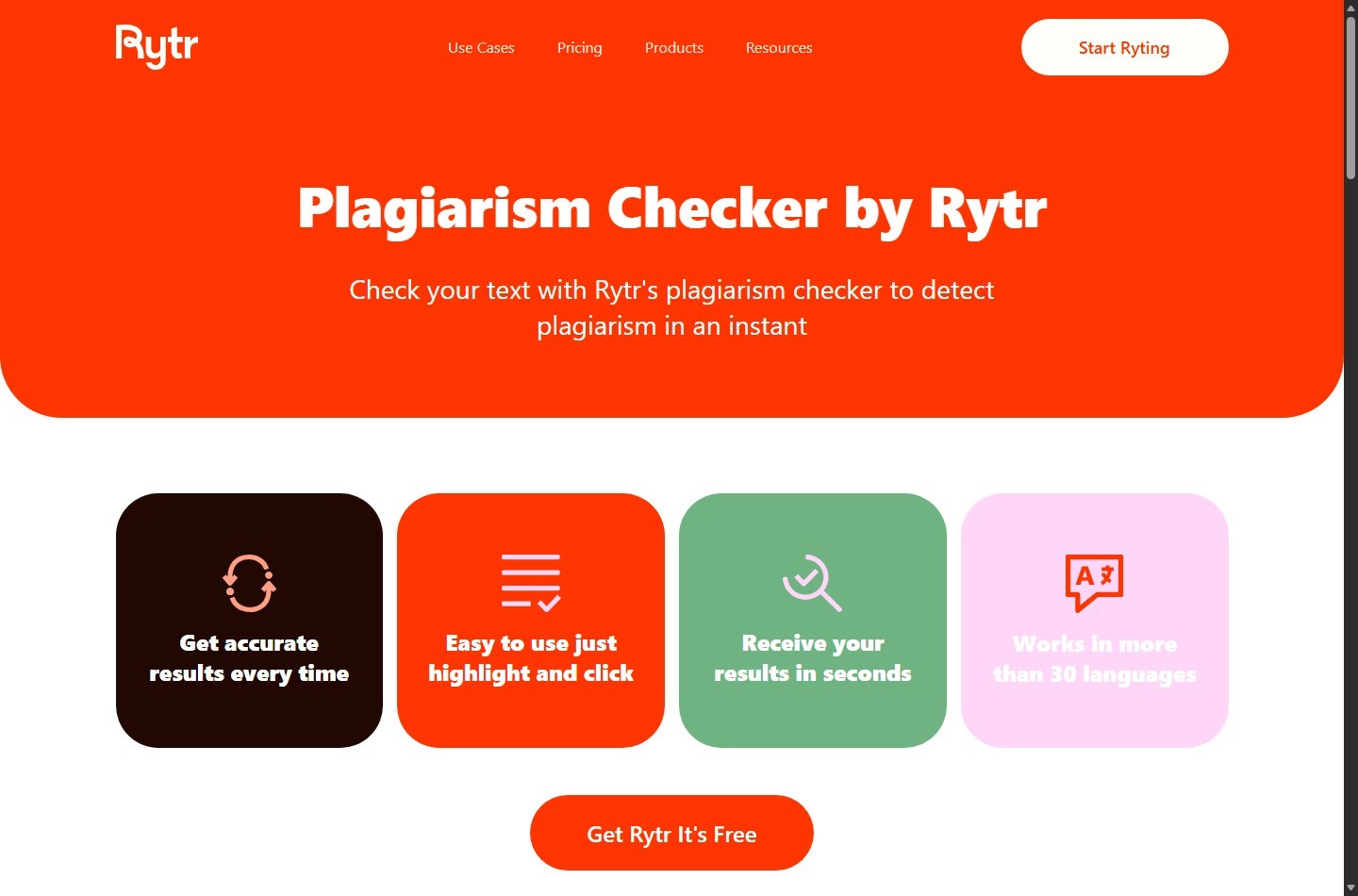
Rytr publicly states that its plagiarism checker is powered by Copyscape. Highlight the final draft and run the available checker if your plan includes checks. Review every match manually. Standard boilerplate, product names, and common phrases may match legitimately, while an unflagged passage can still be inaccurate or infringing.
Do not “fix” a match by swapping synonyms around copied language. Return to the source, write an original factual statement, quote and attribute when permission and editorial rules allow, or remove the passage. A plagiarism result is not copyright clearance, legal review, or factual verification.
How to Export, Publish, and Hand Off Distribution
When the release passes editorial and legal review, create a locked final version with a version number, approval date, owner, and release status. Export or copy it into the format requested by the receiving system. Rytr is the drafting environment, not the distribution authority.
A clean handoff package should contain:
- Final approved release in editable and read-only formats if required.
- Plain-text version with stable links.
- Approved headline, summary, canonical newsroom URL, and publish time.
- Media contact and backup contact.
- Approved images, captions, alt text, credits, and usage rights.
- Source sheet and approval log kept internally.
- Distribution brief with target audience, regions, timing, owner, and reporting plan.
- Personalized pitch notes stored separately from the release.
Publish the approved copy to the organization's newsroom or CMS using its normal quality controls. Check the page title, mobile layout, links, downloadable assets, metadata, accessibility, indexation preference, and time-zone scheduling. If a wire service or media platform is part of the plan, follow its current formatting, account, payment, disclosure, and submission requirements.
Do not ask Rytr to invent journalist names or email addresses. Build a targeted list from authorized, current research and verify each contact and beat. Keep a press release distinct from a personalized pitch: the release records the announcement, while the pitch explains why it matters to a particular recipient.
Where Rytr Helps and Where It Stops
Rytr can reduce blank-page time, generate alternatives, tighten wording, and make section-level revision faster. Its general command and editing tools are useful when the input is disciplined.
Its limitations are equally important:
- No clearly documented dedicated press-release use case in the current public list.
- Generated facts, links, quotations, names, and dates are not inherently reliable.
- Tone matching can reproduce style but cannot grant brand, executive, or legal approval.
- Rephrase and Improve can alter qualifiers or meaning.
- Expand can introduce unsupported detail.
- Shorten can remove conditions or attribution.
- Plagiarism checking cannot establish truth, permission, or legal safety.
- Rytr does not replace news judgment, source verification, counsel, CMS QA, distribution, or journalist relationships.
If those controls feel too heavy for a short announcement, compare the process with Rytr alternatives for marketing teams before standardizing your workflow.
Troubleshooting a Rytr Press Release Draft
| Problem | Likely cause | Corrective action |
|---|---|---|
| Rytr invents a quote | Prompt requested a complete release without quote controls | Replace it with an approved quote or placeholder and add a no-invention rule |
| Facts drift between sections | Too much content generated at once | Generate section by section and reconcile every sentence to fact IDs |
| Copy sounds promotional | Tone is too enthusiastic or source brief contains marketing claims | Switch to factual language, remove hype, and lead with the verified event |
| Headline is vague | Prompt lacks the specific announcement | Include company, action, object, and relevant timing |
| Lead buries the news | Background was prioritized over the event | Request one lead that answers the five Ws from approved facts only |
| Rephrase changes meaning | A large selection or weak constraints allowed semantic changes | Revert, select less text, preserve qualifiers, and compare before and after |
| Expand adds claims | The command filled context gaps creatively | Delete unsupported additions and supply sourced detail manually |
| Shorten removes caveats | Conditions were treated as expendable wording | Restore eligibility, attribution, limits, and time periods |
| Plagiarism match appears | Boilerplate, source wording, or copied language overlaps | Inspect the match, confirm rights, attribute or rewrite from facts |
| Output lacks a press-release section | One prompt requested too many jobs | Request the missing section separately with its required fields |
| Distribution stalls | No owner, approved contact, assets, or platform brief | Complete the handoff checklist before submission |
When a feature label differs from this guide, consult Rytr's current public product page and help center. Product interfaces and plan limits can change.
Press Release Verification Checklist
Before anyone clicks publish or submit, confirm all of the following:
- [ ] The announcement is real, approved, and appropriate for release.
- [ ] The headline states the news without unsupported hype.
- [ ] The lead identifies who, what, when, where, and why where relevant.
- [ ] Every name, title, date, time zone, location, number, and URL matches a primary source.
- [ ] Every comparison, ranking, outcome, and superlative has approved substantiation.
- [ ] Each quotation is exact, attributed correctly, and approved by the named speaker.
- [ ] Customer, partner, award, and research references have required third-party approval.
- [ ] Availability, pricing, eligibility, and limitations are current.
- [ ] The boilerplate and media contact are current and authorized.
- [ ] Confidential, personal, privileged, or embargoed information is handled correctly.
- [ ] Legal or compliance review is complete for material or regulated claims.
- [ ] The current required editorial style has been checked by a human.
- [ ] Plagiarism matches were reviewed rather than automatically rewritten.
- [ ] Image, logo, quotation, testimonial, and data rights are documented.
- [ ] Final links, files, metadata, formatting, and accessibility were tested.
- [ ] The approved final version is locked and its publication owner is named.
- [ ] Newsroom, wire, outreach, and reporting tasks have separate owners.
Once the controls are in place, try Rytr for the first controlled draft, then keep approval and distribution in human hands.
FAQ
Does Rytr have a press-release template?
Rytr's current public use-case material does not clearly document a dedicated press-release use case. Use its general AI Command Generator or Magic Command capability with a verified fact sheet, then refine the result in the editor. Check the live interface because labels and available use cases can change.
Can Rytr generate executive quotations?
It can generate text that looks like a quotation, but you should not publish invented words under a real person's name. Supply an exact approved quote, request draft options that remain clearly labeled for spokesperson approval, or leave a placeholder.
Can I publish Rytr's first draft without editing it?
No. Check every factual statement against primary sources, secure quotation and stakeholder approvals, complete required legal review, inspect originality results, and test the final publishing package.
Is Rytr's plagiarism checker enough for copyright clearance?
No. Rytr says its checker is powered by Copyscape, which can help detect matching text. A result does not establish ownership, permission, fair use, originality, or factual accuracy. Review matches and rights separately.
Should a press release follow AP style?
Many US media workflows expect AP-style news writing, but requirements differ by organization, outlet, and distribution service. Ask Rytr for a concise news style if useful, then have a qualified human check the current style rules and the recipient's specifications.
How long should a press release be?
Use the shortest length that communicates the news and required support clearly. Many practical releases fit on one or two pages, but there is no single length that overrides an outlet's requirements or the complexity of the announcement. Remove repetition before removing necessary facts or caveats.
Can Rytr distribute a press release?
Rytr's documented features support writing and editing. Do not treat it as a wire service, newsroom publisher, journalist database, or outreach system. Export the approved release and hand it to the authorized CMS, wire, PR, or communications owner.
What is the safest way to prompt Rytr for a press release?
Provide only approved facts, assign source IDs, prohibit invented details, request `[VERIFY]` placeholders for gaps, generate one section at a time, and require a list of facts used. Then compare every sentence with the source sheet before approval.