Rytr can support a full blog post, but its public limits are stated in characters, not words. The Free plan includes 10,000 characters per month, while the current paid Unlimited and Premium plans list unlimited AI content generation. That difference matters because prompts, retries, rewrites, and selected text processed by editor commands can affect how much useful copy a workflow produces.
| At a glance | Practical answer |
|---|---|
| Free plan allowance | 10,000 characters per month |
| Editorial word estimate | Roughly 1,670 to 2,000 English words before workflow overhead |
| Paid generation | Unlimited on Unlimited and Premium, subject to Rytr's fair-usage terms |
| Best long-form method | Build an outline, generate one section at a time, then edit |
| Useful continuation selection | Rytr documents selecting 100 to 1,000 characters for Continue Ryting |
| Main planning risk | Treating characters as finished, publishable words |
For most marketers, the realistic question is not whether Rytr can place 2,000 words in a document. It is how much publishable copy remains after outlining, regenerating weak passages, checking claims, and revising for brand voice. This guide separates Rytr's documented limits from transparent editorial estimates so you can plan a blog workflow without confusing a character quota with a guaranteed word count.
The Short Answer: How Many Blog Words Can Rytr Generate?
On the Free plan, Rytr currently provides 10,000 AI-generated characters per month. A practical English-language estimate is about 1,670 to 2,000 generated words if you divide that allowance by an assumed average of five letters plus a space per word, or five characters per word for shorter copy. These are ScaleWitAI editorial calculations, not word limits published by Rytr.
The simple formulas are:
- Conservative estimate: 10,000 characters ÷ 6 characters per word = about 1,667 words.
- Upper planning estimate: 10,000 characters ÷ 5 characters per word = 2,000 words.
That range is a gross-output estimate. It does not mean the Free plan reliably produces a polished 2,000-word article in one month. If 25% to 40% of your character allowance goes to alternate versions, discarded paragraphs, expansions, and rephrasing, the usable first-draft output could be closer to 1,000 to 1,500 words. The exact result depends on word length, punctuation, spacing, prompt behavior, and how much text you regenerate.
The paid Unlimited and Premium plans list unlimited AI content generation rather than a monthly character bucket. However, Rytr's Terms of Use permit one account per user and allow it to restrict access for fair-usage violations. The terms also prohibit automated article spinning and bot-like generation. For a normal human-led editorial workflow, paid generation removes the Free plan's fixed 10,000-character ceiling, but it should not be interpreted as permission for unattended bulk production.
If you need the broader product fit before choosing a plan, the Rytr review explains the writing assistant's features, strengths, and limitations.
Characters Are Not the Same as Words
Rytr's pricing page uses characters per month for Free and unlimited generation for paid plans. It does not advertise a monthly word allowance. Any character-to-word conversion is therefore an estimate.
A character count usually includes letters, numbers, punctuation, and spaces. A word count groups strings of text separated by spaces. English marketing copy with short words may yield more words per 10,000 characters than technical writing with long product names. Lists and headings can also change the ratio.
| Content style | Editorial assumption | Estimated words from 10,000 characters |
|---|---|---|
| Short social or ad copy | 5 characters per word | About 2,000 |
| General business blog | 5.5 characters per word | About 1,818 |
| Technical or detailed blog | 6 characters per word | About 1,667 |
These estimates describe generated text volume, not final article quality. A 1,800-word generation may contain repetition, unsupported statements, generic transitions, or sections that miss search intent. A responsible workflow still requires source checking and human editing.
There is another distinction worth making: generated characters versus characters processed by an editing operation. Rytr's public pricing page describes AI content generation. Its help documentation tells users to select existing text when using commands such as Expand, Shorten, Improve, and Continue Ryting. Public pages do not provide a detailed accounting formula for every command. Because a command can process selected text and return new text, users should monitor the in-app credits area rather than assuming only newly visible words affect Free-plan usage.
That is why the safest budget is based on operations, not just the final document's word count. Outline variants, paragraph retries, and rewriting commands all create work that may not survive into the published draft.
What Rytr's Current Plans Mean for Blog Length
Rytr currently displays three plans: Free, Unlimited, and Premium. The pricing page shows yearly equivalents of $7.50 per month for Unlimited and $24.16 per month for Premium when the yearly toggle is selected. Monthly checkout pricing can differ, so confirm the billing toggle before purchasing.
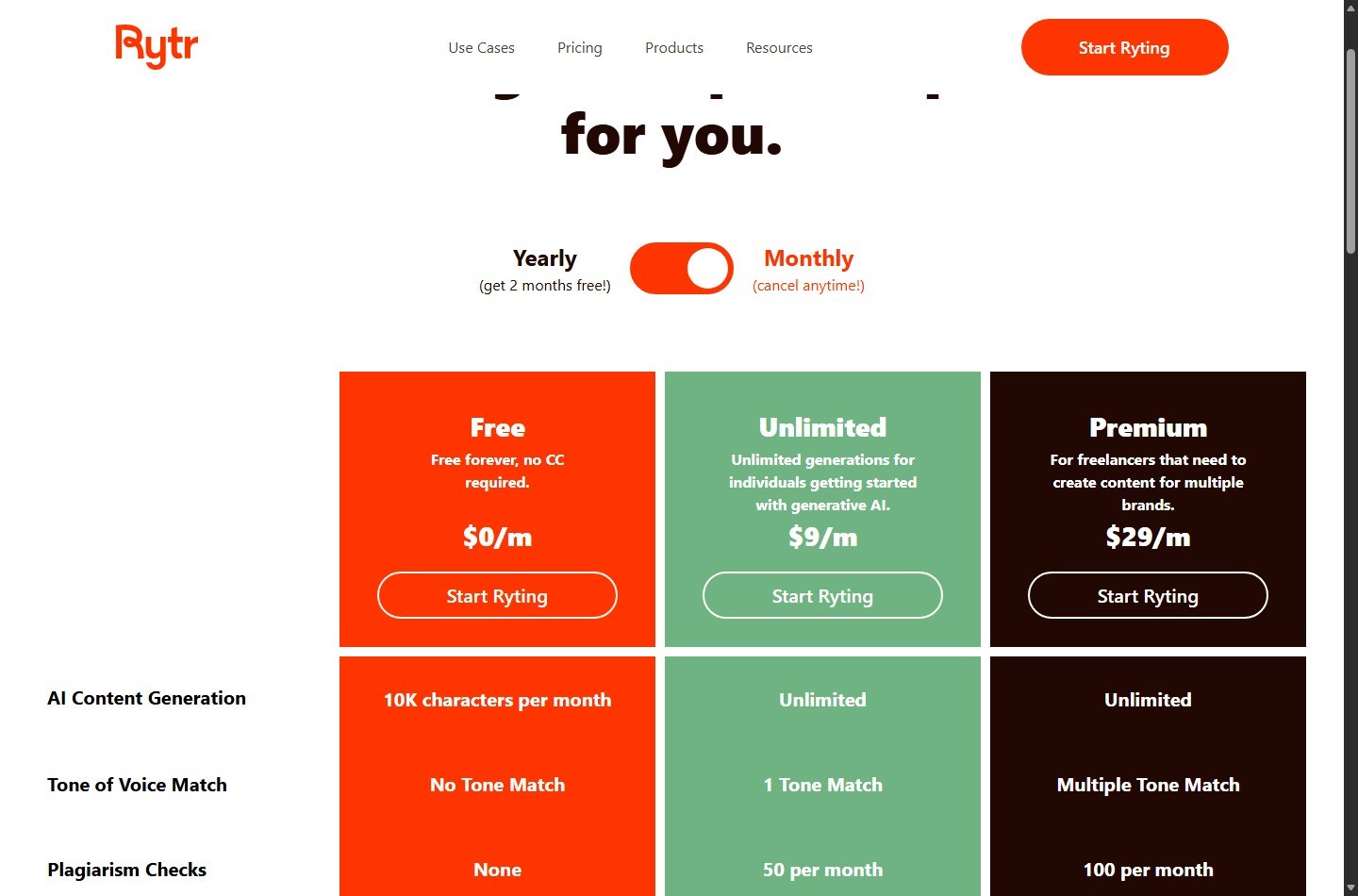
| Plan | Current generation listing | Practical blog implication |
|---|---|---|
| Free | 10,000 characters per month | Usually enough to test a short article or generate sections for a longer human-written post |
| Unlimited | Unlimited AI content generation | Suitable for recurring generation by an individual, within fair-use requirements |
| Premium | Unlimited AI content generation | Better fit when extra language, tone, input-limit, and plagiarism-check features matter |
Paid does not automatically mean one-click long-form quality. Rytr's own long-form help article recommends generating a Blog Idea and Outline, refining the headings, and then writing each topic individually with the Paragraph option. It also offers Blog Section Writing as an alternative. This is a section-by-section model, not a promise that one prompt returns a complete, researched article.
The difference between Unlimited and Premium is not the amount of generation shown on the pricing table. Both are listed as unlimited. Premium adds broader language access, multiple tone matches, higher character input limits, and more plagiarism checks. Choose Premium for those workflow features, not because it advertises more generated words.
How Much of a Blog Can the Free Plan Realistically Produce?
A useful production model includes waste and revision. Start with the gross 10,000-character allowance, then reserve capacity for planning and rejected output.
| Workflow item | Example character budget | Why it is needed |
|---|---|---|
| Ideas and outline variants | 800 | Compare angles and organize sections |
| Opening and key sections | 4,500 | Generate the core first draft |
| Supporting sections | 2,000 | Add examples, definitions, or process detail |
| Rewrites and expansions | 1,700 | Fix weak passages and improve flow |
| Contingency | 1,000 | Cover retries or an extra section |
| Total | 10,000 | Full monthly Free allowance |
If 7,300 characters survive into the draft, the same five-to-six-character conversion yields about 1,217 to 1,460 usable generated words. Your final post can still be longer if you write transitions, examples, analysis, and fact-checked additions yourself.
For a 2,500-word article, a Free-plan workflow is more realistic when Rytr handles selected sections rather than the entire draft. You might use it for the outline, two introductory options, several section drafts, and a few rewrites while a subject-matter editor supplies the research and connective analysis.
For a 1,000-word article, the Free plan offers more breathing room. Even then, requesting three variants for every section can consume capacity quickly. Generate alternatives only where the decision is valuable, such as the introduction, a commercial CTA, or a difficult explanation.
Operation-Specific Selection Ranges and Their Effect on Output
Rytr's long-form help article documents one precise range: for Continue Ryting, select 100 to 1,000 characters and use the command from the ribbon. The selected passage gives the model context for what should come next.
For Expand, Shorten, and Improve, Rytr's help center instructs users to select text and choose the relevant ribbon command, but the public article does not state a numeric selection range. Do not transfer the 100-to-1,000-character Continue Ryting range to every editor command as if Rytr documents it universally.
| Operation | What official guidance says | Safe planning interpretation |
|---|---|---|
| Continue Ryting | Select 100 to 1,000 characters | Use a focused passage with enough context to continue one idea |
| Paragraph | Select each topic and keywords, then use Paragraph | Generate one outline section at a time |
| Blog Section Writing | Enter a section topic and keywords | Use as an alternative section-generation path |
| Expand | Select text, then choose Expand | Expand a focused passage, not an entire draft by default |
| Shorten | Select text, then choose Shorten | Use for compression, not net word growth |
| Improve or Rephrase | Select text, then choose the command | Budget for replacement output and possible retries |
This distinction prevents two common planning errors. First, selected context is not necessarily new output. Second, a processing command may spend generation capacity without increasing the document's final word count. Shorten is the clearest example: it uses an AI operation to produce fewer words.
A practical Free-plan habit is to record the credit balance before and after a few representative operations. That account-level observation is more reliable than a universal formula that Rytr does not publish.
A Section-by-Section Workflow for a 2,000-Word Blog
Rytr's documented long-form process starts with an idea and outline, then moves through topics individually. The following workflow adapts that method for a commercial blog that still needs human research and editorial control.
Set the search intent and evidence first
Write a one-sentence reader goal. List the questions the article must answer and collect authoritative sources before generating prose. Rytr can help phrase an explanation, but it should not be treated as evidence for pricing, legal, medical, financial, or product claims.
For a 2,000-word target, assign section budgets before generation:
- Introduction: 120 to 180 words
- Direct answer: 150 to 250 words
- Four to six main sections: 200 to 300 words each
- Decision or workflow section: 250 to 350 words
- FAQ: 300 to 450 words
Generate and clean the outline
Use Blog Idea and Outline, then combine the useful headings. Remove duplicate intent and generic sections. Rytr specifically recommends mixing and matching generated outlines and editing headings. Keep only sections that help the reader make a decision or complete a task.
A strong outline saves characters later because each prompt has a defined job. A weak outline causes repeated paragraphs and expensive rewrites.
Draft one section at a time
Use the Paragraph option with a section topic and relevant keywords, or use Blog Section Writing. Give each section a narrow scope. Do not ask it to repeat the introduction or summarize earlier points.
After each output:
- Check whether it answers the heading.
- Delete repetition before asking for more.
- Mark factual claims that need a source.
- Add original examples or calculations yourself.
- Stop generating once the section has enough raw material.
This process turns generation into inputs for editing rather than treating the first output as publication-ready copy.
Continue only from useful context
When a paragraph ends before the idea is complete, select 100 to 1,000 characters of relevant context and use Continue Ryting. Choose the part that contains the subject, current argument, and desired direction. Selecting unrelated preceding text can encourage a generic continuation.
Use continuation for unfinished reasoning, not as an automatic way to inflate word count. A longer post is not more valuable if the added text repeats the same point.
Revise with targeted commands
Apply Improve when the meaning is sound but the wording is weak. Use Expand when a compact explanation needs detail. Use Shorten when a passage is padded. Each operation should have a clear editorial outcome.
For Free accounts, revise manually when the required change is small. Changing a verb, adding a source citation, or removing a sentence usually does not justify another generation.
Perform the human publishing pass
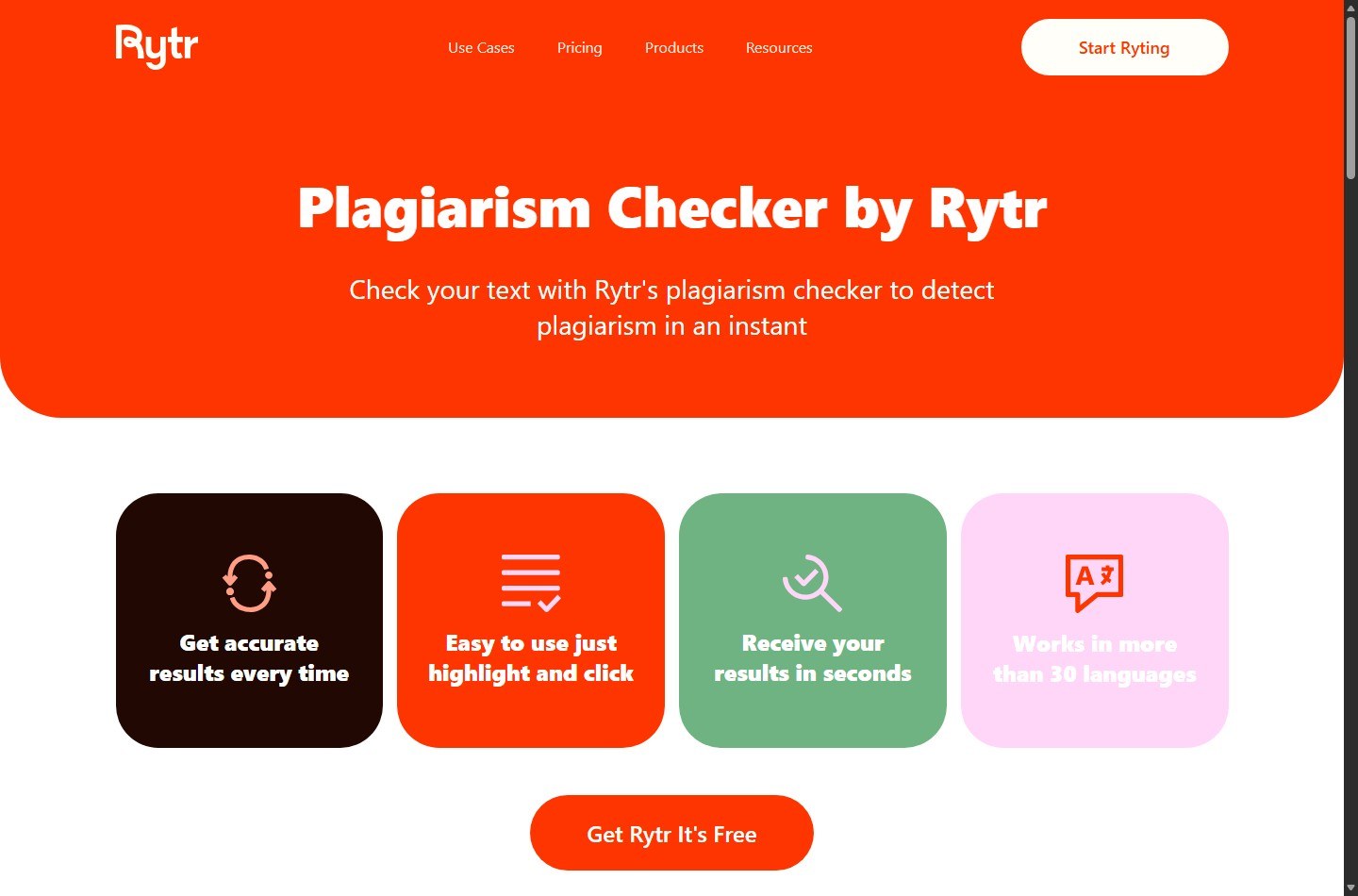
Verify every time-sensitive claim against its original source. Add internal links, examples, images, and a useful CTA. Check that headings match search intent and that the article does not overstate what the product can do.
If you want a fuller editor walkthrough, the how to use Rytr guide covers the broader workflow. If capacity is the deciding factor, check the current Rytr offer guide before moving from Free to paid.
How Retries, Variants, and Rewrites Change the Math
Gross output and retained output are different metrics. Suppose you generate 10,000 characters, but only 6,500 characters remain after editing. Your retention rate is 65%.
The formula is:
Retained characters ÷ generated characters × 100 = retention rate
At 65% retention, 10,000 generated characters become 6,500 retained characters. Dividing by five to six characters per word gives roughly 1,083 to 1,300 words of retained generated text.
| Retention scenario | Retained characters | Estimated retained words |
|---|---|---|
| 50% | 5,000 | About 833 to 1,000 |
| 65% | 6,500 | About 1,083 to 1,300 |
| 80% | 8,000 | About 1,333 to 1,600 |
These are editorial calculations. They are useful for forecasting, but they are not guarantees about Rytr output.
To improve retention, prompt for one outcome, include specific source notes, limit unnecessary variants, and edit a serviceable passage instead of regenerating it from scratch. Track retained characters across several projects to establish your own ratio. A copywriter producing familiar landing-page copy may retain more than a researcher drafting a technical comparison.
Monthly Reset and Rollover Rules
The current pricing page defines Free as 10,000 characters per month. That establishes a recurring monthly allowance, but Rytr's public pricing page and the help articles reviewed for this guide do not publish a clear promise that unused Free characters roll over. They also do not state a universal calendar-day reset date.
The practical rule is conservative:
- Treat the Free allocation as a monthly bucket.
- Do not assume unused characters accumulate into a later month.
- Check the credits section in your Rytr account for the account-specific balance and cycle timing.
- Ask Rytr support if the reset date or treatment of unused credits affects a purchase decision.
For monthly paid subscriptions, Rytr says users can cancel at any time and retain access to remaining credits for that month. Its Terms of Use say subscriptions are billed in advance monthly or yearly and renew at the end of each period unless canceled. Those statements describe billing access, not a public rollover guarantee.
Annual billing does not mean the Free character bucket becomes an annual bank. The current paid plans instead list unlimited content generation, and annual billing changes the commitment and price rather than advertising a pooled annual character allowance.
When to Upgrade for Long-Form Content
Upgrade when the cost of managing a fixed quota exceeds the subscription's cost, not simply because one article crossed an arbitrary word count.
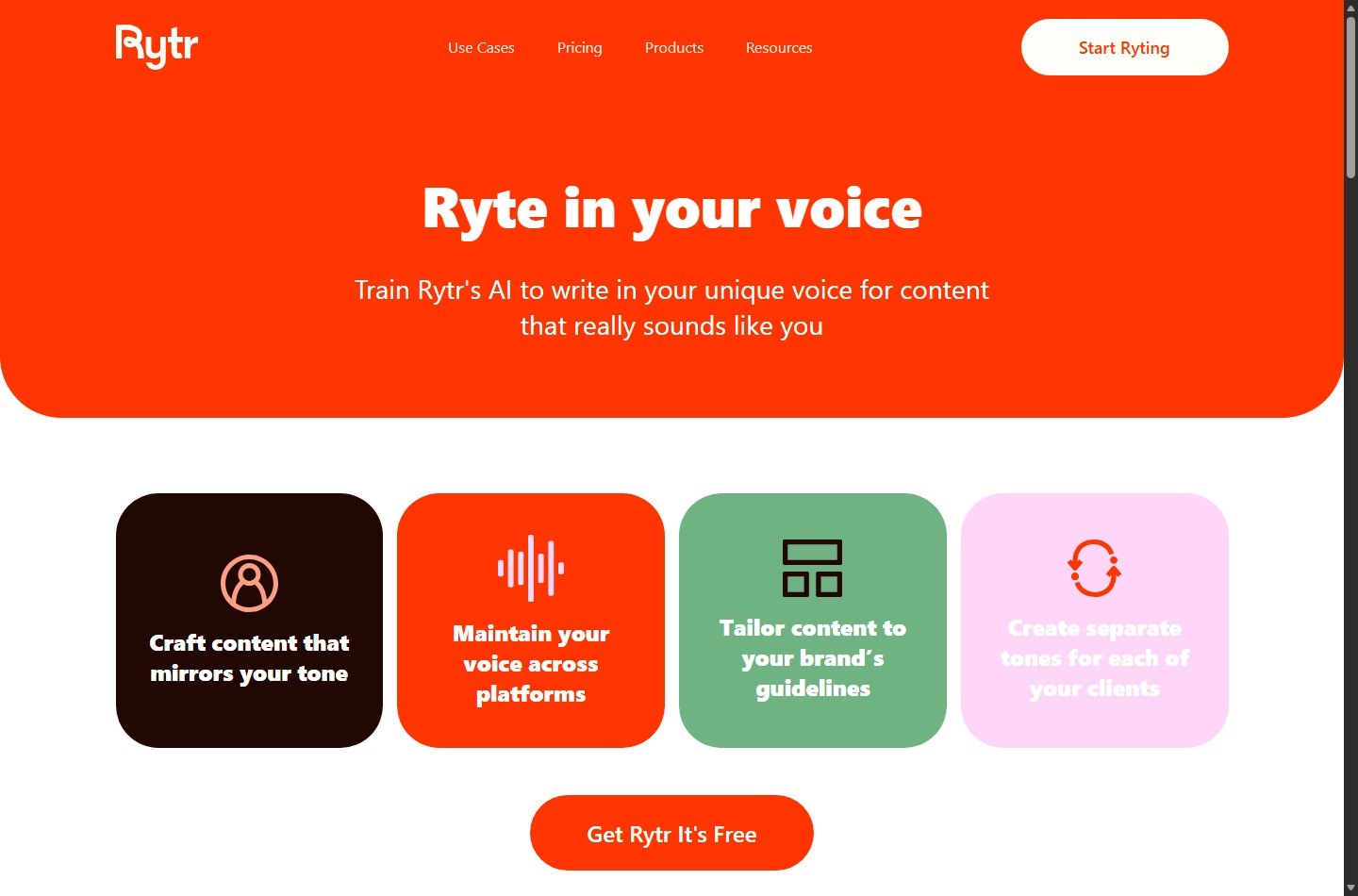
The Unlimited plan is the logical first paid option when you need recurring generation and one language is enough. Premium becomes more relevant when you write across languages or brands, need multiple tone matches, want higher input limits, or value the larger plagiarism-check allocation shown on the pricing page.
| Work pattern | Likely fit | Reason |
|---|---|---|
| One short article or occasional copy | Free | 10,000 characters can validate the workflow |
| Several blogs per month | Unlimited | Removes the fixed generation bucket for normal individual use |
| Multi-brand or multilingual freelance work | Premium | Adds language, tone, input-limit, and check capacity |
| Unattended bulk article production | Not an appropriate assumption | Terms restrict bot-like generation and fair-use violations |
Estimate the break-even point with your own editing time. If quota management and manual rewriting add two hours per month, compare the value of those hours with the paid plan. Subscription ROI comes from reduced bottlenecks and usable output, not from maximizing raw character generation.
You can check Rytr's available plans before choosing a billing cycle. Confirm the live price and terms at checkout because software pricing can change.
Ways to Get More Useful Words From Your Allowance
Start with a source-backed brief. When prompts contain a clear audience, purpose, facts, and desired structure, fewer outputs are discarded.
Use manual editing for small changes. Do not spend a generation to fix punctuation or replace a sentence you can rewrite quickly.
Generate one variant by default. Request alternatives only for high-impact copy or when the first direction is unusable.
Separate facts from phrasing. Supply verified facts, then ask for a clear explanation. Never accept a generated statistic because it sounds plausible.
Set a section stop condition. Once the section answers its heading with enough detail, move on. Word-count chasing creates repetition.
Keep a usage log. Record starting balance, operations used, retained characters, and final words. After three to five projects, your retention rate will produce a better forecast than any generic characters-to-words ratio.
Compare fit if your workflow centers on long-form automation rather than short-form assistance. The Rytr alternatives page can help you evaluate tools built around different production models.
FAQ
How many words are 10,000 Rytr characters?
A practical English estimate is about 1,670 to 2,000 words, using five to six characters per word including spaces. This is a ScaleWitAI editorial conversion, not an official Rytr word limit. Actual results vary with word length, punctuation, and formatting.
Can Rytr write a 2,000-word blog on the Free plan?
It may generate close to 2,000 gross words under favorable character assumptions, but retries and discarded output reduce the usable total. A reliable 2,000-word finished article will often require substantial human writing or generation across another monthly cycle.
Does Rytr count words or characters?
Rytr's current Free-plan pricing is expressed as 10,000 characters per month. The public pricing page does not describe that allowance as 10,000 words.
Are Rytr paid plans really unlimited?
The current Unlimited and Premium plans list unlimited AI content generation. Rytr's Terms of Use still apply, including one-account-per-user and fair-usage restrictions, and the terms prohibit automated article spinning and bot-like generation.
What selection length does Continue Ryting use?
Rytr's long-form help article says to select 100 to 1,000 characters and choose Continue Ryting from the ribbon. Public guidance for Expand, Shorten, and Improve says to select text but does not publish the same numeric range for all commands.
Do unused Rytr Free characters roll over?
The official public pages reviewed for this guide do not state that unused Free characters roll over. Plan conservatively as if they do not accumulate, and check the credits section or contact Rytr support for account-specific confirmation.
When do Rytr credits reset?
Rytr describes the Free allowance as monthly, but its public pricing page does not specify a universal calendar reset day. Check the credits area in your account for cycle timing.
Is Unlimited or Premium better for blogging?
Unlimited is generally the lower-cost fit when recurring generation in one language is the main need. Premium adds broader language access, multiple tone matches, increased input limits, and more plagiarism checks. Both currently list unlimited AI content generation.