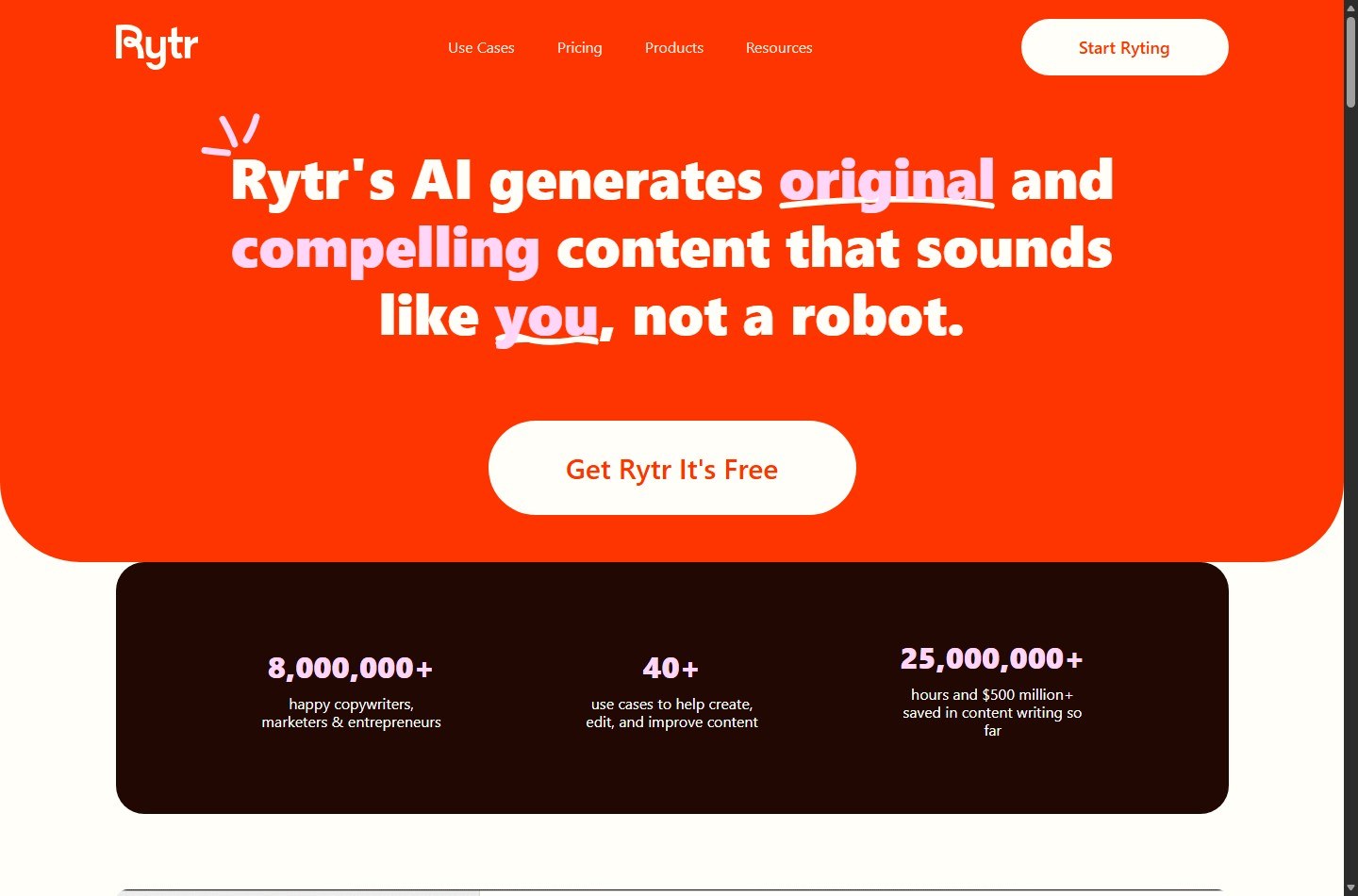
Rytr is a budget-oriented AI writing assistant for producing and revising short marketing copy, emails, social posts, outlines, and article sections. Its strongest buying case is affordable, template-led drafting, not autonomous publishing. It does not replace research, subject expertise, fact-checking, legal review, or a human editor.
| At-a-glance | Details |
|---|---|
| Best for | Freelancers, copywriters, entrepreneurs, and marketers who need frequent first drafts |
| Free plan | $0; 10,000 AI-generated characters per month |
| Paid plans | Unlimited at $9 monthly; Premium at $29 monthly |
| Annual display rates | $7.50/month equivalent for Unlimited; $24.16/month equivalent for Premium |
| Main differentiators | 40+ use cases, 20+ preset tones, Chrome extension, and paid Tone Match |
| Main caution | Official pages conflict on language counts and some feature presentation |
| Overall editorial rating | 3.8/5 for value-focused short-form drafting |
| Website | Visit Rytr |
The decision is less about whether Rytr can generate text and more about whether its workflow matches your production economics. This Rytr review separates current pricing-page entitlements from conflicting marketing and help-center claims.
Quick Verdict: Should You Use Rytr?
Rytr is worth considering when you want a low-cost drafting layer for repeatable, mostly short-form work. Unlimited costs less than many premium writing platforms and removes the Free plan's 10,000-character monthly ceiling. Premium is the more logical choice for multilingual work, multiple brands, higher input limits, and more plagiarism checks.
Skip Rytr if your main requirement is a research-backed long-form system, collaborative editorial operations, advanced SEO optimization, or guaranteed publish-ready copy. The official long-form guidance describes assembling articles section by section in the editor. That is useful, but it is different from a research, brief, citation, optimization, and approval pipeline.
| Buyer situation | Recommendation | Why |
|---|---|---|
| You need occasional captions, emails, or ideas | Start with Free | It provides 10,000 characters monthly without a card |
| You draft frequently in one language | Consider Unlimited | Unlimited generation, one Tone Match, and 50 plagiarism checks monthly |
| You serve several brands or languages | Consider Premium | All listed languages, multiple Tone Matches, higher input limits, and 100 checks monthly |
| You need researched long-form articles | Compare alternatives first | Rytr's documented workflow is section-by-section generation and editing |
| You handle sensitive or regulated material | Use only after policy review | The privacy policy covers content-generation data and sharing with service providers |
Try Rytr on the plan that matches your workflow, or first review the best Rytr alternatives if long-form production is the priority.
What Is Rytr?
Rytr is an AI writing assistant operated under Rytr LLC's published terms and privacy policy. Its public site positions the product around more than 40 use cases and templates, more than 20 preset tones, inline editing, a Chrome extension, custom voice matching, and plagiarism checking on paid plans.
The product fits between a general chatbot and a full content operations platform. A general chatbot offers a flexible prompt box. Rytr instead provides named use cases, language and tone controls, variants, and editor commands such as Continue Ryting, Expand, Shorten, and Improve. That structure can reduce prompt setup for recurring copy tasks.
Rytr is not presented on its official long-form help page as a one-click, source-grounded article engine. The documented method is to generate an idea and outline, combine and edit headings, create paragraphs for each section, and continue writing from selected text. Buyers should therefore evaluate it as a drafting and rewriting utility, with long-form assembly possible through a guided process.
For a practical sequence after choosing a plan, use our step-by-step guide to using Rytr. It complements this buyer-focused review without changing the need for editorial oversight.
Who Is Rytr Best For?
Freelancers and solo copywriters
Rytr's price and template structure make the clearest sense for independent professionals who create many small deliverables. Email variants, social captions, product descriptions, calls to action, metadata, headlines, and outline ideas can all benefit from a fast first draft. Unlimited is especially relevant when 10,000 characters would create recurring interruptions.
Premium becomes easier to justify for freelancers serving multiple clients. The current pricing table describes Premium as intended for freelancers creating content for multiple brands and gives it multiple Tone Matches. The homepage separately says users can create multiple custom tones for scenarios, projects, or clients. The pricing table should be treated as the plan-level authority before purchase.
Marketers and entrepreneurs
Small marketing teams and founders can use Rytr as an ideation and variation tool. Its browser extension is officially described as working across apps and social platforms, with the ability to generate or improve emails, comments, meta descriptions, and reviews. This may reduce switching between a writing surface and a separate assistant.
The economic test is simple: estimate how many approved assets Rytr helps move from blank page to editable draft, not how many raw characters it produces. Generation volume has little value if a team spends more time correcting unsupported claims, repetitive phrasing, or brand inconsistencies.
Email and social content producers
Rytr has dedicated official use-case pages for email, captions, calls to action, and other compact formats. Buyers focused on email can see the workflow in our Rytr email generator guide. PR teams can use our Rytr press release workflow to structure a higher-risk format that requires source and quote verification. These bounded formats provide clearer prompts and acceptance criteria than an open-ended 2,000-word article.
Who should look elsewhere
Rytr is a weaker fit for teams that require source retrieval, citations, keyword clustering, SERP analysis, detailed content scoring, approval workflows, or deep document collaboration. The team help article mentions separate member accounts and centralized billing, but it discusses richer collaboration features as future additions. That makes it risky to assume Google Docs-style co-editing or mature agency governance without confirming the current application.
What Are Rytr's Key Features?
Use cases, tones, and generation controls
Rytr's homepage advertises more than 40 content use cases and templates. The help center currently uses older wording in places, including “20+ Use Cases,” while the public product site says 40+. For a purchase decision, the live homepage and pricing presentation are more current, but buyers should inspect the in-app list for any exact template they require.
More than 20 preset tones are available according to the pricing page and homepage. Rytr also markets variation controls and custom use cases. These controls matter because a constrained task, audience, and tone generally create a more reviewable draft than an instruction such as “write marketing copy.” They do not establish factual accuracy.
Tone Match and the official entitlement conflict
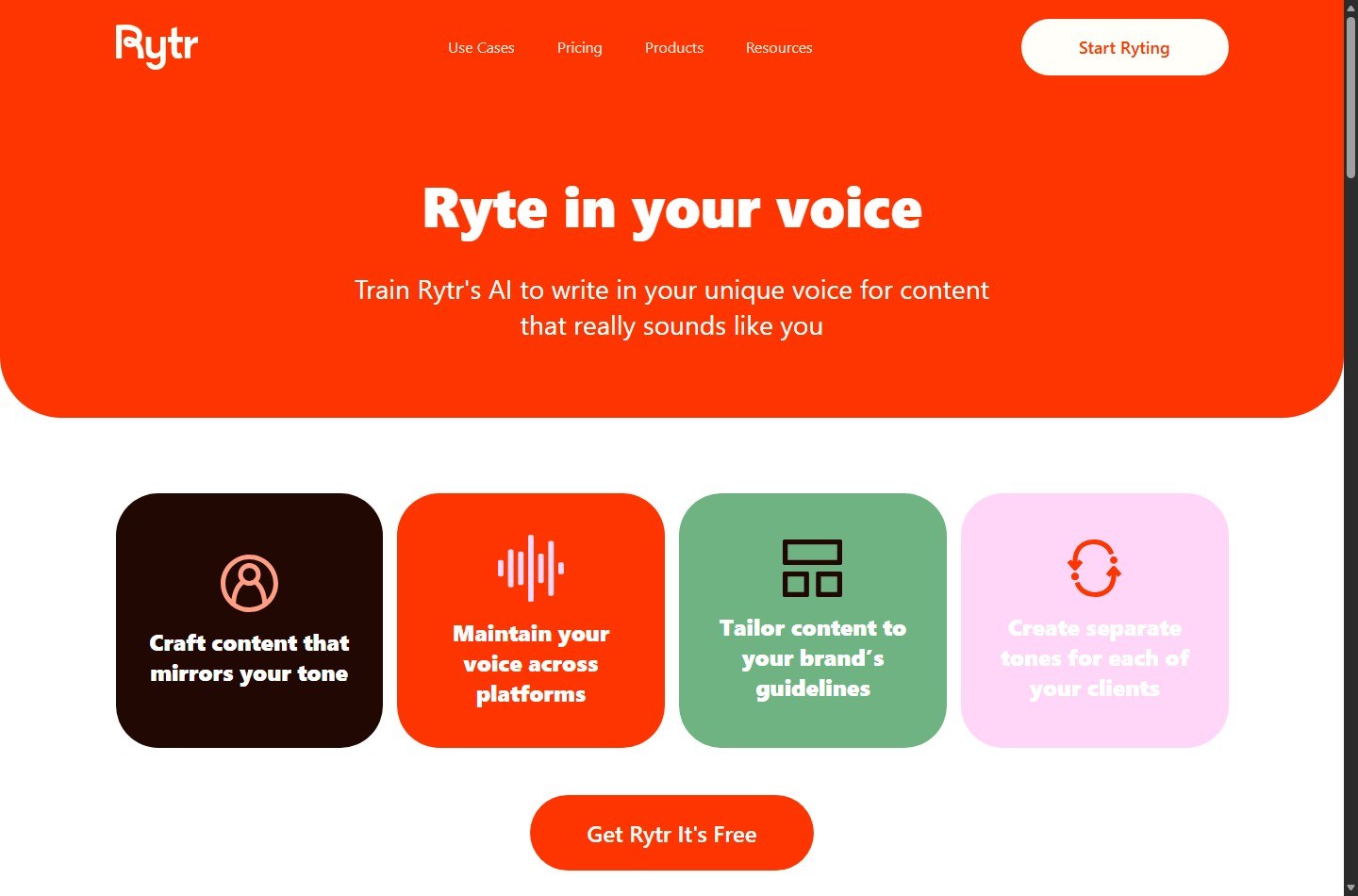
Tone Match, also marketed through the My Voice product page, analyzes a writing sample and attempts to mirror that voice. Rytr's dedicated page says users can create multiple custom tones for different clients or projects. Several use-case pages also refer broadly to a customizable tone option.
The current pricing table is more restrictive and specific: Free has no Tone Match, Unlimited has one Tone Match, and Premium has “Multiple Tone Match.” Rytr's homepage summary has described Premium as allowing five personal tones, while the pricing table shown at the research cutoff does not state a number. The safe buying interpretation is zero on Free, one on Unlimited, and multiple on Premium, with the exact Premium count to be confirmed in checkout or the app. Do not buy based on an unqualified “multiple” claim if a fixed number is operationally important.
Languages and the 30+, 35+, and 40+ conflict
Rytr's official materials do not present one consistent language count:
| Official surface | Language claim | Decision use |
|---|---|---|
| Current pricing table | 35+ on Premium; one on Free and Unlimited | Best source for plan entitlement |
| Current help article | 30+ supported; Free and Unlimited get one, Premium gets all | Useful for access rules and a partial language list |
| Current homepage summary | 40+ languages on Premium | Broader marketing claim |
| Individual use-case pages | Often 30+ or 35+ | Feature-level marketing, not a stable plan matrix |
This conflict does not mean multilingual generation is unavailable. It means a buyer should confirm the exact required language before paying. The help article says Free and Unlimited users can choose one language and change that choice once per month, while Premium can access all supported languages. For multilingual agencies, that entitlement difference matters more than the marketing count.
Inline editor and long-form assembly
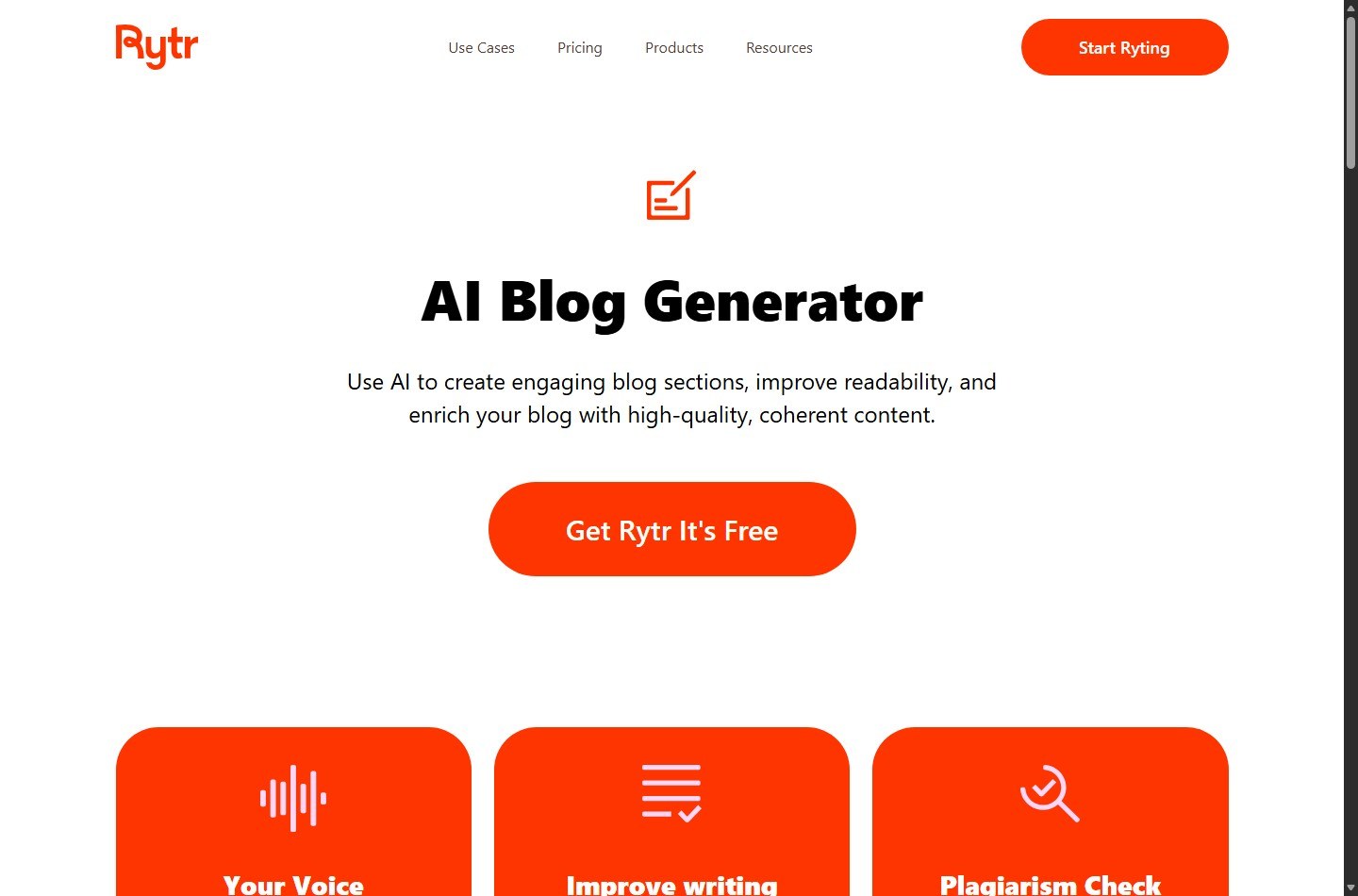
Rytr's inline editor supports continuing, expanding, shortening, improving, and rewording text. The official help article explains that users select text and apply editor commands. The documented long-form process starts with a blog idea and outline, then builds paragraphs or blog sections one topic at a time. Continue Ryting can extend from 100 to 1,000 selected characters according to the help page.
That workflow is serviceable for controlled drafting because a writer can approve structure before expanding sections. It can also become labor intensive. Research, citations, argument quality, transitions, examples, and final coherence remain separate editorial responsibilities. If blog length is your core concern, see our analysis of how many words you can make into a blog with Rytr.
Plagiarism checking
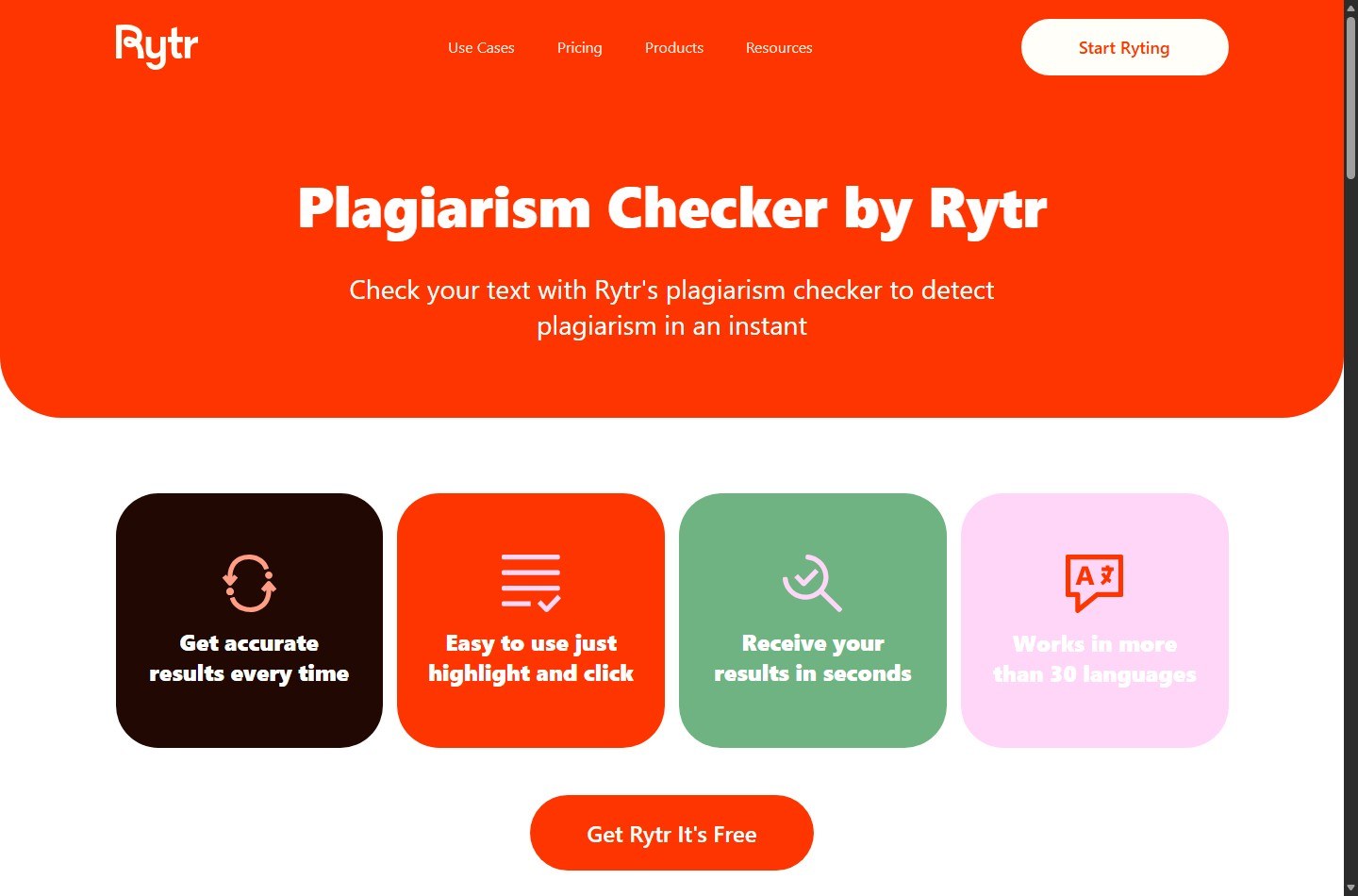
The pricing table lists no plagiarism checks on Free, 50 per month on Unlimited, and 100 per month on Premium. Rytr's use-case pages describe a Copyscape add-on that can sift content for sources. This is a checking tool, not a guarantee that generated text is original, non-infringing, accurate, or safe to publish.
A sensible workflow is to run the check on the final edited draft, review any matches in context, retain source notes, and separately verify facts and permissions. A “no concerning match” result cannot prove originality in every unindexed, private, or newly published source. Rytr's own terms also make users responsible for their content and prohibit infringing material.
Chrome extension
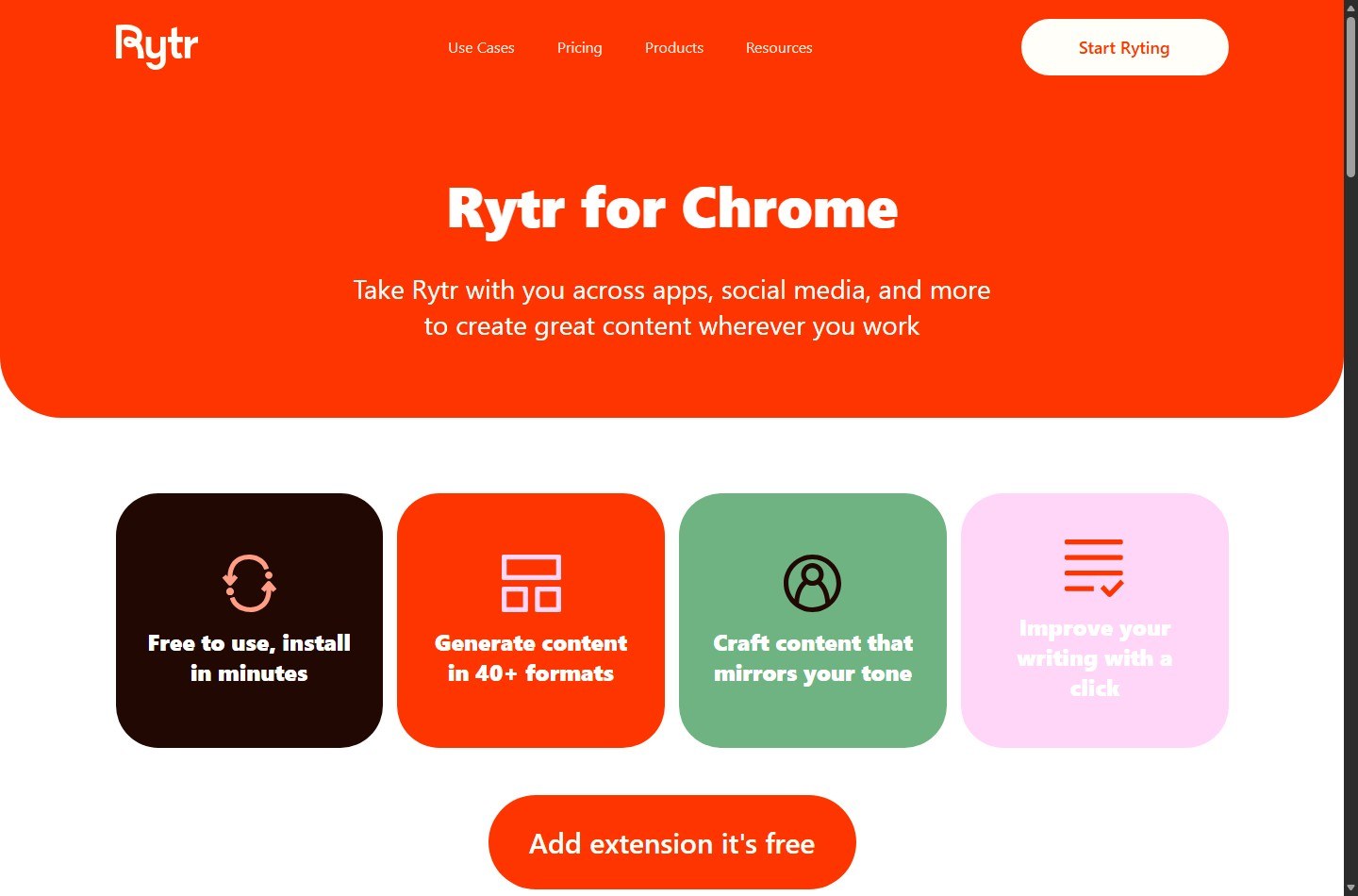
Rytr's official Chrome page says the extension is free to install and works across apps and social platforms. It can generate content in more than 40 formats, mirror tone, and improve writing. The pricing table includes Chrome extension access across plans.
The extension is potentially valuable when the main cost is context switching. It also expands the number of places where users may submit text to Rytr. Organizations should determine which data classes may be entered through browser tools, particularly for customer records, confidential drafts, unreleased product information, or regulated data.
API
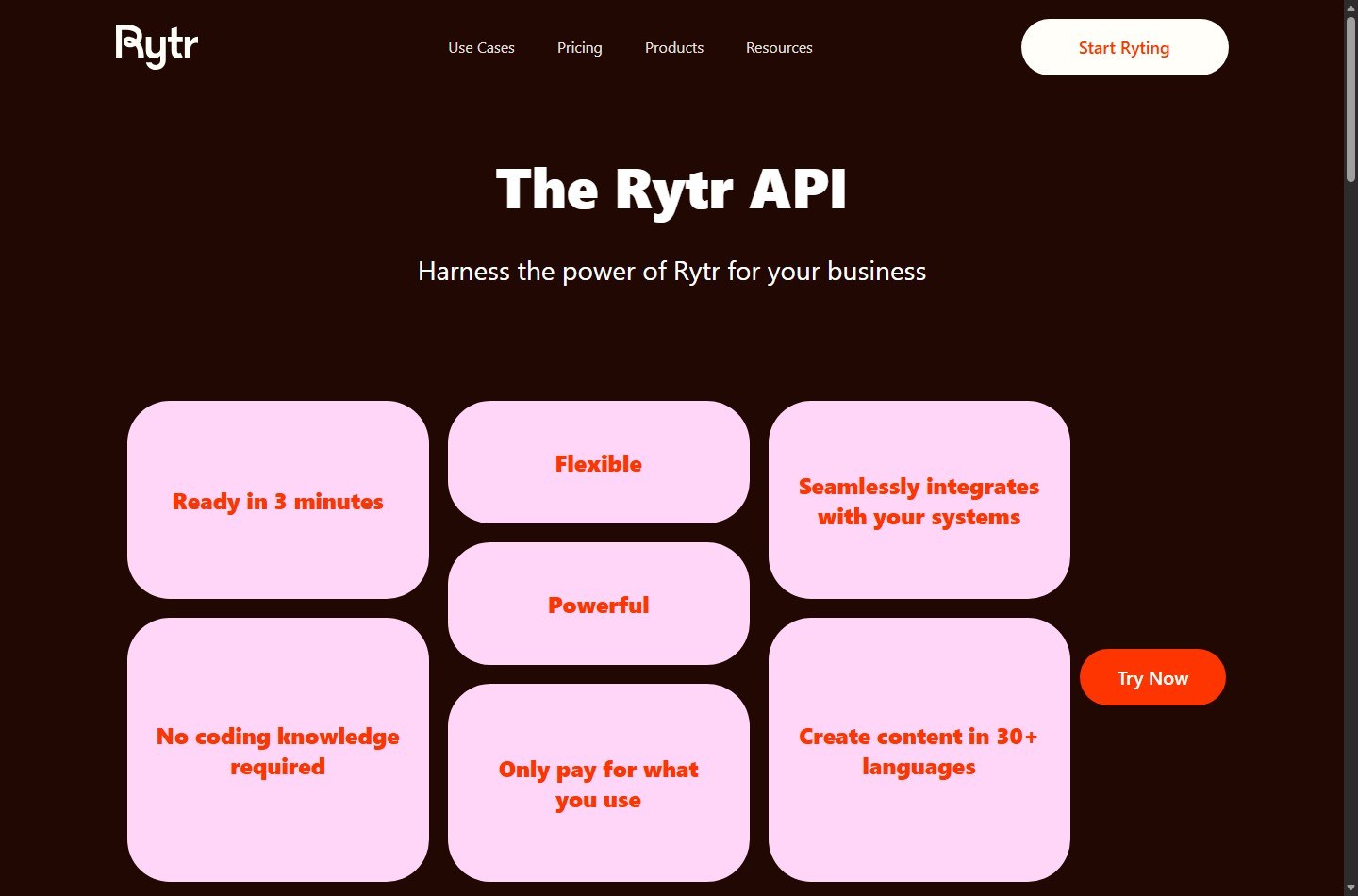
Rytr maintains an official API product page and public documentation repository. The product page says the API supports brand voice, tone, and language, starts with 10,000 free API credits, and uses pay-as-you-go pricing. It also states that unused API capacity is not charged. The documentation covers bearer authentication, language, tone, voice, use-case, and generation endpoints.
Do not assume a normal Rytr subscription includes production API usage. The API page describes its own credits and usage-based pricing. Developers should inspect current API documentation and billing in the account before designing an integration, then add logging, rate controls, content review, and a fallback path.
Teams
The help center says Rytr supports team and company plans with separate accounts for members, invitations, admin billing, and aligned billing cycles. However, the same article contains legacy plan names and prices, including Saver, that do not match the current Free, Unlimited, and Premium pricing page. It also says planned collaboration features include document sharing, joint editing, folders, and public or private links.
Accordingly, the current team capability that can be supported is member invitations, separate accounts, and centralized billing. The available documentation is not strong enough to promise a specific current seat price or advanced collaboration. Ask sales or support for a written quote and feature confirmation before team deployment.
How Does Rytr Work?
A typical Rytr workflow begins by choosing a use case, language, tone, and input context. The user requests one or more variants, moves a suitable result into the editor, and applies commands to revise or extend selected text. For long-form work, the official process repeats this section by section.
The productive way to use that flow is to separate generation from acceptance:
- Define the audience, desired action, factual inputs, prohibited claims, and format.
- Generate a small number of variants rather than flooding the review queue.
- Reject any draft that invents evidence, experience, pricing, quotes, or product behavior.
- Edit the strongest candidate for accuracy, specificity, and brand voice.
- Check plagiarism where the plan permits, then perform independent fact and rights review.
- Move only approved copy into the publishing system.
Rytr's terms prohibit automated article spinning and bot-like content generation, along with spam and other objectionable uses. That policy is another reason not to treat “Unlimited” as permission for unattended bulk publishing.
What Is Rytr Like in a Controlled Evaluation? Instead, buyers can run a controlled evaluation that produces evidence relevant to their own work.
Build a representative test set
Choose 12 to 20 tasks from actual production, removing confidential information. Include several bounded assets, such as subject lines, product descriptions, social posts, calls to action, and short email drafts. Add two article outlines and two section drafts if long-form writing matters. Include at least two difficult cases where the source material contains nuances the model must preserve.
Use the same approved source packet for Rytr and every alternative. Record the prompt, settings, output, edits, review time, and final decision. Do not change the rubric after seeing results.
Score what affects ROI
| Metric | How to measure | Why it matters |
|---|---|---|
| Factual pass rate | Outputs with no unsupported factual statement divided by total outputs | A fast draft that creates risk can have negative value |
| First-review acceptance | Drafts needing only light edits divided by total drafts | Shows whether templates and tones fit the workflow |
| Edit time | Minutes from generated draft to approved copy | Converts quality into labor economics |
| Brand adherence | Reviewer score against a written voice checklist | Tests Tone Match and preset tones without vague impressions |
| Format compliance | Outputs meeting length, structure, and CTA requirements | Measures production reliability |
| Cost per approved asset | Subscription and review labor divided by approved assets | Supports a real buy or skip decision |
Set acceptance thresholds before testing. For example, require zero invented testimonials, prices, statistics, or first-person experiences. A marketing team may accept modest rewriting if average edit time falls. A regulated team may reject the tool if any unsupported claim escapes first review.
Test plan boundaries
Test Free first when its 10,000-character limit covers the sample. If evaluating Unlimited or Premium, use a single paid month unless an annual commitment is already justified. Confirm language access and Tone Match limits inside the account. Export important work independently because the terms advise maintaining a complete and accurate copy outside the service and do not guarantee against content loss or corruption.
Finally, test the Chrome extension only on approved, non-sensitive text. Evaluate the API separately because it has distinct credits and billing. Team testing should include role, billing, offboarding, document access, and collaboration requirements rather than assuming they exist.
How Much Does Rytr Cost?
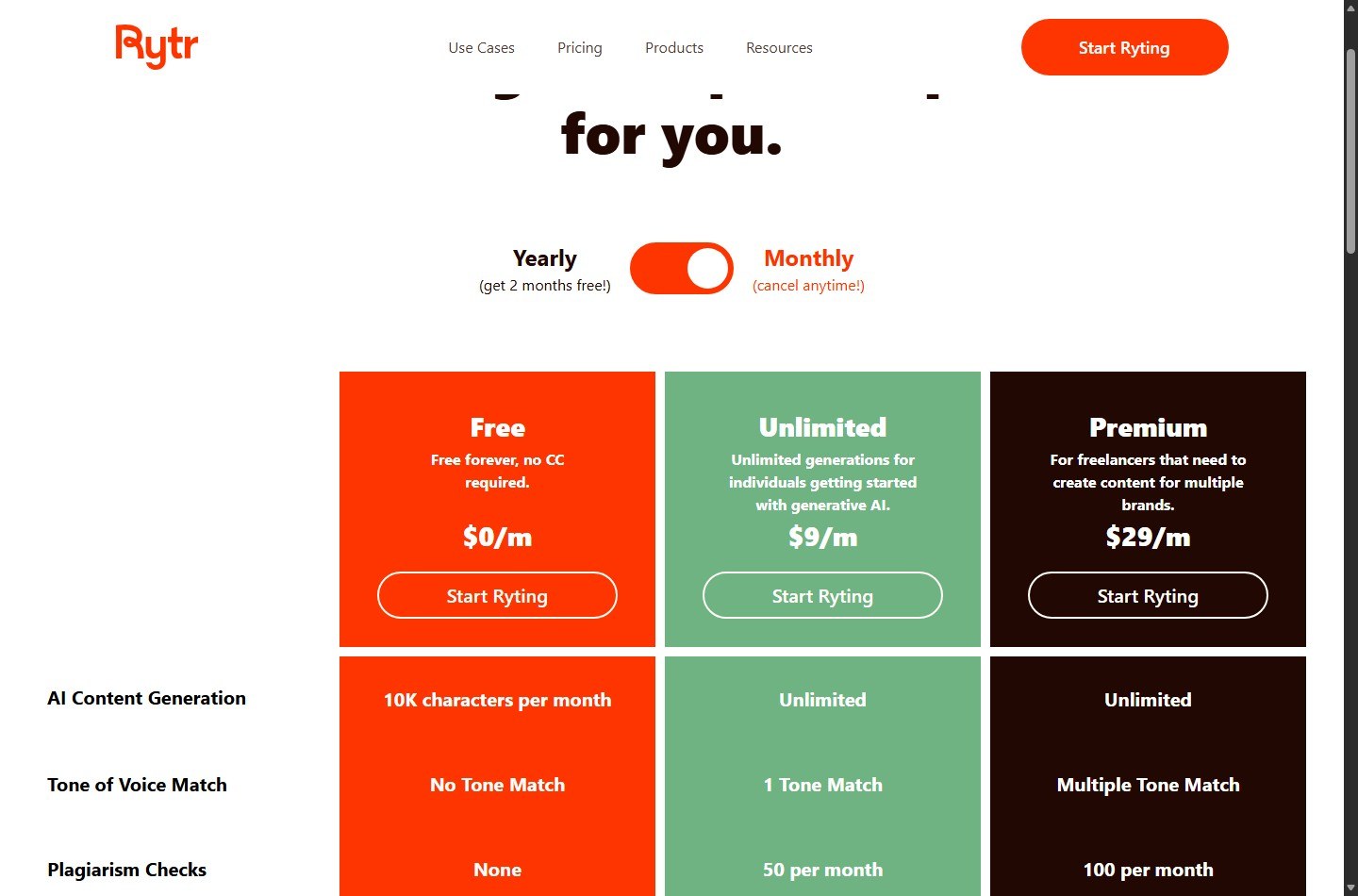
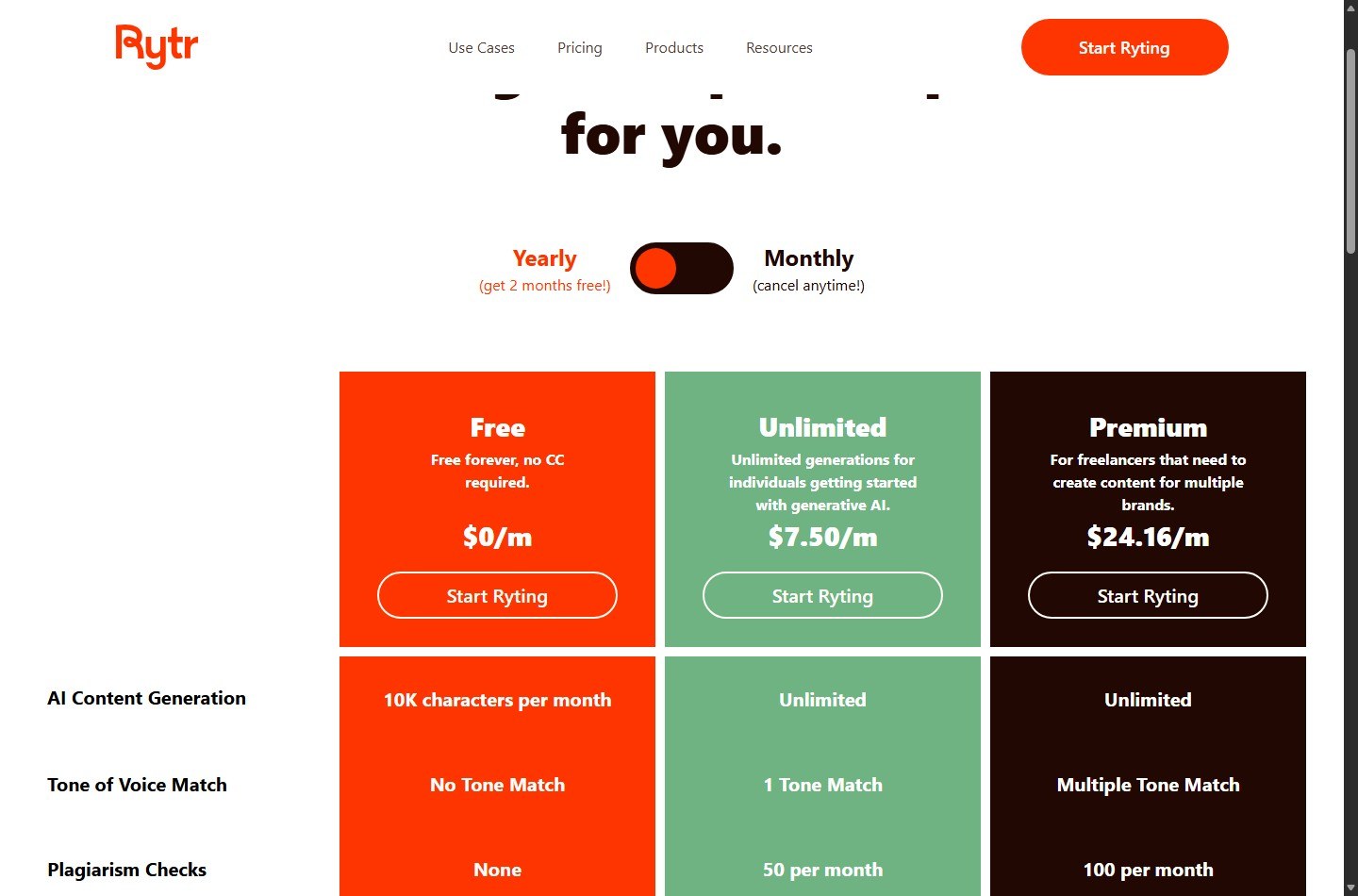
At the research cutoff, Rytr's live pricing page presents three plans. The annual toggle shows monthly equivalent rates. Monthly list prices supplied for this review are $9 for Unlimited and $29 for Premium.
| Plan | Monthly billing | Annual display rate | Generation | Tone Match | Plagiarism checks | Languages | Input limit |
|---|---|---|---|---|---|---|---|
| Free | $0 | $0 | 10,000 characters/month | None | 0 | 1 | Base |
| Unlimited | $9/month | $7.50/month equivalent | Unlimited | 1 | 50/month | 1 | Doubled |
| Premium | $29/month | $24.16/month equivalent | Unlimited | Multiple | 100/month | 35+ on pricing table | Tripled |
The displayed annual equivalents imply $90 for Unlimited and $289.92 for Premium when multiplied by 12. Those are editorial calculations, not confirmed invoice totals. Rytr says the yearly option provides two months free, while its FAQ also says annual plans save 20 percent and require a 12-month commitment. Since $24.16 multiplied by 12 produces a rounding-sensitive total, verify the checkout amount, currency conversion, and taxes before purchase.
“Unlimited” also needs policy context. Rytr's terms prohibit bot-like generation, automated article spinning, spam, unreasonable infrastructure load, scraping, and other abuse. The team article says Rytr may enforce team-level fair usage policy limits when it detects unusual activity. Unlimited is therefore best read as no ordinary monthly character allowance, subject to terms and fair-use enforcement, not an unconditional license for automation.
Check the latest Rytr coupon and deal details before choosing annual billing. Any promotion should be verified at checkout, and a discount should not outweigh fit, renewal terms, or refund restrictions.
Ownership, Privacy, Cancellation, and Refunds
Content ownership and responsibility
Rytr's pricing FAQ states that content created by Rytr is owned by the user or entity using the service, subject to the Terms of Service. The terms say users retain rights to content they submit, post, or display and are responsible for it. The service's own original content, features, and functionality remain the company's or its licensors' property.
Ownership language does not guarantee copyright protection, exclusivity, non-infringement, or originality. US copyright treatment can depend on human authorship and other facts. Organizations should keep records of source material and substantive human editing, and obtain legal advice for high-value intellectual property.
Privacy
Rytr's privacy policy says it may collect email, name, address, device and location information, usage data, and content-generation data. It describes uses including service delivery, account management, communications, advertising, analytics, and improvement. It says personal data may be shared with vendors, corporate affiliates, business partners, in business transfers, and when legally required.
The policy says payment-card details go directly to processors such as Stripe rather than being stored or collected by Rytr. It also describes retention only as long as necessary for stated purposes and legal obligations, plus GDPR and CCPA rights. Buyers should read the policy themselves and avoid entering secrets, client-confidential material, protected personal data, or regulated content until internal privacy and security reviewers approve the service.
Cancellation and refunds
Rytr's pricing page says monthly subscriptions can be canceled at any time and access continues for the remainder of the month. It describes annual billing as a 12-month commitment. The Terms of Use say users may cancel renewal by contacting support, receive no refund for fees already paid for the current subscription period, and retain access until that period ends.
The refund section says subscriptions cannot be refunded under the refund policy, although the company may consider certain requests case by case at its sole discretion. Treat purchases as nonrefundable unless Rytr confirms an exception in writing. Set a renewal reminder well before an annual charge and save cancellation confirmation.
Rytr Pros and Cons
| Pros | Cons |
|---|---|
| Free plan requires no card and supports 10,000 characters monthly | Free excludes Tone Match and plagiarism checks |
| Unlimited has a low monthly list price for frequent individual drafting | “Unlimited” remains subject to terms and fair-use controls |
| More than 40 use cases and 20+ preset tones reduce prompt setup | Official language and Tone Match claims conflict across pages |
| Paid plans include plagiarism checks | A checker does not guarantee original or non-infringing output |
| Chrome extension supports writing across browser-based workflows | Browser use increases the need for data-entry controls |
| Premium targets multiple brands and languages | Long-form production is a section-by-section editorial process |
| Official API offers usage-based integration | API credits and billing are separate from ordinary plan assumptions |
| Team accounts and central billing are documented | Public team documentation includes stale plan names and future features |
The biggest positive is value for bounded drafting. The biggest negative is not necessarily output quality, which each buyer should test, but ambiguity across official materials. Pricing entitlements, help articles, and feature pages sometimes use different counts or legacy terminology. A careful buyer should screenshot checkout and obtain support confirmation for any must-have limit.
What Are the Best Rytr Alternatives?
ChatGPT for flexible prompting and research-oriented workflows
ChatGPT is a broader general-purpose assistant rather than a template-first copywriting product. It may suit users who want flexible prompting, file-based work, analysis, and a wider range of tasks. Buyers must compare current plan limits and data controls directly with OpenAI's official pages.
Jasper for brand and marketing operations
Jasper positions itself as an AI platform for marketing teams and brand-controlled content. It is more relevant when governance, campaign workflows, and brand consistency matter more than obtaining the lowest-cost individual writer. Compare current official pricing and contract requirements because the category and cost structure differ from Rytr.
Copy.ai for go-to-market workflows
Copy.ai positions its platform around go-to-market use cases and workflows. It may fit revenue teams that want process automation beyond a writing editor. That broader scope can be unnecessary for a solo creator who mainly needs email and social drafts.
Writesonic for broader content and visibility tooling
Writesonic markets AI writing alongside SEO and generative-engine visibility capabilities. It is a more natural comparison for buyers who want research, optimization, or visibility workflows around content. Evaluate source quality, limits, and total workflow cost rather than comparing headline generation allowances alone.
Scalenut for SEO-led content production
Scalenut is a closer alternative when the decision starts with SEO planning and long-form optimization rather than short copy. Our Rytr vs Scalenut comparison explains the category difference. The right choice depends on whether you need a lightweight writer or a more SEO-centered workflow.
For a wider shortlist, compare Rytr alternatives by use case, then run the same controlled test set against the finalists.
Is Rytr Worth It?
Rytr is worth it for a buyer who values low-cost, structured first drafts and can supply human review. Free is a sensible proof step. Unlimited is the strongest value option for one-language, high-frequency individual use. Premium is the rational upgrade when multiple brands, all supported languages, larger inputs, and more plagiarism checks matter.
It is not the automatic choice for research-heavy articles, advanced SEO workflows, sensitive data, complex teams, or unattended automation. Its official materials clearly support useful generation and editing features, but they also reveal plan conflicts, a manual long-form process, privacy considerations, refund limits, and acceptable-use boundaries.
Before paying annually, run the controlled evaluation, confirm checkout totals, verify the exact language and Tone Match entitlement, and calculate cost per approved asset. If Rytr meets the threshold, choose a Rytr plan. If it does not, the evidence will tell you which alternative capability to prioritize.
How We Test and Score
ScaleWitAI funds every account used in this review with its own capital. We subscribe to all paid tiers with self-funded plans and never use sponsored, gifted, or vendor-provisioned accounts, so our evaluation reflects the same product a paying customer receives and stays 100% independent of vendor influence.
Evaluation combines standardized test suites with hands-on workflow testing. We use HumanEval-style tasks to probe logic and code reasoning, BLEU/ROUGE-style metrics to measure natural-language quality, and internal stress-test scenarios to map context-window limits and long-input behavior. We run more than 10,000 prompts per AI platform every year, across varied access conditions, and log results against a transparent scoring rubric.
The dataset for this review was collected over 12 months (from August 2025 to August 2026). Historical comparisons track AI model development since 2024, and this report tests and compares 12+ leading AI models and providers on the market.
FAQ
Is Rytr free?
Yes. Rytr's Free plan is $0, requires no credit card according to the pricing page, and includes 10,000 AI-generated characters per month. It includes the Chrome extension and preset tones but no Tone Match or plagiarism checks.
How much are Rytr Unlimited and Premium?
The monthly prices at the research cutoff are $9 for Unlimited and $29 for Premium. Rytr displays annual equivalents of $7.50 and $24.16 per month. Multiplying those equivalents by 12 gives editorial estimates of $90 and $289.92, not confirmed invoice totals.
Is Rytr Unlimited really unlimited?
The plan has unlimited AI content generation rather than a stated monthly character allowance. Use remains subject to Rytr's terms, which prohibit automated article spinning, bot-like generation, spam, unreasonable load, and other abuse. Team-level fair-use limits may apply when unusual activity is detected.
How many languages does Rytr support?
Official Rytr pages conflict. The pricing table says 35+ for Premium, the help center says 30+, the homepage has said 40+, and some use-case pages say 30+ or 35+. Free and Unlimited receive one language, while Premium receives all supported languages. Confirm your required language in the app before paying.
Does Rytr include Tone Match?
The current pricing table says Free has none, Unlimited has one, and Premium has multiple Tone Matches. Other official pages use broader language about multiple or customizable voices. Confirm the exact Premium count if it affects client capacity.
Does Rytr guarantee plagiarism-free content?
No guarantee should be inferred. Unlimited includes 50 plagiarism checks per month and Premium includes 100, while Free includes none. Checking can identify matches, but it cannot prove universal originality, factual accuracy, copyright ownership, or non-infringement.
Can Rytr write long-form blog posts?
Rytr documents a long-form workflow based on generating an idea and outline, editing headings, writing each section with paragraph or blog-section tools, and extending selected text with Continue Ryting. It can support article assembly, but research, citations, structure, and final editing remain human responsibilities.
Does Rytr have a Chrome extension and API?
Yes. Rytr has an official Chrome extension and a separate API offering. The API page describes 10,000 free API credits followed by usage-based pricing. Do not assume API use is included with an ordinary writing subscription.
Can teams use Rytr?
Rytr's help center documents team invitations, separate member accounts, centralized admin billing, and aligned billing cycles. The same article contains legacy pricing and describes richer collaboration features as future additions, so teams should confirm current seats, roles, sharing, and collaboration directly with Rytr.
Can I cancel Rytr and get a refund?
Rytr says monthly plans can be canceled and remain accessible through the paid period. Annual plans are described as a 12-month commitment. Its terms say paid subscription fees are generally nonrefundable, though the company may consider certain requests case by case at its sole discretion.
