Yes, but only as the content-generation and delivery layer, not as a complete programmatic SEO system. Agility Writer can turn titles, keywords, CSV rows, or location lists into large batches of drafts, apply a repeatable outline, create silo links, and send finished content toward WordPress. It can generate up to 200 articles in a Bulk Advanced run. It does not replace the database, page-template logic, validation rules, deployment controls, analytics loop, or engineering needed for a serious data-driven site.
| Workflow stage | Can Agility Writer handle it? | What still needs ownership |
|---|---|---|
| Keyword or page input | Partly | Supply a validated keyword set, CSV, or location hierarchy |
| Bulk drafting | Yes | Bulk Advanced supports up to 200 articles per run |
| Reusable structure | Yes, within limits | Fixed or custom outlines still need intent-aware design |
| Internal linking | Partly | Auto silo links work inside eligible clusters; architecture still needs review |
| Data-driven page assembly | No | Use a database, template engine, CMS fields, or custom code |
| Quality control | Partly | Editors must verify facts, uniqueness, utility, and page-level differences |
| WordPress delivery | Yes | Plugin setup, taxonomy, status, scheduling, and post-publish QA remain yours |
| Measurement and refresh | No | Connect analytics, Search Console, monitoring, and refresh logic |
This assessment uses current public Agility Writer documentation and official Google Search guidance; it does not claim an authenticated generation test. For a broader product-level assessment before choosing a plan, see our Agility Writer review. The practical decision is whether you need a fast writing engine or a full page-production system. Agility Writer is credible for the first job. For the second, it needs to sit inside a larger workflow.
What “Programmatic SEO” Should Mean in This Decision
Programmatic SEO is not simply “publishing a lot of AI articles.” A real programmatic system combines a structured opportunity set with repeatable page logic. Each URL is created from a defined record, such as a city, product, integration, category, or comparison pair, and a template decides which data, sections, links, metadata, and calls to action belong on that page.
That distinction matters because a batch writer and a programmatic page engine solve different problems.
A batch writer receives a list of topics and produces long-form documents. A programmatic page engine can join records, enforce schemas, conditionally display modules, prevent invalid combinations, update thousands of URLs when source data changes, and keep a traceable relationship between each published page and its underlying record. Agility Writer’s public feature set covers much of the document-production side. It does not claim to be the relational data model or rendering layer behind the site.
Use three tests before calling a workflow programmatic:
- The input is structured. Every page maps to a record with required fields, provenance, freshness, and a unique user need.
- The output varies materially. Pages do more than swap a keyword or city name into the same prose.
- The system is maintainable. A source change, failed generation, or quality issue can be traced, corrected, and redeployed without manually rebuilding the entire site.
Agility Writer can accept structured inputs and standardize drafting. Your operating system around it must enforce the other two conditions.
What Agility Writer Can Automate at Scale
Agility Writer’s official Bulk Generation page says Bulk Advanced can generate up to 200 articles in one run, while Bulk 1-Click supports up to 50 per batch. Those are run limits, not a promise that every page should be published or that every account has enough credits for 200 outputs. Credits are charged per article and mode, and available volume depends on the subscription and credit balance.
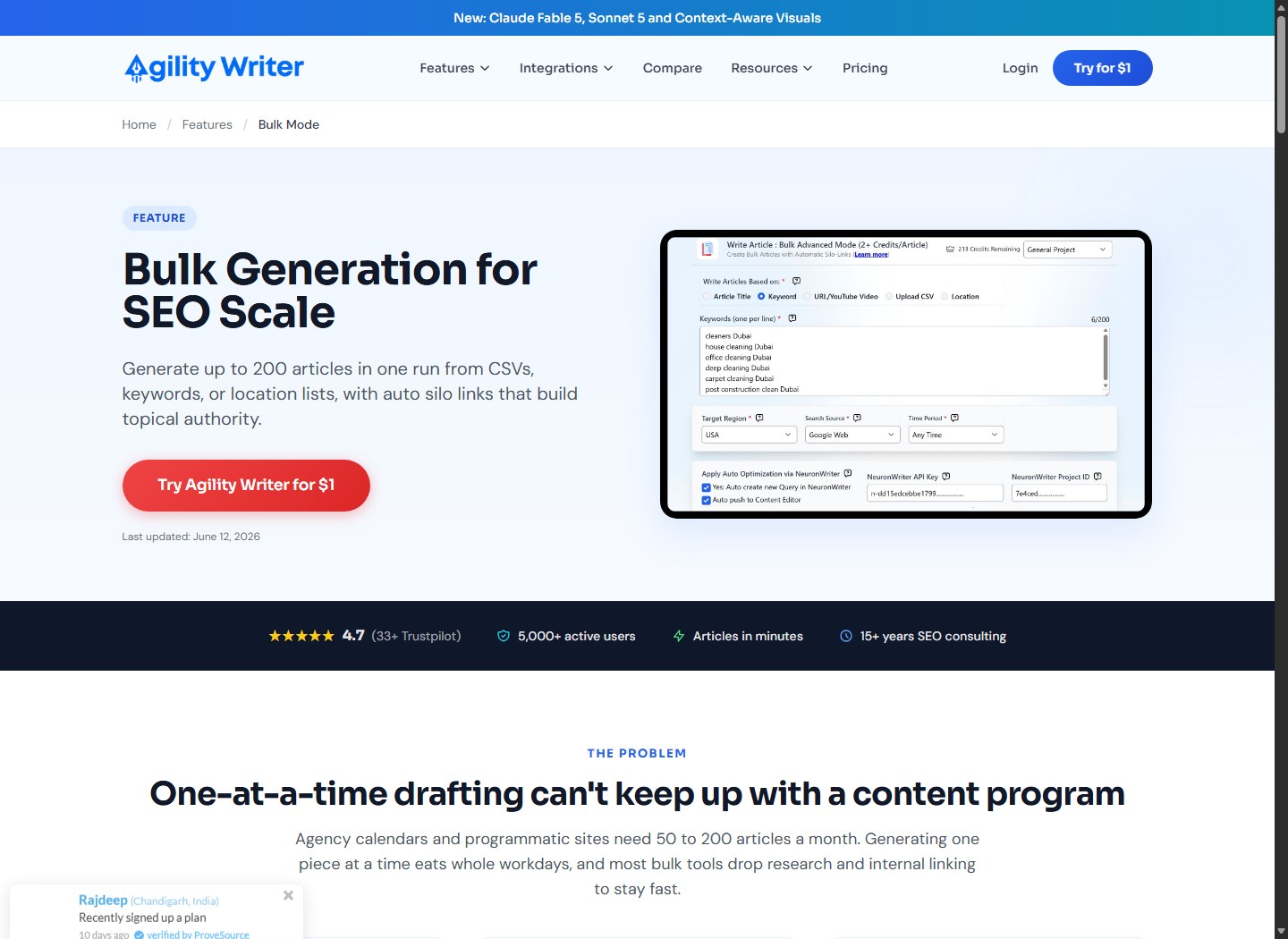
The supported Bulk Advanced source paths are useful for several programmatic patterns:
- Article titles: preserve an exact planned title for each draft.
- Keywords: let the platform evaluate top results and suggest a title aligned to the apparent intent.
- CSV upload: carry a custom outline, keyword, and optional NeuronWriter Query ID per row, according to the official feature page.
- Location lists: create local pages under a main location from a fixed, repeatable outline.
- URL or YouTube source: rewrite from supplied material, although Agility Writer explicitly says silo linking is not supported on this path.
This makes the platform relevant to local service clusters, informational libraries, category support content, and other keyword-led campaigns. It can remove the repetitive work of opening a writer, configuring a topic, generating, exporting, and repeating that process dozens of times.
Bulk generation also carries article-level controls. Public documentation describes output language, target region, length, structure, audience, tone, point of view, research depth, citations, entity enrichment, authority links, internal links, images, and other options. In practice, that means teams can standardize a production brief instead of relying on every operator to remember the same settings.
However, the official maximum should be treated as queue capacity, not a recommended release batch. A 200-item run may be efficient for producing candidates. It is rarely a sensible unit for editorial approval, technical deployment, or indexing. Those stages should use smaller controlled cohorts.
If this production model fits your requirements, evaluate Agility Writer for your bulk workflow. The CTA route must be fixed and verified before this Draft can be released publicly.
CSV, Keyword, and Location Inputs: Where Each Fits
The input method should match the page model. Choosing the wrong source can make a large batch look organized while hiding weak or duplicated intent.
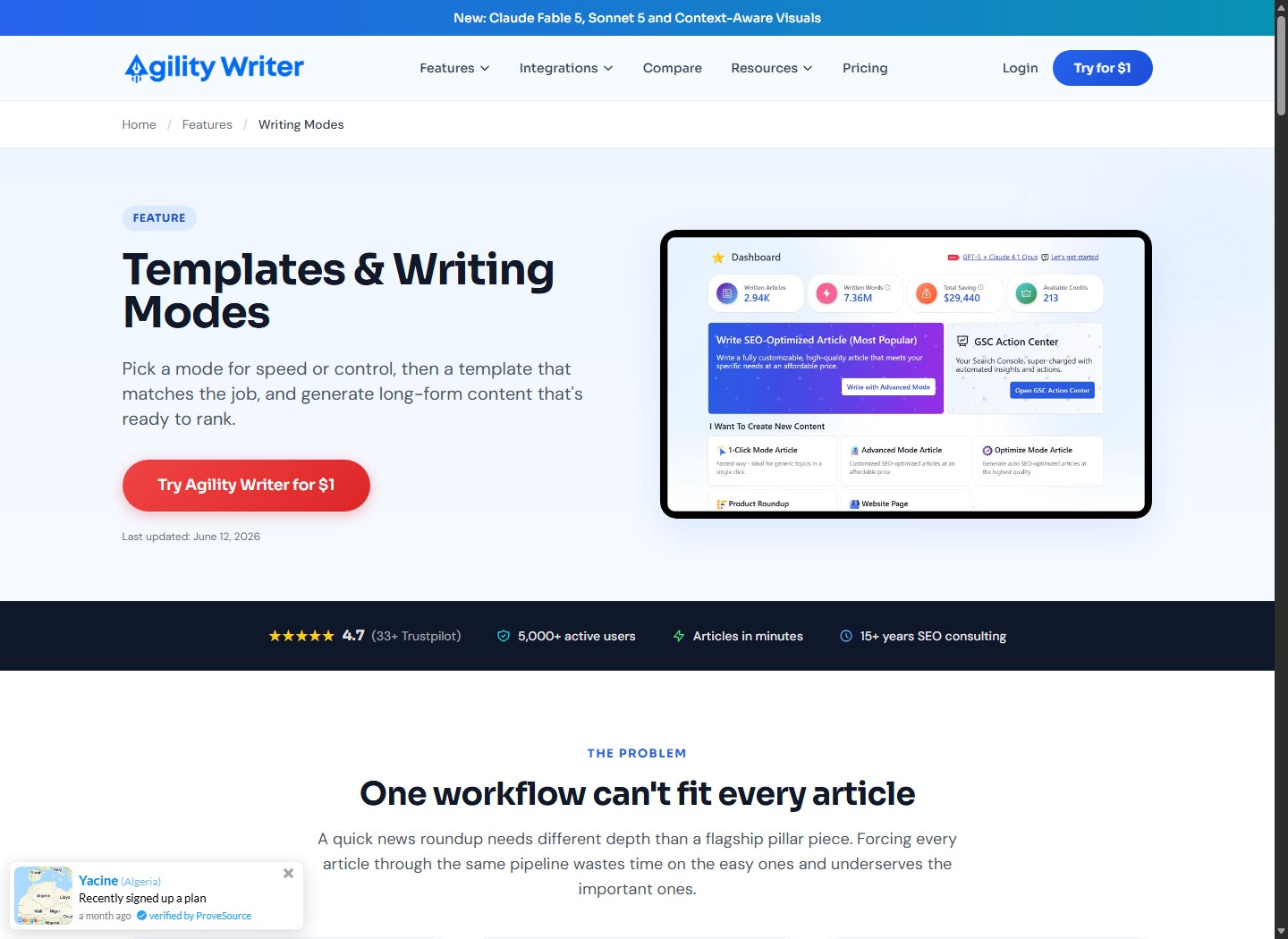
| Input method | Best fit | Main control needed | Common failure |
|---|---|---|---|
| Exact article titles | Curated editorial clusters | Human-approved title and intent | Multiple titles answer the same query |
| Keywords | Research-led blog batches | Deduplication and SERP-intent validation | Blindly trusting one keyword per page |
| CSV | Structured campaigns | Field validation and row-level QA | Treating the CSV as a database when it is only an import file |
| Location list | Local landing-page sets | Verified local attributes and service availability | City-name substitution with no local value |
| URL/YouTube | Source-based rewriting | Rights, provenance, added value, and fact checks | Producing derivative pages; no silo-link support on this path |
Use exact titles when editorial judgment comes first
Exact-title input is suitable when strategists have already mapped the cluster, removed cannibalization, and written a clear title for every reader need. It provides control but does not make the underlying plan correct. Two titles can still target the same intent, and a polished article cannot repair a redundant URL.
Use keyword input after validation, not instead of validation
Keyword mode can accelerate topic setup, but it should follow keyword normalization, intent classification, and overlap checks. Search terms that differ syntactically may deserve one page. Conversely, one broad term may contain several jobs that need distinct page types. Keep the page map outside the writer so decisions remain reviewable.
Use CSV as a handoff format
Agility Writer officially supports custom outlines, keywords, and NeuronWriter Query IDs in CSV rows. That is useful for passing approved records into generation. It is not evidence of a general-purpose merge engine that can natively combine arbitrary product tables, pricing feeds, geospatial calculations, inventory states, and conditional components.
Build the authoritative dataset elsewhere, validate it, then export only the fields the generation job needs. Preserve a stable record ID in your own system even if that ID is not part of the generated prose. It lets you map the returned article to its source record, QA result, CMS object, and future refresh.
Use location mode only with genuine local data
The official Bulk Advanced guide describes location pages under a main location using a fixed outline. That solves structural repetition. It does not create a local value proposition by itself. Each page should use verified service areas, regulations, travel or delivery constraints, contact routes, prices where appropriate, local examples, or other attributes that change the user’s decision.
A city token plus generic paragraphs is not a durable local strategy. It may also resemble doorway-style production when near-duplicate pages exist primarily to capture similar queries and move users elsewhere.
Fixed Outlines Improve Consistency but Can Amplify Weaknesses
A fixed outline is valuable when every record shares the same core decision path. A local service page might consistently cover availability, service scope, process, pricing factors, response expectations, and FAQs. A software integration page may need requirements, setup, supported actions, limitations, security, and troubleshooting.
Agility Writer’s location workflow explicitly supports a fixed, repeatable outline. Its CSV workflow also supports custom outlines per row. Those controls help teams keep required sections from disappearing across a large batch.
The risk is that template consistency becomes content sameness. If every page has identical headings, identical claims, identical examples, and only one substituted entity, the workflow has standardized low information gain. A stronger outline includes conditional modules:
- show a regulatory section only where rules differ;
- include availability only when source data confirms it;
- compare alternatives based on record-specific attributes;
- omit empty sections rather than filling them with generic prose;
- use unique evidence blocks, calculations, examples, or expert input;
- change the answer path when intent differs.
Agility Writer can follow an outline, but it cannot infer your business rules with the reliability of an explicit template engine and validated dataset. For complex page families, generate narrative modules rather than the entire final page. Let the CMS or application assemble those modules with structured tables, live data, product cards, maps, calculators, or inventory components.
Teams deciding how much section-level control they need can use the Agility Writer Power-Up guide to plan instructions without confusing prompt control with data validation.
Auto Silo Links Help, but They Are Not Full Information Architecture
The official Bulk Generation page says Agility Writer can add auto silo links within a cluster, with up to 2,000 internal links per batch. The Bulk Advanced help page instructs users to keep article titles under the same primary topic and provide a blog base URL. It also states that silo links work for title, keyword, CSV, and location-list generation, but not for the URL/YouTube rewriting path.
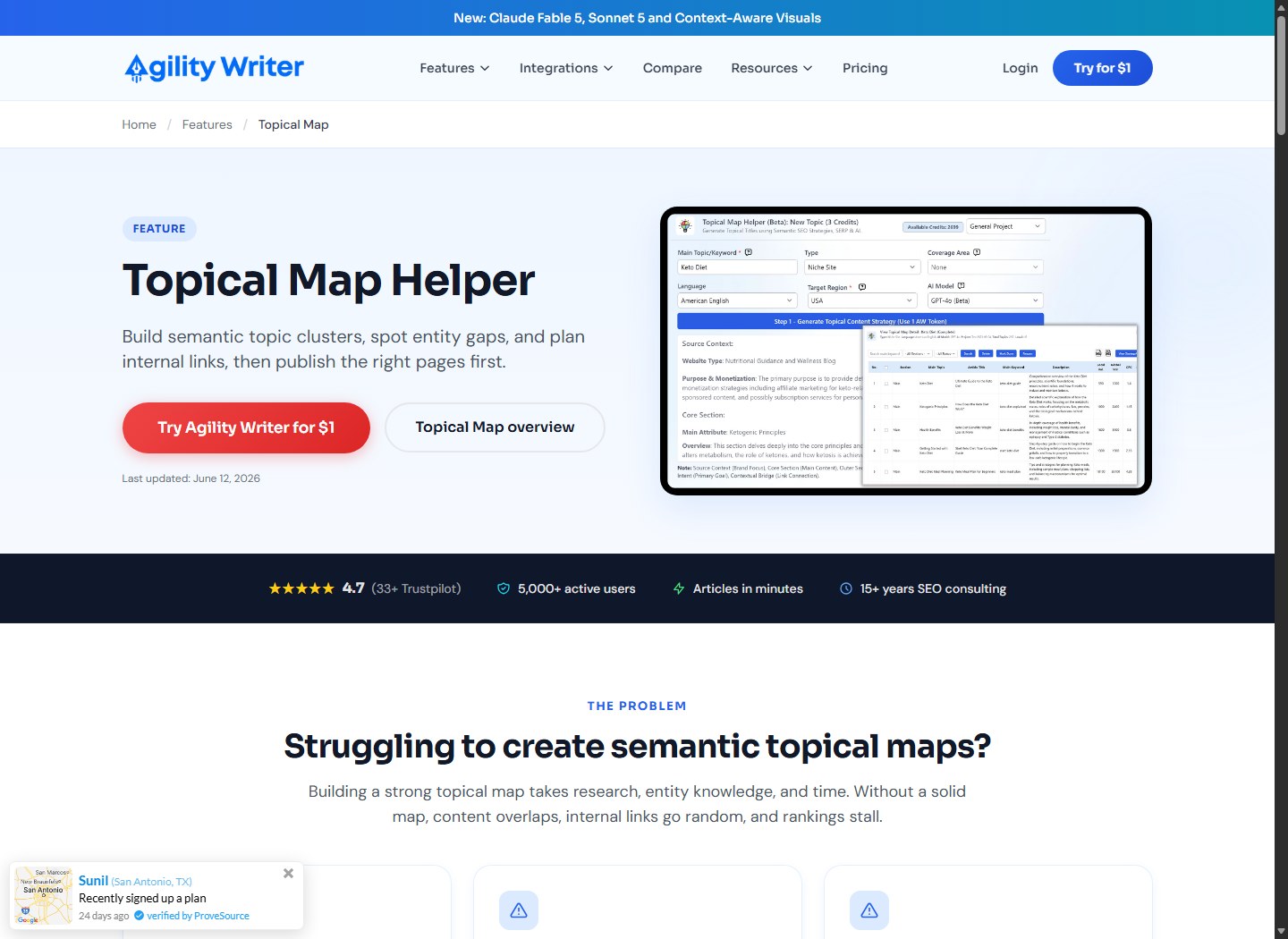
That can save meaningful production time. For a well-defined cluster, automated links can ensure new pages are not isolated and can establish lateral relationships among related drafts.
Still, auto linking is not a substitute for site architecture. A complete internal-link system must account for:
- hub-to-leaf and leaf-to-hub relationships;
- canonical URLs and redirects;
- existing pages outside the current batch;
- crawl depth and orphan prevention;
- anchor variation and contextual fit;
- category, breadcrumb, and navigation behavior;
- pages that should not be linked or indexed;
- URL availability at the moment the link is created.
Review every generated link against the final slug map. A link can be syntactically valid while pointing to a draft, a duplicate, a redirected URL, or a page that does not support the claim around it. If your CMS assigns URLs after import, generate from the approved canonical map rather than assuming title-derived slugs will remain stable.
WordPress Publishing and Scheduling Can Handle Delivery
Agility Writer’s official WordPress integration documentation describes connecting one or multiple sites through its plugin and an API key. It supports saving images to the site, publishing as posts or pages, selecting categories, choosing URL behavior, setting Draft or Publish status, adding tags, and inserting meta information for Yoast, Rank Math, and All in One SEO.
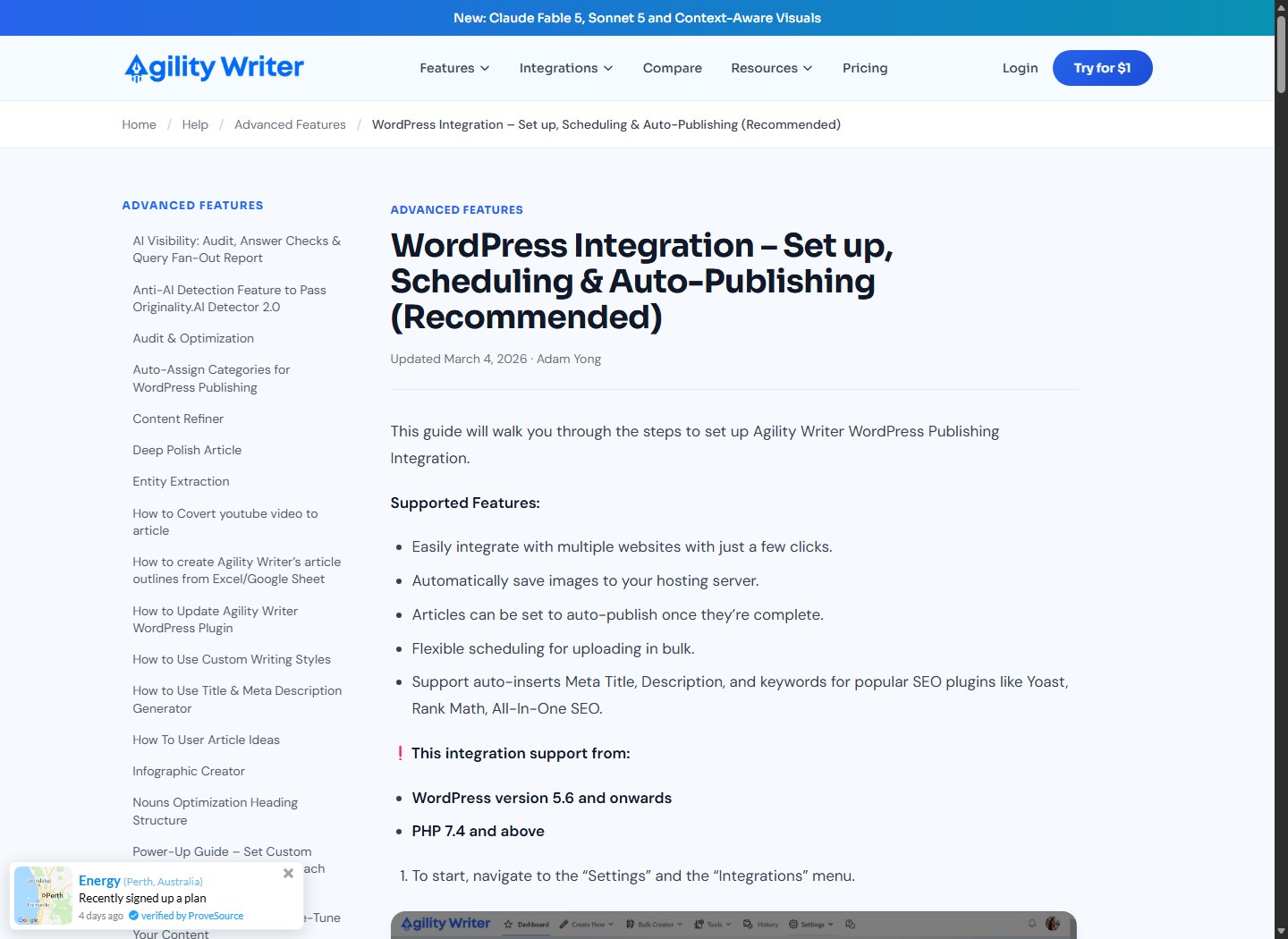
Its scheduling controls include a start date, daily/weekly/monthly intervals, fixed or range-based publishing frequency, and preset or random publish times. The system can also auto-publish an article when generation completes.
For programmatic SEO, the most important option is Draft. Direct auto-publishing compresses generation and release into one action, which removes the safest quality gate. A better production configuration is:
- Generate into a review queue.
- Import or send content as Draft.
- validate title, slug, taxonomy, metadata, links, images, and schema;
- review the page as rendered, not only as text;
- schedule a small approved cohort;
- monitor indexing, engagement, conversions, and errors before expanding.
The integration handles delivery, but it does not prove that custom fields, block patterns, product modules, schema variants, author records, redirects, canonical tags, or design components are correct. If the page type depends on those elements, use an import script, WordPress REST workflow, WP-CLI process, or custom plugin that validates the full object before it changes status.
A WordPress connection also creates operational dependencies. Plugin versions, PHP and WordPress compatibility, authentication, image handling, SEO-plugin mappings, time zones, categories, and permissions all need preflight checks. Store credentials securely and use the least privilege needed.
API Access Extends Agility Writer, but It Does Not Remove Engineering
Agility Writer publishes a native REST API for creating article-generation jobs, tracking asynchronous status, and retrieving completed output. Its public API page positions the integration for custom pipelines, routing, internal tools, and products. That is the clearest path when a database or queue, rather than a human in the dashboard, should initiate generation.
Plan access is important. The current pricing page says monthly Pro and Premium plans include API access, while all listed yearly plans include it. The public API page phrases availability as Standard plans and above plus yearly plans, and its FAQ says the entry Basic plan does not include access. Because labels can change, verify the current checkout and account entitlement before designing around the API. Do not assume Bulk Mode availability equals API availability: the pricing page lists Bulk Mode on Basic but API access beginning higher on monthly billing.
A typical engineered flow would:
- read an approved record from a database or job queue;
- validate required fields and uniqueness constraints;
- submit the generation job with controlled settings;
- store the returned job identifier;
- poll or receive status without blocking the application;
- fetch and version the completed article;
- run automated and human QA;
- assemble the page with structured modules;
- create or update a CMS Draft;
- release only after approval.
The API provides the writing operation inside that pipeline. Your engineers still own retries, idempotency, rate and credit controls, logging, data privacy, prompt and template versioning, failures, CMS mapping, and rollback. If you need only standard SaaS connections, Agility Writer also positions Zapier as the no-code option and its WordPress plugin as the direct publishing option.
Content Export Supports Handoffs and Mass-Page Tools
Teams do not have to publish directly. Agility Writer’s current Article History documentation says individual articles can be downloaded in HTML, Word, or text format, including bulk download. It also lists three CSV export formats:
- Standard, which exports article details;
- Split by Headings, intended for bulk, structured location-page generators;
- Split by Headings without heading tags, for systems that need clean section fields.
That split-by-heading export is especially relevant to programmatic workflows. It allows a page generator to treat each section as a module instead of storing one opaque article blob. A CMS can map sections into specific fields, surround them with structured data, and reject missing required modules.
Export does not solve schema drift. Heading names and counts may vary unless the outline is controlled. Build an import contract: required columns, allowed heading keys, character limits, sanitization rules, encoding, record IDs, version, and behavior for missing or extra sections. Test the contract with a small batch before accepting hundreds of rows.
Quality, Uniqueness, and Data Requirements
Agility Writer offers research controls, including custom factual sources, standard factual data, in-depth research, and optional citations. Its official Bulk Advanced guide says custom factual data can use up to three supplied URLs and that in-depth research can find material from academic publications, scholarly sources, and authority sites. These features can improve evidence gathering. They do not transfer accountability for the final claims.
Programmatic quality starts before generation:
| Requirement | Minimum acceptable control |
|---|---|
| Record uniqueness | Stable ID plus a documented user need distinct from neighboring records |
| Source provenance | URL, owner, retrieval date, and license or usage constraints where relevant |
| Freshness | Expiration rule for prices, availability, regulations, specifications, and offers |
| Field validation | Type, range, required/optional state, and allowed values |
| Claim policy | Which claims require primary sources, expert review, or prohibition |
| Page differentiation | Record-specific data, examples, calculations, or decisions, not token swaps |
| Missing data | Omit, label unknown, or route to review; never fabricate a value |
| Update path | Rebuild or patch pages when the source record changes |
“Unique” should not mean merely passing a plagiarism checker. A page can use different wording and still be functionally redundant. Evaluate whether it gives a user a reason to choose that URL over every adjacent page. Useful differences might include a verified local restriction, a record-specific compatibility table, a calculated cost scenario, a distinct workflow, current inventory, original analysis, or a direct answer based on authoritative data.
Never ask the model to simulate firsthand use, local presence, customer outcomes, or expert credentials. Agility Writer settings may shape voice and include experience-oriented material, but the evidence must exist outside the generation system.
Use Staged QA Instead of One Big Review
A scalable quality system separates errors by stage. Asking one editor to “check everything” after 200 drafts are complete is expensive and inconsistent.
Stage 1: Input QA
Before generation, test for duplicate keywords, invalid record combinations, empty required fields, stale data, unsupported locations, conflicting intent, unsafe claims, and URLs already represented on the site. Reject bad rows early.
Stage 2: Structural QA
After generation, verify required headings, answer placement, section length, metadata, tables, link placeholders, citations, and prohibited patterns. Automated checks can catch missing modules, duplicate H1s, malformed HTML, and wrong slugs.
Stage 3: Evidence QA
A reviewer should open the cited or supplied sources and confirm that important claims are supported, current, and represented in context. Check numbers, dates, pricing, legal or health statements, product compatibility, quotes, and named entities. A reference list is not proof that every sentence is correct.
Stage 4: Differentiation QA
Compare each draft with neighboring pages in the same family. Look for repeated introductions, identical recommendations, boilerplate blocks, unsupported local details, and sections that could be swapped between records without changing meaning. Hold thin pages back for added data or consolidation.
Stage 5: Render and technical QA
Inspect the CMS Draft on desktop and mobile. Validate canonical URL, indexability, status, taxonomy, structured data, image behavior, accessibility, internal links, affiliate attributes, page speed, and analytics events. Confirm that Draft content has not been unintentionally exposed through feeds, sitemaps, or internal search.
Stage 6: Controlled release QA
Publish a small cohort, then monitor crawl behavior, index coverage, query fit, engagement, conversions, factual complaints, and template defects. Fix the system before multiplying the issue. A program that cannot pause or roll back is not production-ready.
Helpful Content and Scaled Content Risk
Google’s official guidance does not ban AI-assisted content. Its generative-AI documentation says these tools can help with research and add structure to original content. It also says generating many pages without adding user value may violate the spam policy on scaled content abuse.
Google defines scaled content abuse around producing many pages primarily to manipulate rankings rather than help users, typically involving unoriginal content with little or no value, regardless of whether automation, people, or a combination created it. Its people-first guidance asks publishers to consider Who, How, and Why, and says the purpose should be helping people rather than attracting search traffic as the primary goal.
Therefore, Agility Writer’s capacity is neutral. The risk comes from how the operator selects pages, supplies evidence, differentiates outputs, reviews drafts, and releases them. Research settings, citations, entity enrichment, and a “Helpful Content” optimizer cannot guarantee compliance, rankings, traffic, or recovery.
Use a prepublication stop rule. Do not index a page when:
- the page exists only because a keyword variation was available;
- its facts cannot be traced to approved sources;
- the main value is identical to another URL;
- location or product attributes were inferred rather than supplied;
- the article makes claims the business cannot substantiate;
- the template produces an empty or misleading experience;
- nobody has ownership for updates and corrections.
When a set fails those tests, consolidate it, enrich the records, narrow the release, or keep it out of Search. Volume is not the defensible advantage. Proprietary data, genuine utility, efficient maintenance, and strong editorial judgment are.
When You Still Need a Database, Template, or Engineering Layer
Use Agility Writer alone only when the output is fundamentally a controlled batch of conventional articles. Add a database and engineering layer when pages depend on relationships, calculations, live states, or conditional rendering.
You likely need that layer if any of these are true:
- multiple source tables must be joined for each page;
- records change on a schedule or through an external feed;
- only valid city-service, product-feature, or integration pairs may exist;
- sections appear conditionally based on data;
- prices, ratings, inventory, or availability must update without rewriting all prose;
- page modules include calculators, maps, filters, tables, or application logic;
- generation must be repeatable and idempotent;
- approval, rollback, audit logs, and version history are required;
- thousands of pages must be monitored for drift, errors, or decay.
The division of labor should be explicit:
| Layer | Primary responsibility |
|---|---|
| Database or source-of-truth system | Records, relationships, provenance, freshness, and validation |
| Template or application | Conditional modules, structured fields, rendering, and page rules |
| Agility Writer | Narrative research, outlining, drafting, and section-level output |
| QA system | Automated tests, editorial review, evidence checks, and approvals |
| CMS and deployment | Draft creation, taxonomy, URL control, scheduling, rollback |
| Analytics and refresh loop | Performance monitoring, issue detection, and update triggers |
If a lighter writing workflow is the priority, compare how other systems approach production in Agility Writer vs SEO Writing AI. For tighter on-page optimization workflows rather than a full data pipeline, see Agility Writer vs Surfer AI. These comparisons help define the tool boundary before engineering work begins.
A Practical Programmatic SEO Workflow With Agility Writer
Start with one page family, not the entire opportunity universe.
- Define the user job. State what decision the page helps a visitor make and why a separate URL is necessary.
- Design the record. Create required fields, types, sources, freshness windows, stable IDs, and invalid-combination rules.
- Create the template. Separate structured modules from narrative sections. Mark conditional sections and required evidence.
- Build the approved URL map. Deduplicate intent, reserve canonical slugs, and identify hubs, leaves, redirects, and noindex records.
- Prepare a calibration batch. Export 10–20 representative records, including difficult and incomplete cases, not only ideal rows.
- Generate Draft candidates. Use exact titles, CSV, keywords, or locations as appropriate. Enable research and citations where the topic requires them.
- Retrieve modular output. Use the API for an engineered queue or export split-by-heading CSV for a structured importer.
- Run staged QA. Reject unsupported, redundant, malformed, or insufficiently differentiated pages.
- Assemble CMS Drafts. Combine approved narrative with database-backed modules, metadata, schema, and final internal links.
- Release a small cohort. Monitor behavior and defects. Adjust records, prompts, outlines, and templates before scaling.
- Create refresh triggers. Recheck pages when source data expires, product facts change, performance declines, or user feedback exposes a gap.
This workflow deliberately separates “generate” from “publish.” Agility Writer’s scheduling is useful only after the approval state is reliable. The database keeps truth organized, the template keeps behavior consistent, and the writing tool accelerates the parts that benefit from language generation.
Once the affiliate route is repaired and the workflow passes a pilot, consider Agility Writer for the generation layer, not as a replacement for program design or editorial accountability.
FAQ
Can Agility Writer generate 200 programmatic SEO pages at once?
Bulk Advanced can generate up to 200 articles in one run according to Agility Writer’s official documentation; Bulk 1-Click supports up to 50 per batch. Available credits, mode costs, account limits, and review capacity still determine practical throughput. Treat 200 as generation capacity, not a recommended publishing batch.
Can I upload a CSV to Agility Writer?
Yes. Official documentation says Bulk Advanced supports CSV upload with a custom outline, keyword, and NeuronWriter Query ID per row. Use CSV as a validated handoff from your source-of-truth system. It is not a replacement for a relational database or arbitrary data-merging logic.
Can Agility Writer create location pages from one outline?
Yes. Its location input can generate pages under a main location using a fixed, repeatable outline. Every page still needs verified, materially useful local data. Replacing only the city name creates weak differentiation and may expose the site to quality or doorway-related risk.
Does Agility Writer automatically create internal links?
Bulk Advanced can add silo links among eligible related articles, and its feature page states a maximum of 2,000 internal links per batch. Silo links are not supported for the URL/YouTube rewriting path. Review links against canonical URLs, published status, architecture, and context.
Can Agility Writer publish and schedule directly to WordPress?
Yes. The official plugin guide documents Draft or Publish status, posts or pages, categories, tags, slug choices, bulk scheduling, images, and SEO metadata support. For programmatic work, send content as Draft and validate the complete rendered page before scheduling.
Does every Agility Writer plan include API access?
No. Current public pricing lists API access on monthly Pro and Premium plans and on the yearly plans shown. Basic includes Bulk Mode but not API access. Plan names and entitlements can change, so verify them before implementing a dependency.
What formats can Agility Writer export?
The Article History guide lists HTML, Word, and text downloads, including bulk downloads. It also documents standard CSV export and split-by-heading CSV variants, with or without heading tags. Split exports are useful for mapping sections into page-generator or CMS fields.
Will Agility Writer make every page unique and Google-safe?
No. Different wording does not guarantee distinct user value, factual accuracy, policy compliance, indexation, or rankings. Google warns against scaled generation without added value. Supply reliable record-level data, compare adjacent pages, fact-check claims, and release in controlled batches.
When is Agility Writer enough without custom engineering?
It may be enough for a curated batch of standard articles where each item has a clear intent, a repeatable structure, modest integration needs, and human editorial review. Use engineering when pages require database joins, calculations, conditional modules, live updates, idempotent deployment, auditability, or large-scale monitoring.
