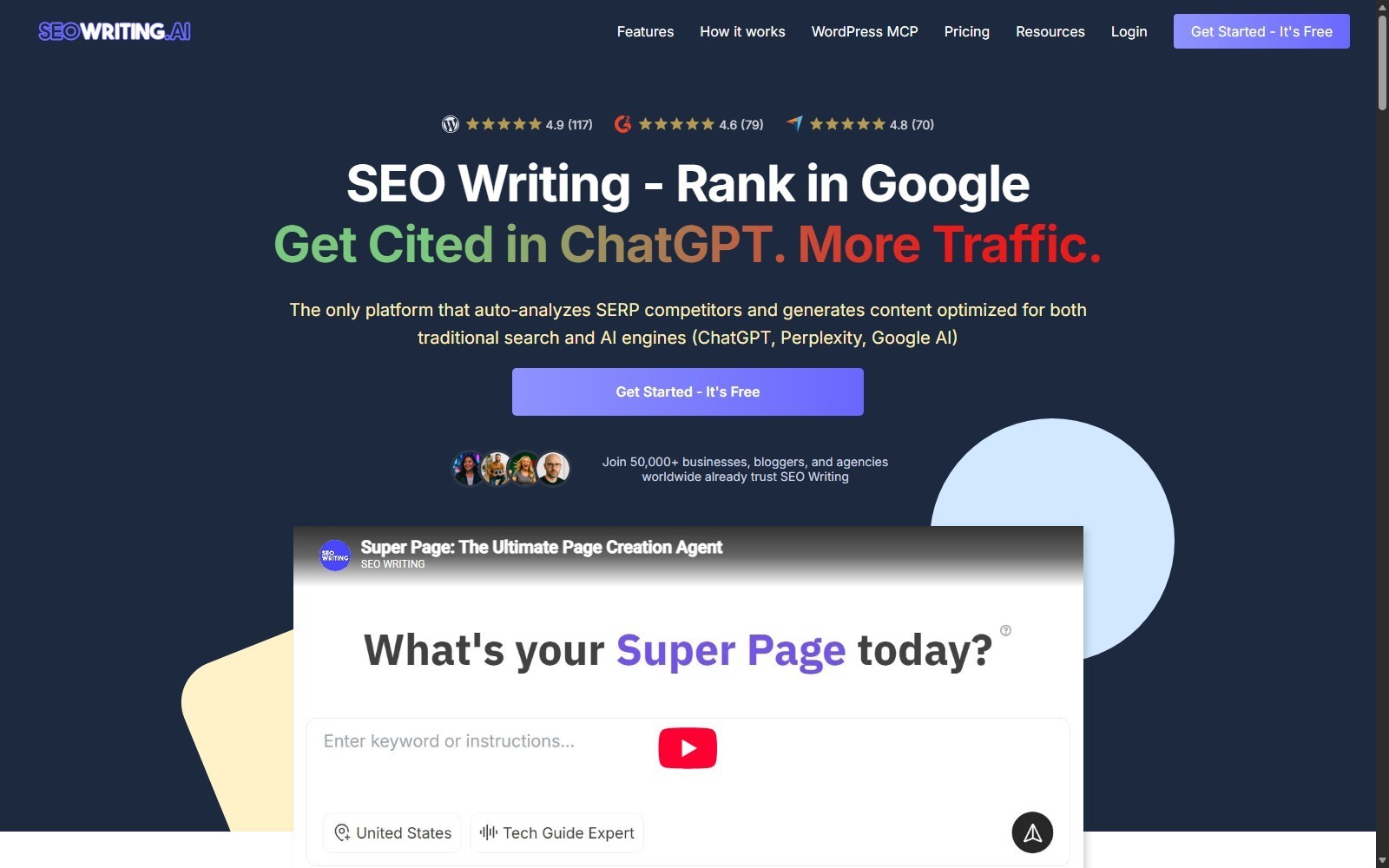
SEO Writing AI can turn a keyword into a structured article, optimize it against search competitors, add media, and send the result to WordPress. The fast path is useful, but publishing every generated page automatically is the wrong default for most US sites. A safer system separates generation from editorial approval.
| At-a-glance | Details |
|---|---|
| Tool | SEO Writing AI |
| Best workflow | Keyword research, controlled generation, optimization, fact review, then WordPress draft |
| Single-article mode | 1-Click Blog Post and guided article settings |
| Bulk mode | Queue up to 100 article tasks, subject to plan credits and model cost |
| Optimization | Real-Time SERP signals, Content Score, keyword and structure checks |
| Publishing | WordPress integration supports draft, publish, and schedule actions |
| Beginner starting point | Three free articles and 25,000 words, according to current pricing |
| Main risk | Scaling unverified claims, duplicated intent, or weak internal linking across many URLs |
This tutorial shows the operating sequence we would use for bloggers, affiliate marketers, SEO teams, and agencies. For a buyer-focused assessment before setup, read our SEO Writing AI review.
What Is the Fastest Safe SEO Writing AI Workflow?
The fastest safe workflow is plan first, generate second, review third, and publish to WordPress as a draft. Do not begin by feeding 100 unrelated keywords into Bulk Generation. First define the site entity, target intent, URL, evidence requirements, conversion goal, and internal-link role for every article.
A practical sequence is:
- Build a keyword-to-URL map.
- Create an account and select the lowest plan that covers the test.
- Configure one article with 1-Click Blog Post.
- Choose a model based on quality and credit cost.
- Generate and inspect the outline before trusting the full draft.
- Use Content Score and Real-Time SERP data as diagnostics.
- Review citations, claims, media rights, links, and search intent.
- Connect WordPress and select the correct content type and taxonomy.
- Send the article as a draft.
- Scale only after the first batch passes a documented QA gate.
What Do You Need Before Starting?
You need a keyword map, publishing rules, evidence sources, WordPress access, and a realistic credit budget. SEO Writing AI removes production steps, but it does not decide whether two keywords deserve separate URLs or whether a claim is safe to publish.
| Requirement | What to prepare | Why it matters |
|---|---|---|
| Keyword-to-URL map | One primary query, intent, entity, and proposed slug per page | Prevents overlapping pages and accidental cannibalization |
| Article brief | Audience, outcome, required entities, sources, CTA, and exclusions | Gives the generator useful constraints |
| Source set | Official documentation, primary data, policies, and dated pricing pages | Reduces unsupported factual copy |
| Brand rules | Tone, first-person policy, prohibited claims, and formatting conventions | Keeps bulk output consistent |
| WordPress rules | Post/Page type, categories, tags, authors, parents, status, and SEO plugin | Prevents publishing into the wrong hierarchy |
| QA checklist | Claim review, links, images, schema, readability, and final approval owner | Stops automation from becoming automatic publication |
For affiliate pages, record the exact approved tracking URL separately from the destination site. A short affiliate URL failing extraction is not permission to guess where it redirects.
How Do You Create an SEO Writing AI Article Step by Step?
Create the first article as a controlled pilot, not as part of a large batch. The purpose is to establish settings that your team can repeat without assuming the first draft is publish-ready.
Step 1: Map the keyword to one search intent and URL
Write down the primary keyword, supporting questions, expected page type, funnel stage, and canonical slug. Separate informational tutorials from reviews, alternatives, coupon pages, and comparisons. If two proposed articles answer the same main question with the same evidence, combine them before generation.
A useful brief includes the central entity, five to ten required attributes, source URLs, claims that require human confirmation, and the page's internal-link relationship. This planning step creates more value than adding another generic prompt instruction such as “write an SEO article.”
Step 2: Create an account and run the free test
The current pricing page presents three free articles and 25,000 words with no credit card required. Treat this as a free allowance, not as proof of a time-limited trial. Offers can change, so verify the signup summary before entering billing information.
Use the free allowance to test one representative article and one difficult article. The representative article reveals normal workflow quality. The difficult article tests research depth, entity handling, formatting, and the amount of editing your team must add.
Step 3: Open 1-Click Blog Post and configure the draft
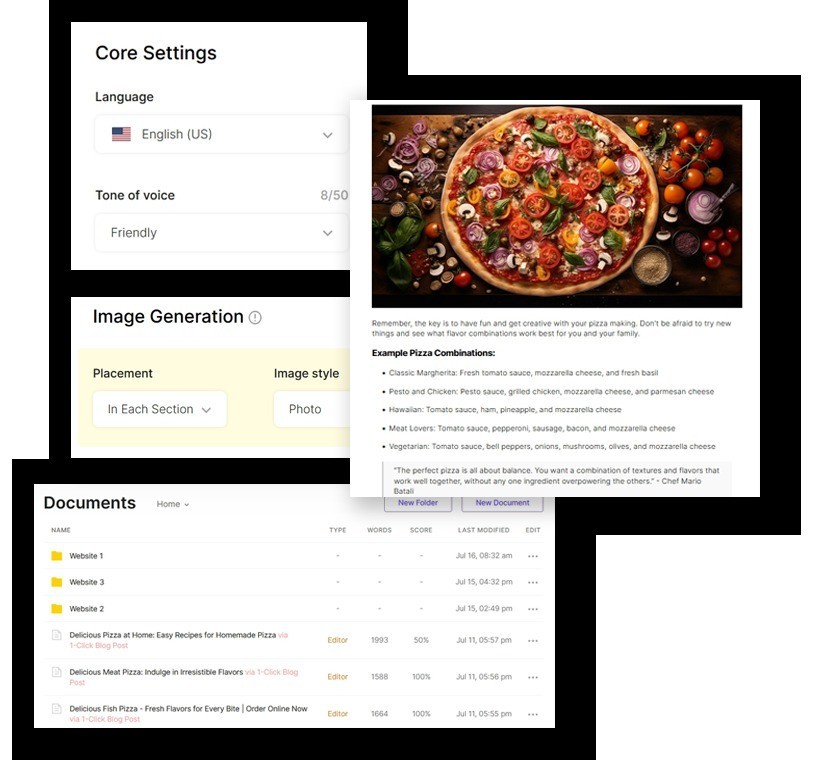
In 1-Click Blog Post, enter the main topic or keyword and review the available controls before generation. Public product visuals show controls for language, tone, article output, images, and document handling. Set the target language to US English when the audience is in the United States.
Choose a tone that matches the site's editorial policy, not merely the product niche. An agency should document which voice applies to each client. The official plan comparison lists one Brand Voice on Starter, five on Professional, and higher allowances on Professional Plus plans, although the Plus 2 card and comparison table display conflicting counts. Verify the live account limit if this attribute determines the purchase.
Step 4: Select the model by quality and credit cost
SEO Writing AI documents multiple model choices, and a generation can consume one to 15 credits depending on the selected model. “Unlimited words” therefore does not mean unlimited articles or unlimited high-cost generations.
Start with the least expensive model that meets the page's risk level. A basic informational draft may tolerate a cheaper first pass. A legal, financial, health, or high-conversion page needs stronger evidence review regardless of model. Track actual credits per accepted article, not credits per generated article, because rejected or rewritten drafts still consume budget.
Step 5: Review the proposed structure before full generation
Check whether the outline answers the query directly, keeps one macro context, and moves from definition to task, proof, objections, and next action. Remove headings that repeat the same question. Add missing decision criteria, limitations, prerequisites, and troubleshooting before generating long-form copy.
Do not approve a structure because it contains many headings. Coverage is useful only when each section contributes a distinct entity, attribute, action, or decision. A 2,500-word article can still be thin if every section repeats the same marketing claim.
Step 6: Generate the article and inspect the first screen
Generate the article, then inspect the title, introduction, direct answer, and first two sections before editing the rest. These elements expose the most common failures: unclear intent, generic openings, unsupported promises, and a mismatch between the title and body.
Reject the draft early if the central query is wrong. Editing a misaligned 3,000-word article is usually slower than correcting the brief and regenerating. Keep a change log so the next article benefits from the correction.
Step 7: Use Real-Time SERP and Content Score as diagnostics
Content Score and Real-Time SERP signals can reveal missing terms, weak structure, heading imbalance, article length, image count, and competitor coverage. They are diagnostic inputs, not ranking guarantees. A high score does not prove factual accuracy, originality, helpfulness, or eligibility for AI citations. The dedicated Content Score guide currently says scoring is available only for content created with DeepSeek Real-Time SERP, so verify model support in the live selector rather than assuming every paid model produces a score.
Use the score to ask better questions:
- Is a required entity missing?
- Is the article too short for the task, or simply concise?
- Are competitors covering an important prerequisite?
- Is a keyword recommendation relevant to this page's macro context?
- Would adding the term improve the answer or merely repeat it?
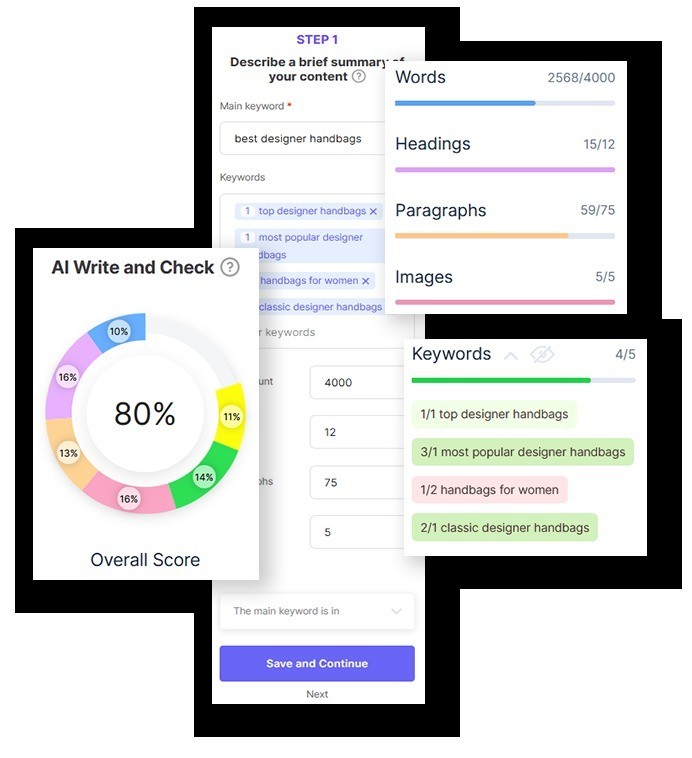
Step 8: Add images, links, and evidence intentionally
AI images can reduce production time, but they may be unsuitable for screenshots, regulated subjects, products, maps, data visualizations, or interfaces. Use official screenshots for product workflow claims and original charts for calculations. Give every image a descriptive filename, accessible alt text, title, caption, and description before WordPress upload.
Check every external citation against the statement it supports. Open the source, confirm the date and scope, and remove references that only mention the topic without proving the claim. For internal links, connect the page to its parent or pillar once and add sibling links only where the reader's intent changes naturally.
Step 9: Connect WordPress and choose draft-first settings
SEO Writing AI's documented WordPress workflow supports Posts, Pages, custom post types, categories, tags, authors, parent Pages, featured images, permalinks, and draft, publish, or schedule statuses. It also describes metadata support for common SEO plugins, including Rank Math, Yoast, AIOSEO, SEOPress, and The SEO Framework.
Connect only a dedicated WordPress account with the minimum required permissions. Use HTTPS, rotate credentials if exposed, and remove access when an agency engagement ends. WordPress MCP, the standard WordPress publishing integration, Shopify, and bring-your-own-key model access are separate workflows. Do not treat them as one universal API.
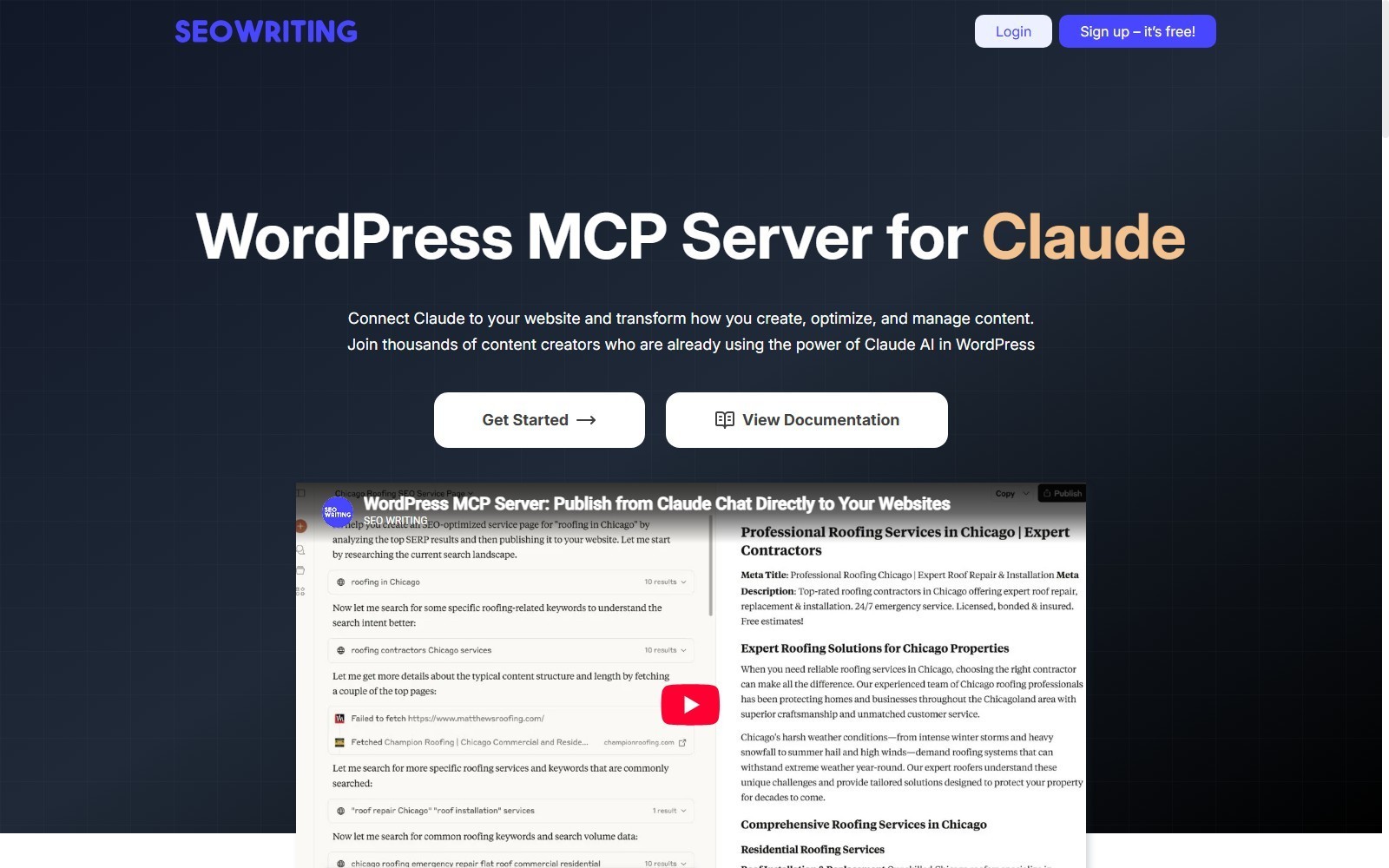
Step 10: Send a draft and complete the WordPress QA gate
Choose Draft for the first publication. In WordPress, verify the slug, author, category or Page parent, tags, canonical URL, featured image, image metadata, internal links, affiliate attributes, schema, and SEO fields. Preview desktop and mobile rendering before scheduling or publishing.
The final approver should be someone other than the person who configured the bulk queue when possible. Separation of duties catches mistakes that become invisible after repeated generation.
How Should You Use Bulk Generation Without Creating a Content Mess?
Use Bulk Generation only after a small pilot proves that the brief, settings, QA, and WordPress mapping work. The public workflow supports queues of up to 100 tasks, but queue capacity is not a quality target.
Start with five pages from one tightly defined cluster. Require a unique primary intent and slug for every row. Add a source column, content type, category or parent, internal-link target, risk level, and human owner. If two drafts receive the same H2 structure and examples despite different intent, stop the batch and improve the briefs.
| Batch stage | Recommended size | Gate before expansion |
|---|---|---|
| Pilot | 1 article | Correct intent, structure, claims, links, and WordPress mapping |
| Small batch | 5 articles | Consistent editing time and no overlapping URLs |
| Controlled scale | 10–25 articles | Stable acceptance rate, credit cost, and QA ownership |
| Large queue | Up to platform limit | Proven templates, monitored failures, and rollback plan |
Measure accepted pages per editor hour, not generated pages per minute. The useful automation metric is how many compliant, publishable articles leave the workflow.
How Do You Optimize for Search and AI Engines Responsibly?
Optimize for answer clarity, entity coverage, evidence, and crawlable structure rather than chasing a promise of AI citations. SEO Writing AI positions its workflow for Google and AI engines such as ChatGPT, Perplexity, and Google AI, but no content tool can guarantee a citation or ranking.
Put a direct answer after important question headings. Use named entities, precise attributes, values, conditions, and dates. Cite primary sources for volatile facts. Explain contradictions instead of choosing the more attractive number. Add information gain through decision tables, original calculations, constraints, and examples from the site's editorial process.
For affiliate content, disclose commercial relationships through the site's standard disclosure system. Keep product recommendations conditional on use case and avoid presenting vendor claims as independent test results.
What Editorial Checks Should Every Generated Article Pass?
Every article should pass factual, semantic, technical, and commercial checks before publication. A single polished paragraph is not enough if the page has the wrong slug or sends readers to an unverified offer.
| QA layer | Required checks | Failure action |
|---|---|---|
| Intent | Title, H1, intro, and final answer address one query | Rebrief or merge the page |
| Facts | Prices, limits, policies, dates, quotes, and statistics match sources | Correct and cite primary evidence |
| Semantics | Entity, attributes, values, conditions, and contextual flow are complete | Add only relevant missing coverage |
| Originality | Examples, calculations, and decision logic add information gain | Rewrite repetitive sections |
| Links | Internal targets, external evidence, and affiliate URLs are correct | Repair before scheduling |
| Media | Rights, relevance, alt text, captions, and metadata are approved | Replace or remove the asset |
| WordPress | Type, hierarchy, taxonomy, author, slug, schema, and preview are correct | Keep as draft |
| Compliance | Affiliate, medical, financial, legal, and client rules are satisfied | Escalate to qualified review |
Never rely on the generator's fact-check label alone. The accountable publisher must still inspect material claims.
How Do You Troubleshoot Common SEO Writing AI Problems?
Troubleshoot by isolating the failing layer: brief, generation, credits, optimization, integration, or WordPress. Regenerating the entire article should be the last response, not the first.
| Problem | Likely cause | Practical fix |
|---|---|---|
| Article answers the wrong intent | Keyword was ambiguous or the brief lacked a page type | Add audience, task, funnel stage, and exclusions, then rebuild the outline |
| Credit use is higher than expected | A higher-cost model or repeated generations were selected | Check model cost, shorten the pilot, and track accepted-article cost |
| Content Score will not rise | Suggested terms are irrelevant or sections lack entity coverage | Improve the answer, not the raw term count |
| WordPress connection fails | Credentials, permissions, HTTPS, plugin, or endpoint issue | Test a dedicated account and confirm the documented connection steps |
| Post lands in the wrong place | Content type, category, author, or parent was not mapped | Use draft status and verify all destination fields before scaling |
| Images are missing or unsuitable | Media setting, source availability, or generation choice | Add approved images manually and complete Media Library metadata |
| Formatting changes in WordPress | Unsupported blocks, theme CSS, or converter differences | Preview the draft and repair tables, lists, captions, and shortcodes |
| Bulk articles look duplicated | Briefs and outlines use the same intent or template | Stop the queue and differentiate entities, predicates, evidence, and examples |
If the tool or account behaves differently from the public docs, treat the live account interface and checkout summary as the operational source, then document the discrepancy.
Which Plan Fits This Tutorial Workflow?
Use the free allowance for validation, Starter for a modest single-site cadence, and higher plans only when accepted output justifies the credits. Current annual pricing advertises a 25% saving, with Starter at a $14 monthly equivalent billed $168 per year. Monthly Starter is listed at $19.
The Free account does not mirror every paid entitlement. The detailed pricing comparison excludes Bulk Generation, Content Score, Real-Time SERP, and automatic internal/external linking from Free. Internal and external linking begin at Professional, while paid Starter adds Bulk Generation, AI Editor, Content Score, Real-Time SERP, AI images, and WordPress integration. The signup page's broad “access to all features” language should not be interpreted as identical paid-plan capacity.
Starter includes 50 credits and advertises up to 50 articles, but that is not a promise of 50 generations with every model. Official model documentation shows workflow costs from one to 15 credits and contains a conflicting GPT-4o entry. Check the live pre-run credit estimate before launching a batch.
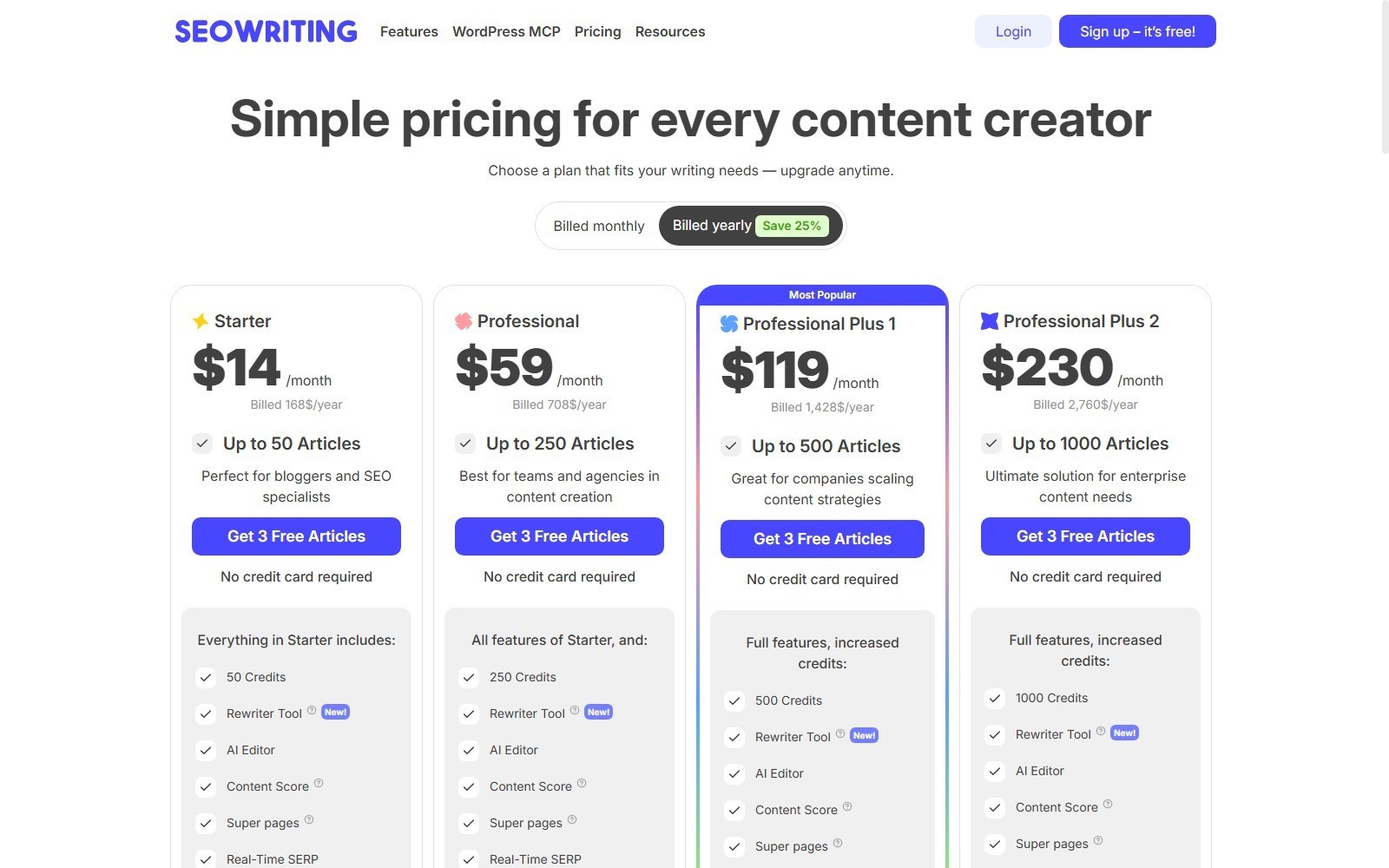
Professional is listed at $79 monthly or a $59 monthly equivalent billed $708 annually. Professional Plus 1 is $159 monthly or $119 equivalent billed $1,428 annually. Professional Plus 2 is $307 monthly or $230 equivalent billed $2,760 annually. Verify live checkout totals, taxes, currency, and renewal terms before purchase.
If price is your immediate decision, check the current SEO Writing AI coupon and savings guide. If the workflow still feels too automation-heavy or too constrained, compare SEO Writing AI alternatives by workflow fit.
How Do You Scale the Workflow Across Clients or Sites?
Scale governance before scaling article volume. Give each site its own keyword map, source policy, voice, taxonomy, WordPress destination, and approval owner. Do not place multiple clients inside one undocumented template that silently reuses claims or links.
Maintain a production ledger with keyword, URL, brief version, model, credits, source date, generated date, editor, approval status, WordPress ID, and last review date. Sample published pages after launch to catch broken links, price changes, policy changes, and template drift.
For agencies, remove client access promptly at offboarding. Official terms indicate cancellation generally becomes effective at the end of the paid period and documents may be retained for around 30 days after the subscription ends. Export required documents and source records before access lapses.
Is SEO Writing AI Worth Learning for Bulk Publishing?
SEO Writing AI is worth learning when your bottleneck is repeatable article production and WordPress handoff, not editorial judgment. Its combined generation, optimizer, bulk queue, media options, and WordPress controls can reduce mechanical work. The value disappears when teams publish unverified drafts, ignore URL planning, or mistake a content score for proof of quality.
Begin with three free articles, document the edit time, and calculate accepted output per dollar. Upgrade only if the controlled workflow beats your current process without increasing corrections, compliance risk, or low-value pages.
Start a controlled SEO Writing AI test, then keep the first WordPress output as a draft until every QA row passes.
FAQ
Can SEO Writing AI publish directly to WordPress?
Yes. Official documentation describes WordPress publishing for Posts, Pages, custom post types, categories, tags, authors, parent Pages, featured images, permalinks, and draft, publish, or schedule statuses. Draft-first is the safer default.
How many articles can I generate for free?
The current pricing page advertises three free articles and 25,000 words without a credit card. This is presented as a free allowance rather than a verified time-limited trial. Check signup terms because offers can change.
Can Bulk Generation create 100 articles at once?
The public workflow supports a queue of up to 100 tasks, but plan credits and model costs still apply. A 100-item queue should follow a smaller QA-tested batch.
Does SEO Writing AI guarantee Google rankings or ChatGPT citations?
No. The vendor positions its content for Google and AI engines, but rankings and citations depend on relevance, evidence, site quality, competition, crawling, and external systems the tool does not control.
Why did one article consume more credits than another?
Model selection can change generation cost from one to 15 credits. Repeated generations and high-cost models can therefore reduce the number of articles a plan produces.
Should I use AI-generated images for every article?
No. AI images may suit conceptual content, but official product screenshots, original charts, licensed media, or human-created diagrams are often more accurate for interfaces, products, data, and regulated topics.
What should I export before canceling?
Export documents, briefs, source records, prompts, images, and production logs you need to retain. Official documentation says documents may remain available for roughly 30 days after the subscription ends, but a local archive is safer.
What is the biggest mistake in this tutorial workflow?
Publishing bulk output automatically without a URL map and human approval is the biggest mistake. It scales factual errors, overlapping intent, weak links, and taxonomy problems faster than it scales useful content.