ContentPen is worth a serious trial for lean SEO teams and agencies that want to run research, drafting, optimization, linking, scheduling, CMS publishing, and content refresh in one workflow. It is not an automatic buy for teams that mainly need original thought leadership, strict compliance controls, or a proven route to Google rankings and AI citations. The evidence supports a broad content operations feature set. It does not support treating the vendor's ranking, traffic, plagiarism, or AI visibility claims as guaranteed outcomes.
Our decisive take: ContentPen makes the strongest business case when consolidation removes real handoffs and reduces the total cost of an approved article. If your editors still have to rebuild the outline, verify every fact, repair the links, and reformat the CMS draft, the apparent automation will not produce the promised ROI.
| At a glance | ContentPen review finding |
|---|---|
| Verdict | Strong trial candidate for recurring SEO blog operations, but buy only after measuring approved-output economics |
| Best for | SEO teams, content marketers, small businesses, and agencies with repeatable long-form workflows |
| Skip if | You need deep technical SEO, original reporting, regulated-content governance, or autonomous fact-checked publishing |
| Product category | AI SEO content operations platform, not just an AI writer |
| Core workflow | Research, plan, generate, edit, score, link, publish, measure, and refresh |
| Public starting price | $39/month for 10 articles, or $27/month equivalent billed annually, checked August 2, 2026 |
| Trial | 7 days, card required, with automatic paid conversion unless canceled according to the pricing page |
| Publishing | WordPress, Webflow, Shopify, Ghost, and Wix appear across current official pages; verify your connector and fields |
| AI visibility | Separate paid product, not an included assumption with a content plan |
| Biggest strength | Unusually broad workflow coverage around recurring blog production |
| Biggest risk | Proprietary SEO and GEO scores can look conclusive without proving quality, rankings, or citations |
Who Should Buy ContentPen?
ContentPen is most compelling when your team already knows what a good article looks like but loses time moving work among keyword tools, briefs, AI writers, editors, link spreadsheets, calendars, and a CMS. A content manager can define workspace context and reusable presets, let contributors generate or refresh drafts, review work in a shared pipeline, and publish approved pages without rebuilding every handoff.
The likely best-fit buyer has these characteristics:
- A recurring calendar of informational or product-led SEO articles
- Standardized brand, audience, structure, and linking rules
- One or more editors who own factual accuracy and final approval
- Enough volume for automation and reusable presets to matter
- A supported CMS with conventional post fields
- A willingness to compare tool cost with research, editing, and cleanup labor
ContentPen is a weaker fit when each article depends on interviews, original datasets, expert interpretation, unusual layouts, or regulated claims. It also should not be purchased as a substitute for a technical crawler, backlink platform, conversion research program, or legal review.
Check ContentPen's current plans and 7-day trial
What Is ContentPen, and What Is It Not?
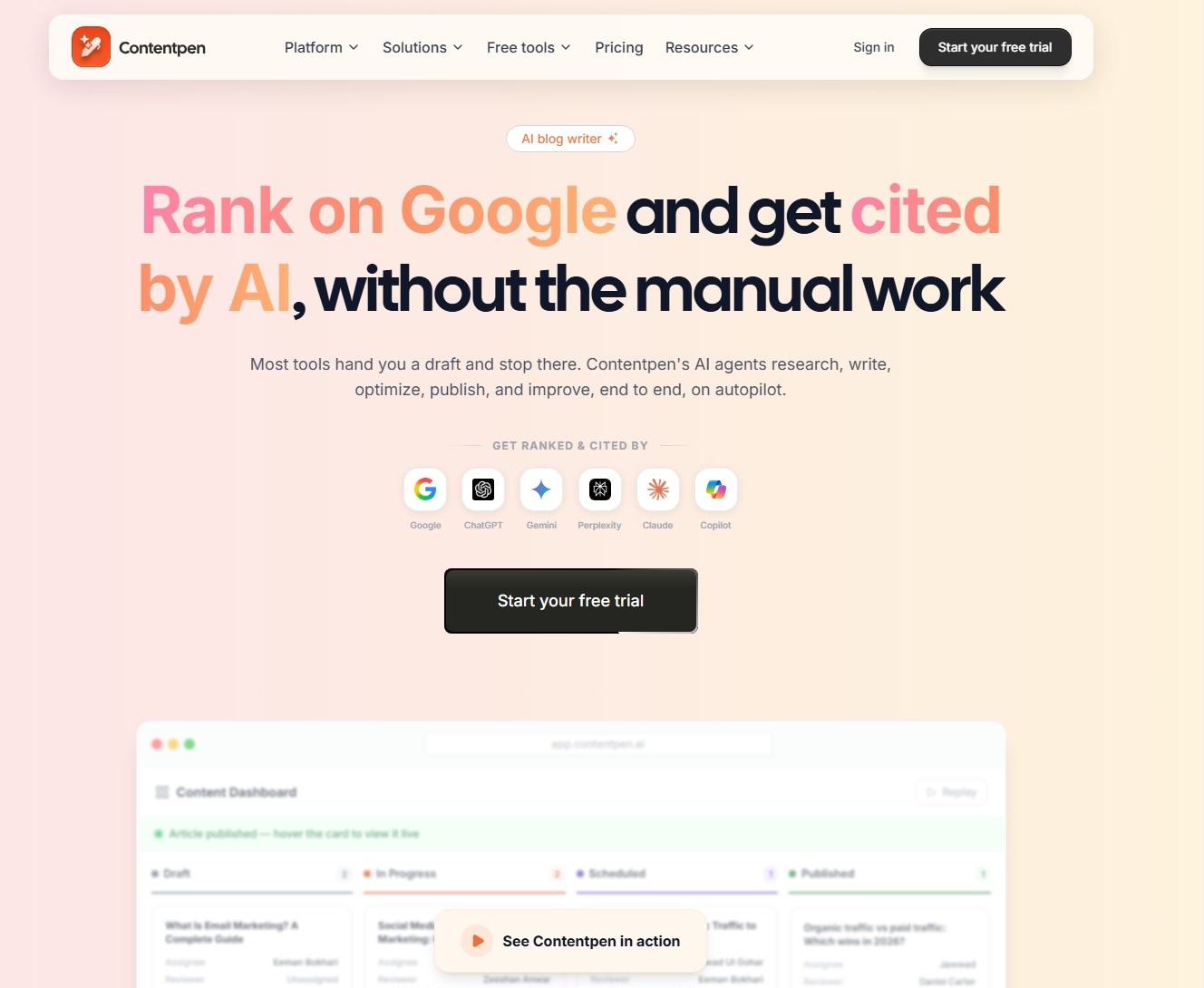
ContentPen describes itself as an AI blog writer, but its current scope is closer to a content operations system built around SEO publishing. The public workflow starts with brand and website context, moves through keywords and competitor research, creates an outline or full draft, scores and edits the article, adds links and media, sends it to a CMS, then surfaces Google Search Console data and refresh opportunities.
That breadth distinguishes it from a general-purpose writing assistant. A basic writer gives you text. ContentPen tries to coordinate the system around the text. It also reaches beyond classic SEO with a GEO score and a separately priced AI visibility tracker.
ContentPen does not become Google's ranking system because it displays an SEO score, or an answer-engine authority because it tracks selected prompts. It is not documented as a complete technical SEO, backlink, digital PR, or research-grade citation platform. Public webhooks exist, but a general self-serve content API is not clearly documented outside Enterprise language. Treat the product as a workflow consolidation bet that must reduce rework, not merely generate long text.
How ContentPen Automates the Blog Workflow
Build the workspace and brand context
The documented setup begins with a workspace and website. ContentPen can analyze the site to establish business context, audience, tone, and brand information. Presets then store repeatable choices such as country, language, article length, introduction style, audience, tone, media, and linking behavior.
This is valuable for consistency, especially across clients. It is still input, not proof of adherence. An editor should review the extracted brand profile and turn critical rules into explicit examples, prohibited claims, preferred terminology, and source requirements.
Research topics, keywords, and competitors
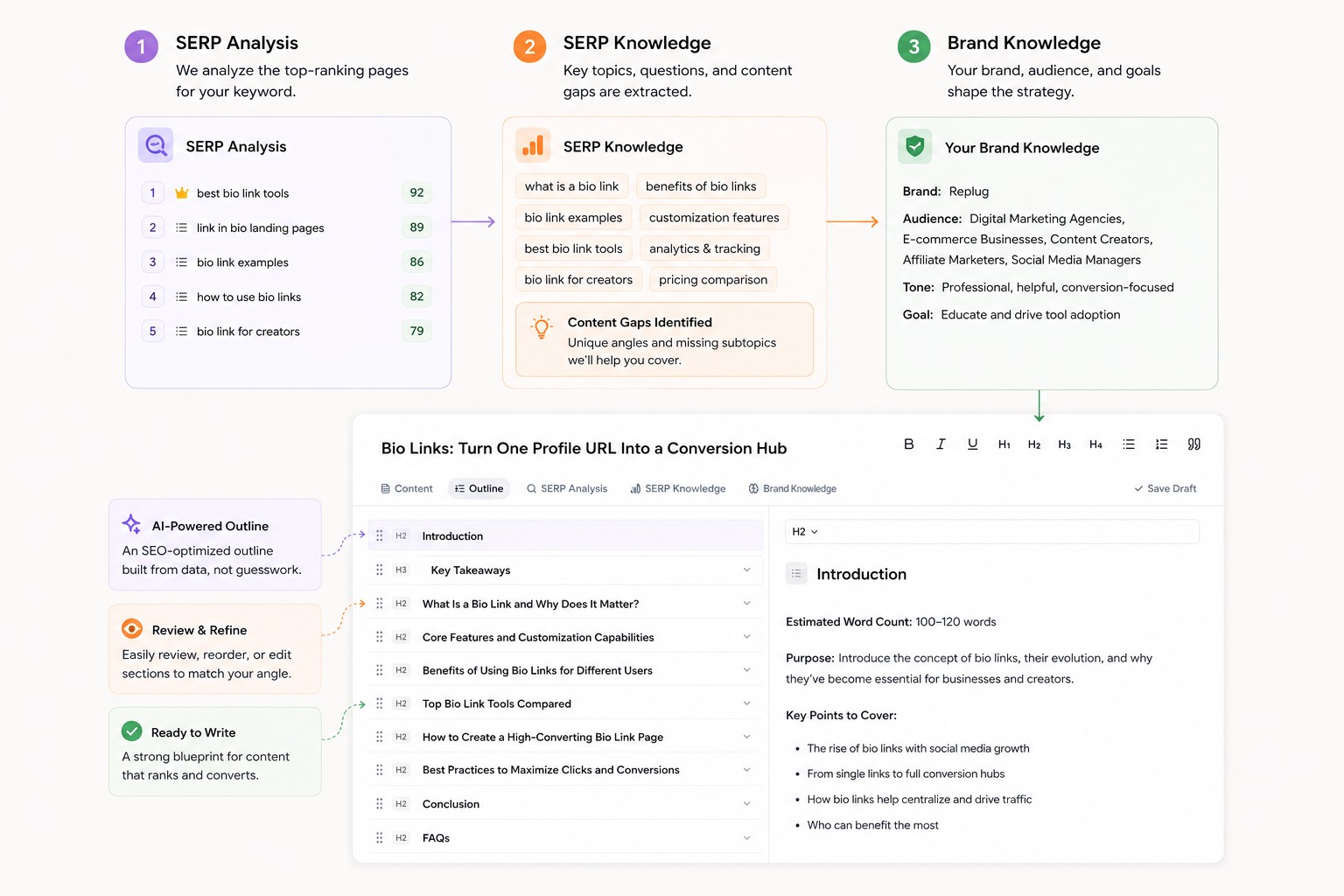
ContentPen's keyword workflow displays related terms, volume, difficulty, intent, and CPC, groups keywords into topical clusters, and supports import and export. Its broader product pages also describe SERP and competitor gap analysis. Selected ideas can move into article creation or the planner instead of being rebuilt as a separate brief.
The efficiency is plausible, but the numbers should be sampled against a trusted benchmark. Keyword sources, update schedules, clustering logic, and local coverage can differ among tools. A convenient metric is not automatically the right strategic target.
Generate, review, and optimize
The Article Wizard documents several paths. One Shot produces a complete article from the configured inputs. Two Step generates an outline first, lets the editor review it, then produces the body. Other modes refresh existing content, add internal and external links to an existing article, run a custom prompt, or start from a blank editor.
Two Step is the sensible default until a preset has earned trust. It lets the team catch missing intent, weak section order, duplicate ideas, and unsupported angles before spending review time on a full draft. One Shot becomes more useful for low-risk templates after the outline and source behavior are predictable.
The live editor adds formatting, comments, AI-assisted edits, links, media, and optimization panels. Current pricing also lists version history and custom instructions with file and link uploads. Those controls can shorten iteration, but only an account test can show how reliably versions, comments, and instructions work under real deadlines.
Publish, measure, and refresh
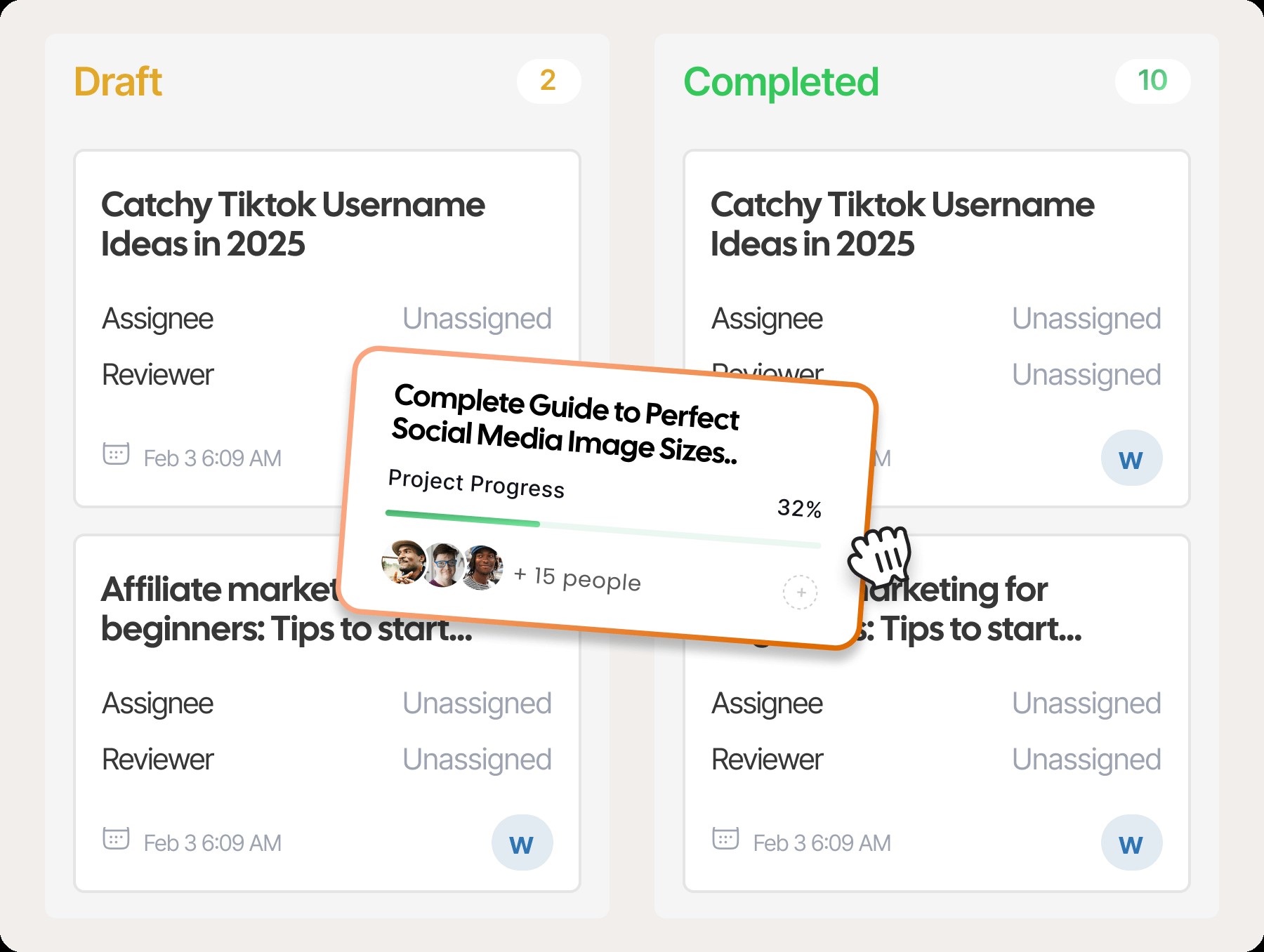
Approved content can move to a connected CMS immediately or on a schedule. A calendar and Kanban-style pipeline support planning and custom stages. Google Search Console reporting brings clicks, impressions, CTR, average position, pages, and queries into the platform. Opportunity views identify ContentPen-defined quick wins, content decay, and CTR gaps, then route a page toward refresh.
That closed loop is the product's most important differentiator. It turns generation into an ongoing operating process. It still needs human judgment. A traffic decline can reflect seasonality, intent change, technical problems, competitors, or measurement noise, so an automatic refresh suggestion is a prompt to investigate, not a diagnosis.
Research and Content Planning Capabilities
ContentPen covers more planning ground than a one-click article generator. Teams can discover or import keywords, inspect commercial and search-intent indicators, group terms into clusters, select ideas, and place work into a calendar or production board. Agencies can use separate workspaces to reduce accidental context mixing between clients.
The practical advantage is continuity. A keyword does not have to be copied into a separate brief, then copied again into a writer, then recreated as a CMS task. The planner can preserve ownership, stage, deadline, and publishing destination around the same article record.
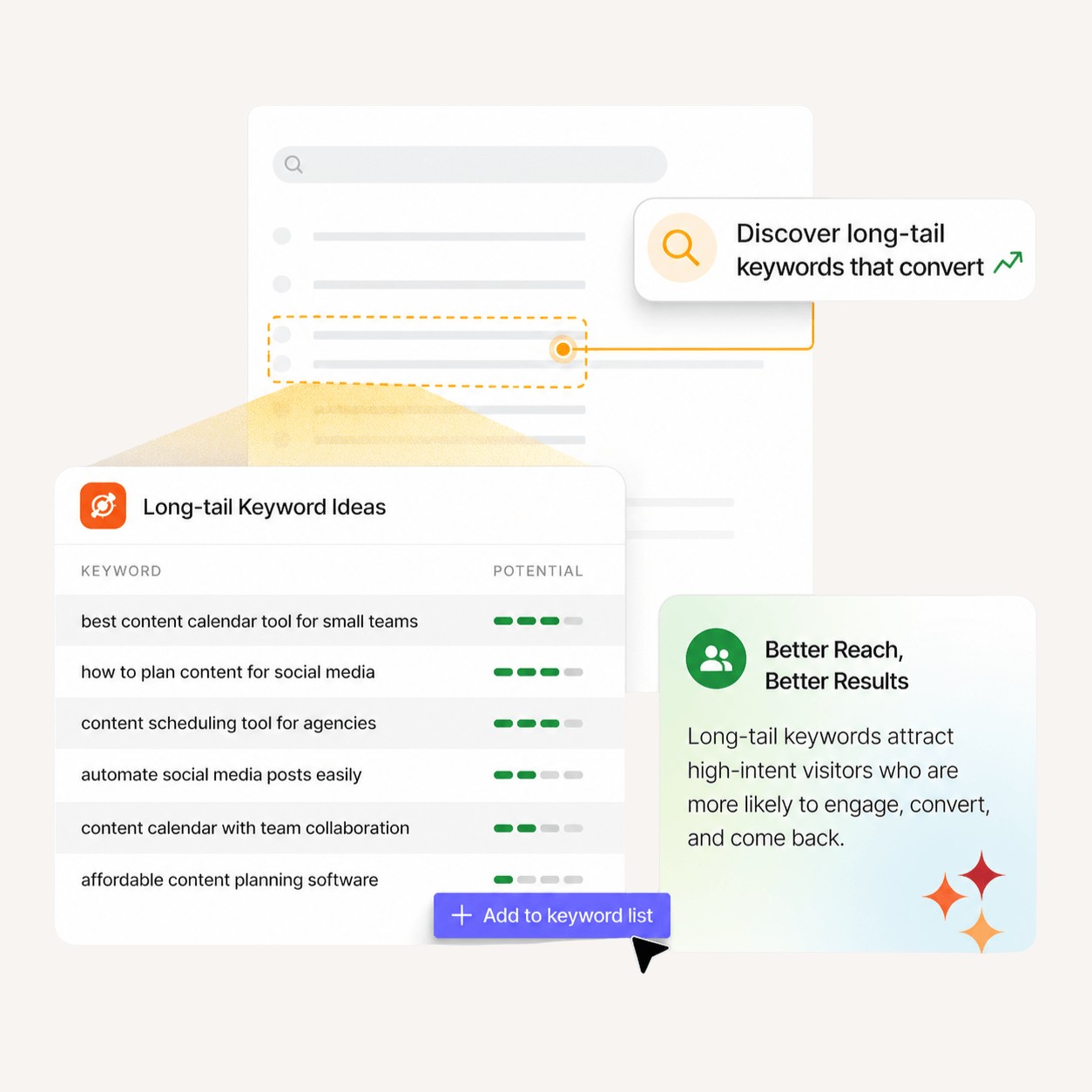
A topical cluster is an algorithmic grouping, not proof that every keyword deserves a separate URL. Near-duplicate pages can create thin coverage and internal competition, while search volume without relevance, authority, conversion value, or maintenance capacity produces an expensive calendar. Use ContentPen to compress research administration, then merge overlapping intent, reject unsupported topics, and specify the first-party evidence that makes each page more than a rearranged SERP summary.
Article Generation and Editorial Controls
ContentPen provides useful choices between speed and control. One Shot is the fastest documented route. Two Step adds an outline gate without a separate outline credit. Blank Canvas allows manual writing in the platform without an article charge. Refresh and interlinking modes operate on existing content, which gives the product value beyond net-new generation.
Presets can define the target country, language, tone, audience, length, heading depth, opening style, images, videos, and link behavior. The editor can revise structure and formatting, while comments and version-oriented controls support collaboration. Bulk generation is available on higher plans for teams that have already proven the preset.
The public documentation has a language inconsistency worth noting. The homepage and FAQ advertise more than 50 languages, while the Presets help article says more than 15. Do not purchase for multilingual scale based on a headline count. Verify the exact language, regional variant, subject vocabulary, and editing burden during the trial.
Editorial control also depends on what the product does not know. It cannot infer your legal risk tolerance, unpublished product details, expert disagreement, or the real reason a customer chose you unless those facts are supplied. A strong preset should include claims that require evidence, banned phrases, source hierarchy, disclosure rules, internal-link constraints, and examples of acceptable voice.
Bulk generation should be the last workflow you enable, not the first. Prove one article, then one content type, then a batch. Automation multiplies both a good standard and a bad assumption.
SEO Optimization Is Guidance, Not Ranking Proof
ContentPen's live SEO checker says it reviews keyword placement, heading structure, meta fields, internal and external links, media use, and semantic relevance. It presents a score and offers AI-assisted fixes. This can replace a manual checklist and make omissions visible while the editor is still working.
The score should guide questions, not dictate edits. A missing topic may matter. A suggested phrase may also be redundant, awkward, or outside the page's intent. The right response is to ask whether the change makes the answer clearer and more useful for the target reader.
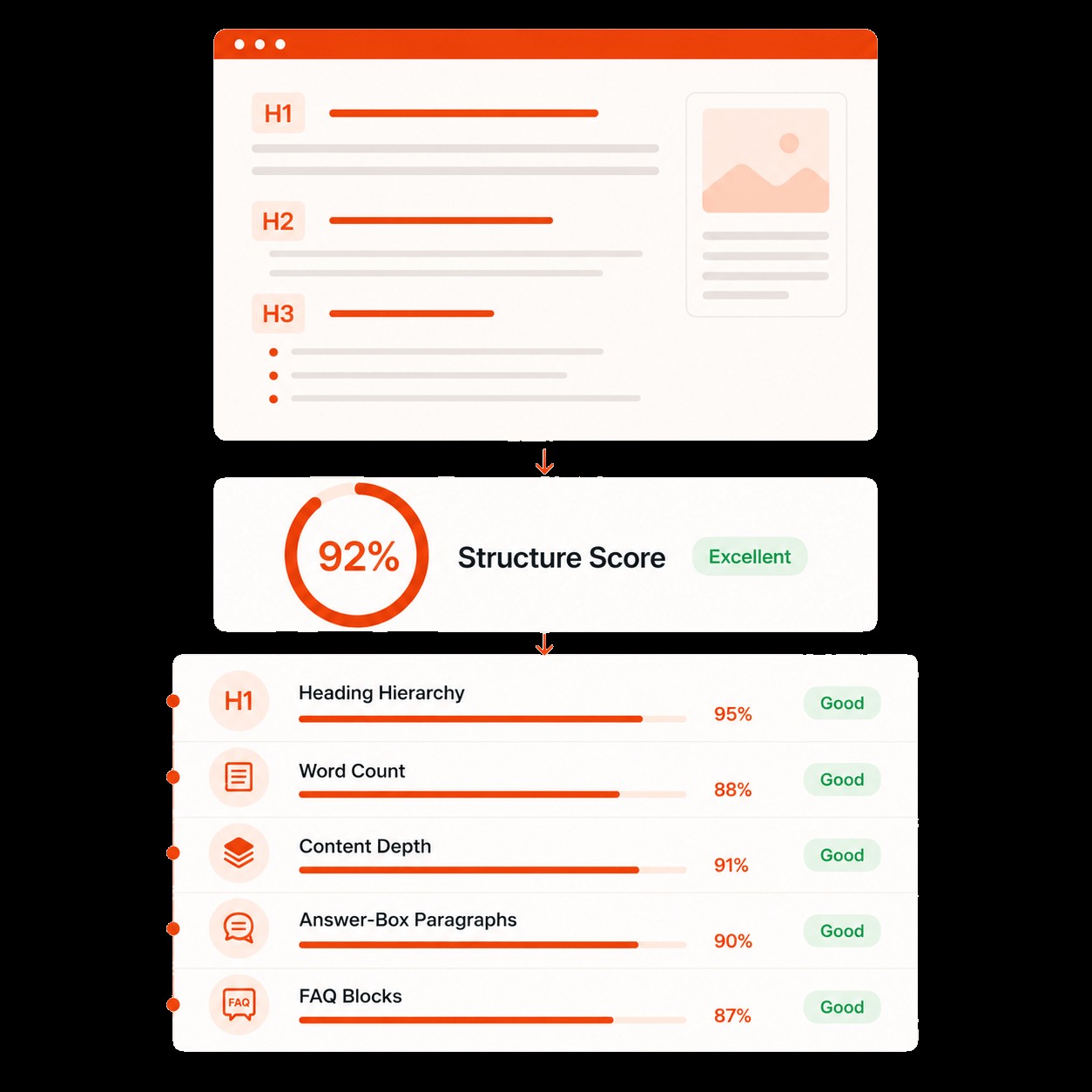
Google does not publish a ContentPen score, and third-party tools do not have access to a guaranteed ranking formula. Google says generative AI can help with research and structure, but publishers remain responsible for accuracy, quality, and value. Its spam policies also cover scaled content created mainly to manipulate rankings, regardless of whether automation or people produced it.
That means "SEO optimized" is a workflow description, not an outcome. It cannot guarantee indexing, position, traffic, backlinks, conversions, or protection from an update. Use the score alongside search intent, first-party evidence, technical health, internal architecture, authority, and conversion usefulness.
AI Visibility, AEO, and GEO Claims Explained
ContentPen currently presents two related but different products. Inside article creation, its GEO features score content and recommend changes for answer-style discovery. Public pages mention a target AI prompt, structured content, direct answers, headings, takeaways, and one-click fixes. Separately, AI Visibility runs tracked prompts and reports how selected systems mention or cite a brand.
The tracker advertises visibility, share of voice, average position, sentiment, competitor comparison, prompt detail, and cited domains or URLs. Pricing determines how many prompts, competitors, workspaces, credits, models, and daily or weekly checks are available. This is a separate budget line from the content plan.
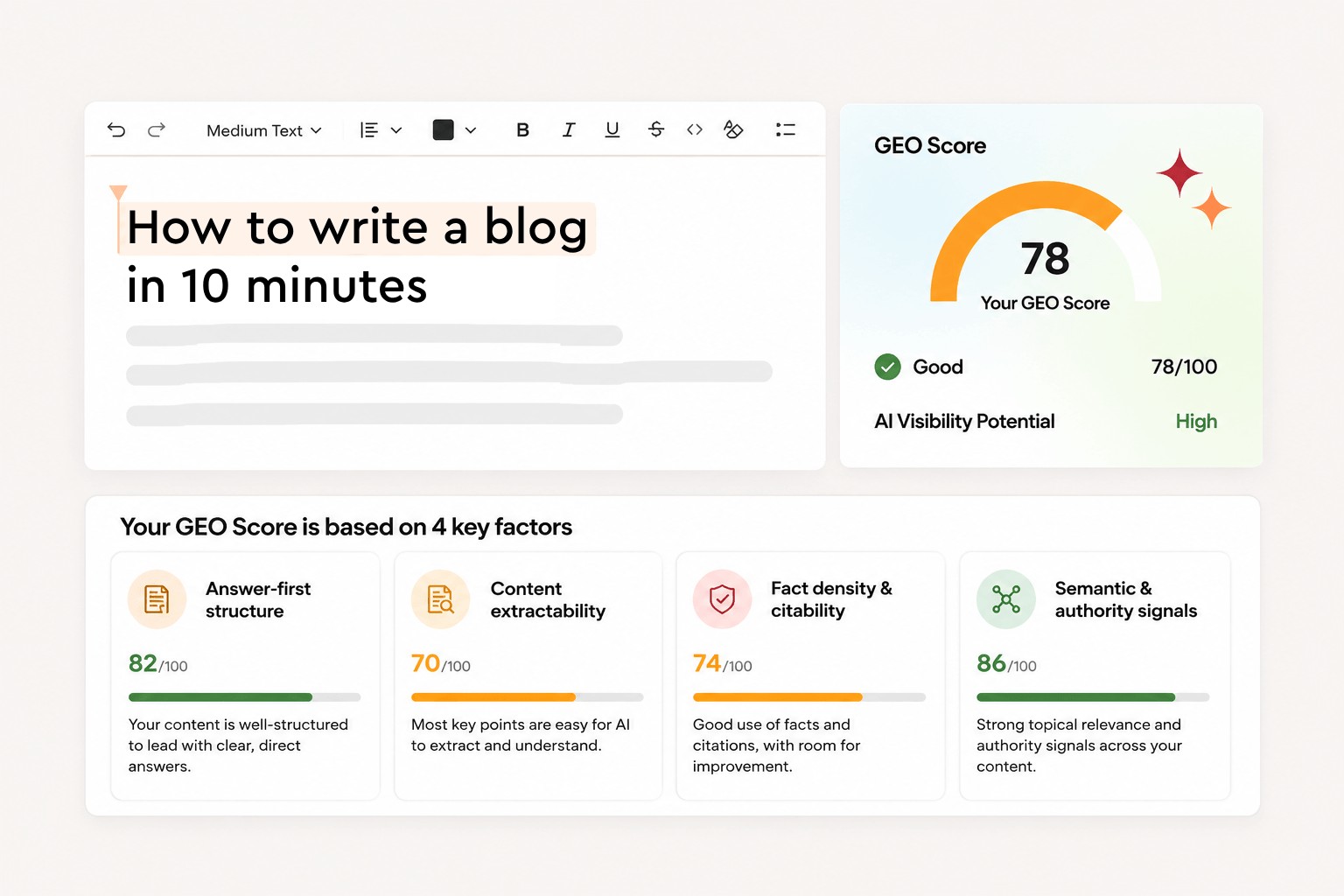
These dashboards can reveal useful questions: Which prompts name competitors but not us? Which pages are repeatedly cited? Does one model tell a different story? Which source domains influence the answer? However, an AI response is not stable like a database row. It can change with wording, region, personalization, retrieval, model updates, and repeated runs.
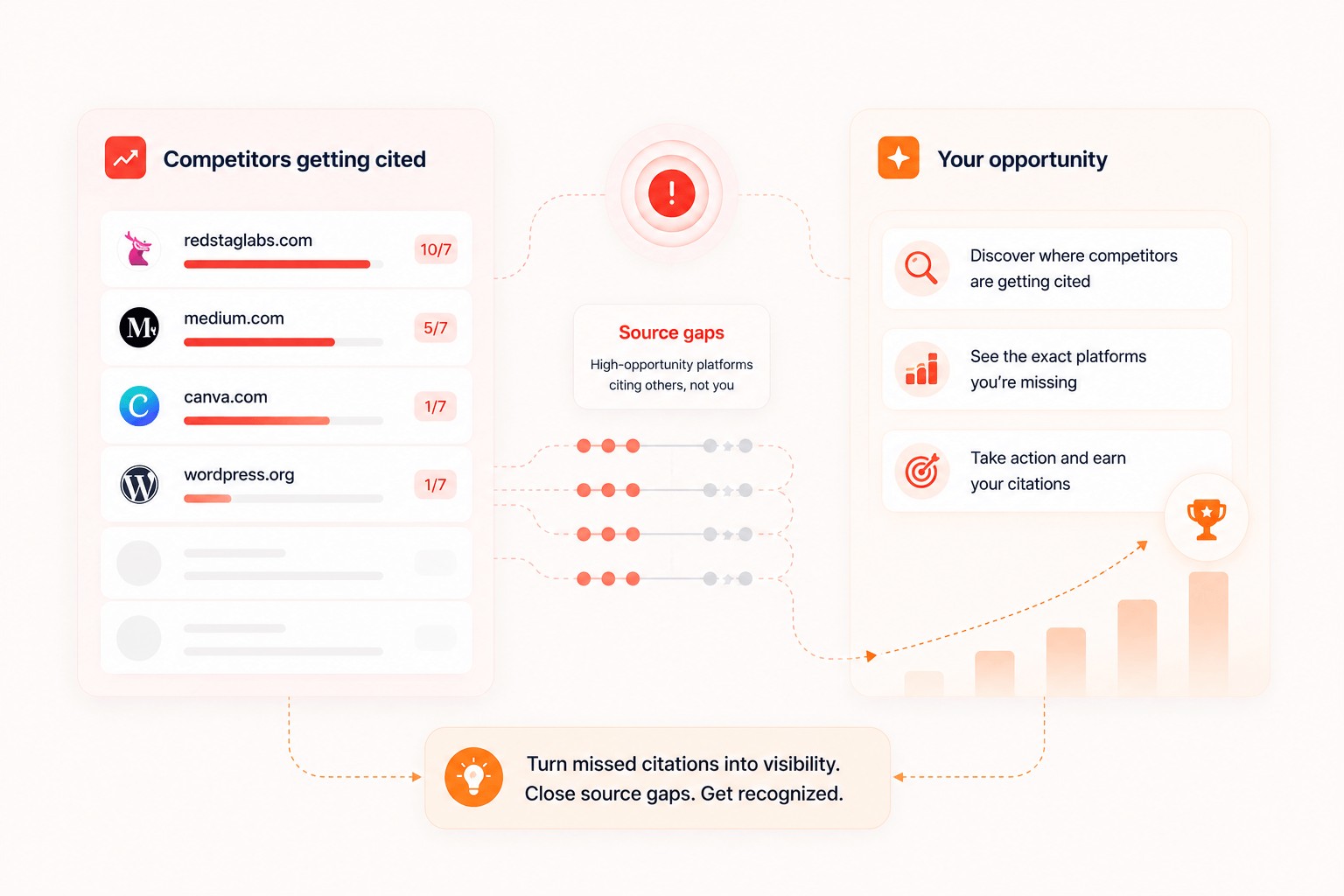
Treat visibility metrics as a defined sample. Save the prompt set, model, location, cadence, and date. Compare trends on the same basis. Do not present a share-of-voice change as market truth or attribute it to an article edit without a controlled design.
The same caution applies to AEO and GEO promises. Clear, well-sourced, directly answerable content is a sound publishing practice. A proprietary GEO score cannot guarantee selection by ChatGPT, Google AI features, Perplexity, Copilot, Grok, or any other system. Google explicitly says its AI features do not require special optimization beyond established Search fundamentals.
Internal Links, Images, Sources, and Citations
ContentPen documents sitemap-aware internal linking. A team can let the system find likely targets, adjust anchor text, review suggestions, or add links manually. External linking can be switched on or off, with controls to include or exclude domains. That is useful for preventing obvious competitor or low-trust destinations from entering a draft.
The media workflow supports AI-generated images, uploads, image URLs, reusable library assets, and video placement. Current content plans include monthly AI image allowances. These features can reduce assembly time, but the publisher still owns rights, factual representation, alt text, compression, dimensions, captions, and accessibility.
Sources need the strictest boundary. ContentPen markets real-time factual data, credible external sources, and automatic external links. Those are helpful research leads, not a substitute for claim-level verification. Open each destination, confirm the source actually supports the sentence, check its date and authority, and remove circular or vendor-biased citations.
Do not confuse a plagiarism or originality check with factual accuracy or reliable AI detection. Similarity tools can miss paraphrased errors and flag legitimate overlap. AI detectors are also uncertain; OpenAI retired its own classifier because of low accuracy. Google focuses on helpfulness and spam policy, not whether a draft passes a detector. The defensible standard is accurate, original-in-value, human-reviewed work with transparent sources where the topic requires them.
Publishing, WordPress, Integrations, and Automation
WordPress has the clearest public implementation details. ContentPen documents a plugin and API-key connection, then lets users map settings such as author, category, draft status, and publication behavior. One-click publishing and scheduling are also documented. Vendor pages list Webflow, Shopify, Ghost, and Wix across the wider connector story, plus ContentStudio for social distribution.
Connector breadth should not be assumed to mean field-level perfection. Test headings, tables, lists, links, image metadata, featured images, slug, author, categories, status, canonical behavior, schema, custom fields, and theme rendering. Begin with draft-only publishing on a staging or low-risk site. Confirm duplicate protection and rollback before allowing any automated live schedule.
ContentPen also documents webhooks for article generation completed and article generation failed. Those events can notify an automation system or start downstream QA. They are not evidence of a full public API. The pricing page reserves custom integrations and API wording for Enterprise, so teams that need programmatic create, update, approval, or retrieval operations should request exact endpoint, authentication, rate-limit, retry, logging, and support details.
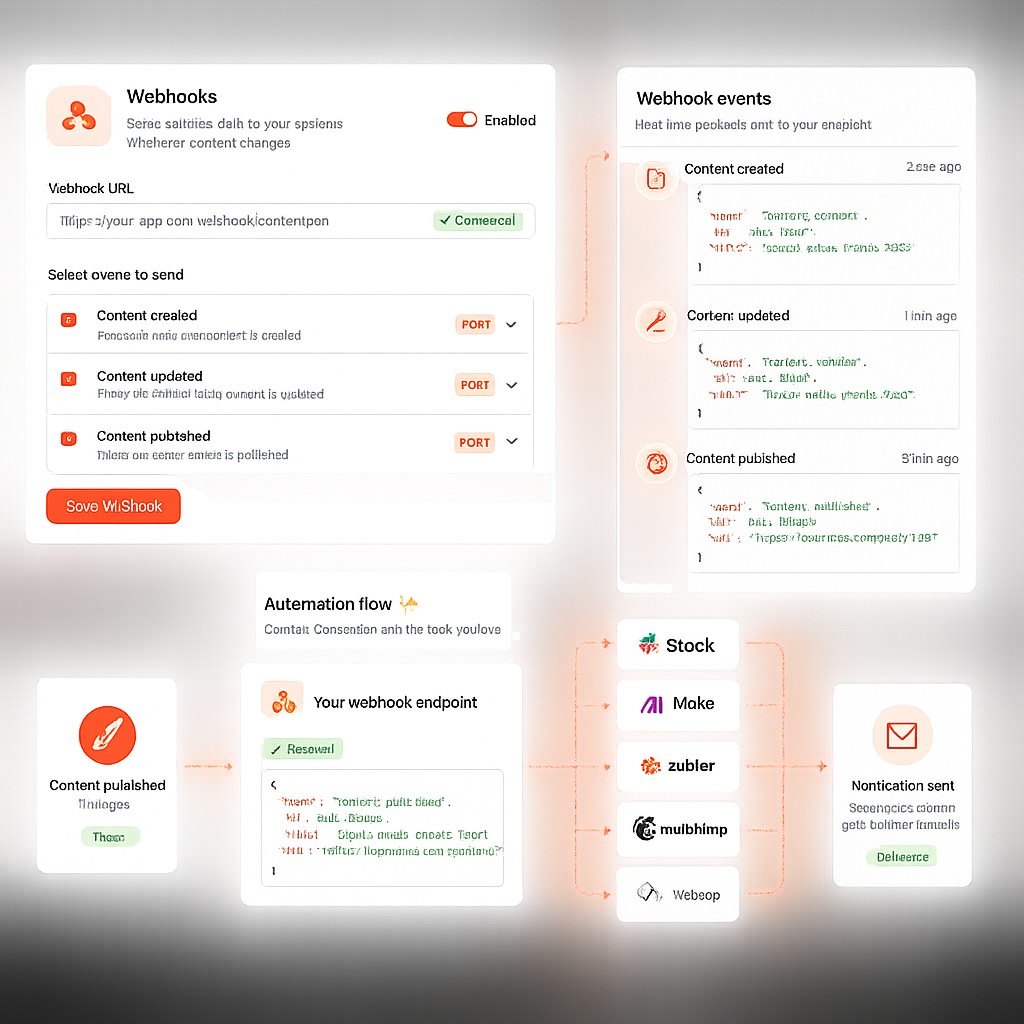
The right automation boundary is approval, not generation. Let the platform assemble and route work. Keep a named human responsible for the page that reaches the public site.
ContentPen Pricing, Trial, and Credit Economics
All prices and allowances below were checked on August 2, 2026. They are volatile. Verify the live pricing page, checkout total, taxes, renewal basis, and plan entitlements before buying.
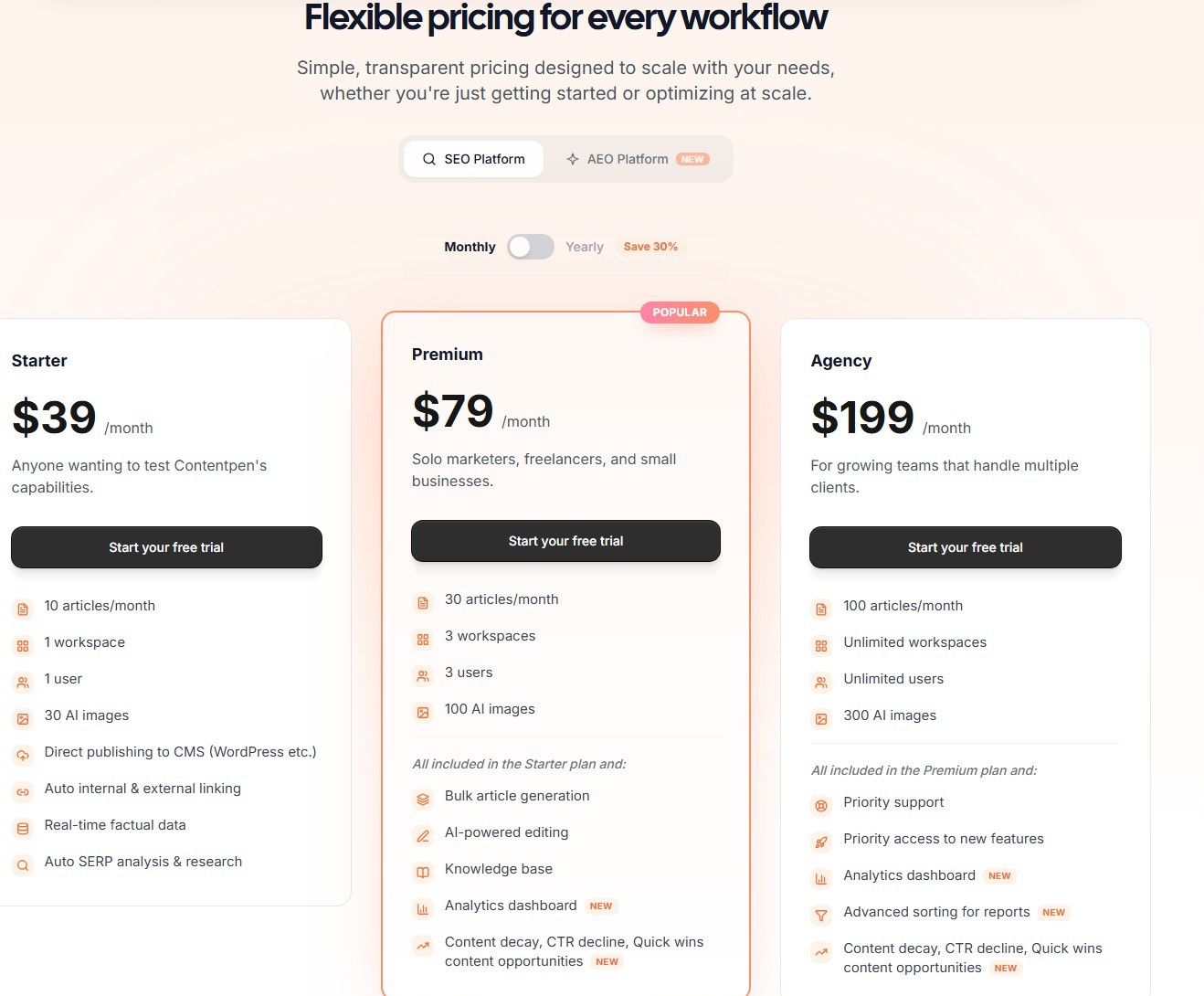
Content production plans
| Plan | Monthly billing | Annual monthly equivalent | Articles/month | Workspaces and users | AI images |
|---|---|---|---|---|---|
| Starter | $39 | $27, billed annually | 10 | 1 workspace, 1 user | 30 |
| Premium | $79 | $55, billed annually | 30 | 3 workspaces, 3 users | 100 |
| Agency | $199 | $139, billed annually | 100 | Unlimited displayed | 300 |
| Enterprise | Custom | Custom | Custom | Custom | Custom |
Starter covers the core creation, linking, and publishing proposition. Premium adds the clearest operational step-up with bulk generation, AI editing, knowledge base, and website analytics in its plan description. Agency is designed around higher volume and unrestricted displayed workspace and user counts. The monthly quotas are 10 articles, 30 articles, and 100 articles for Starter, Premium, and Agency. Enterprise markets custom integrations and API, a dedicated customer success manager, SSO and SAML, an SLA, and enterprise security.
Top-ups were displayed at $29 for 10 articles, $99 for 50, and $199 for 150. The pricing page says top-up credits never expire. Compare those marginal costs with the next plan before routinely buying extras.
How article credits work
The pricing page displayed one credit for One Shot and one for Two Step, with no extra outline charge. Refresh Existing Content displayed a range of 0.75 to one credit depending on length. Adding internal and external links displayed 0.5 credit, while Blank Canvas displayed zero.
The FAQ simplifies some of this wording and notes that unusually long content may require more. Check the in-app estimate before refreshing a large page. Subscription article allowances reset monthly and do not roll over, while purchased top-up credits do not expire. Confirm how drafts behave after a downgrade.
AI visibility costs extra
| AI Visibility plan | Monthly billing | Annual monthly equivalent | Credits | Prompts | Models | Competitors | Workspaces |
|---|---|---|---|---|---|---|---|
| Essential | $39 | $27 | 80 | 10 | 2 | 2 | 1 |
| Growth | $99 | $69 | 250 | 30 | 3 | 5 | 3 |
| Business | $199 | $139 | 1,000 | Unlimited displayed | 5 | 10 | Unlimited |
Essential is described as weekly, while Growth and Business allow daily or weekly tracking. Model access and credit use are plan-dependent and can change. Verify which systems are included and how many credits each scheduled prompt consumes.
Trial, cancellation, and refund caveats
ContentPen advertises a 7-day trial with no permanent free plan. The pricing page says a credit card is required and the selected plan is charged automatically after the trial unless canceled. Treat that as the operational rule, even though the FAQ contains less precise language about upgrading.
The public legal wording is not perfectly aligned. The Privacy Policy says subscription fees and other charges are generally nonrefundable. The Terms also set a nonrefund baseline, but say ContentPen may refund the most recent billing cycle when a customer forgets to cancel and contacts support within seven days of the charge; partial annual-plan refunds are excluded. Do not treat that exception as a guarantee. Confirm the governing checkout terms, deadline, request process, and exclusions in writing.
Team and Agency Fit
The plan structure maps cleanly to team size. Starter is a solo workspace. Premium supports three workspaces and three users. Agency displays unlimited workspaces and users with a 100-article allowance. Separate workspaces are valuable for client context, presets, sitemaps, calendars, and publishing destinations.
Agency fit depends on governance, not just volume. Inspect roles, permissions, comments, versions, approvals, client separation, export, and user removal during the trial. A small agency with standardized blogs and a named editor may consolidate meaningful production work. An agency with custom CMS fields, legal approvals, white-label reporting, or granular access policies needs a sales and security review first.
Data, Content Rights, and Procurement Checks
Reconcile the public data-use language
ContentPen's public FAQ says user inputs and generated content are not repurposed or used to train AI models. The Terms are broader: they grant ContentPen a non-exclusive, transferable, perpetual, irrevocable, worldwide license to User Content for operating, providing, and improving the service. The Terms also describe generated content under a non-exclusive usage license rather than promising that every output is uniquely owned or free of third-party rights.
Those statements may have a practical contractual explanation, but they are not interchangeable. An agency handling confidential briefs, customer information, or unreleased product data should ask ContentPen to reconcile them in writing. Have counsel review the controlling Terms, privacy language, data-processing agreement, subprocessors, retention and deletion rules, model-provider data use, and rights to inputs and outputs. This review is not legal advice.
Validate enterprise controls rather than inferring them
The current Enterprise pricing card lists SSO and SAML, an SLA, custom integrations and API access, a dedicated customer success manager, and enterprise security. Those are useful procurement signals, not proof of a particular certification, control design, support response, or data-residency option. Request the current security package and verify encryption, tenant separation, access logging, incident response, business continuity, export, deletion, and any required regional processing before approving sensitive workloads.
A practical pilot should use non-sensitive content, least-privilege accounts, separate client workspaces, and draft-only CMS publishing. If the vendor cannot meet a required contractual or security control, workflow convenience should not override that requirement.
A Practical ContentPen Workflow
A safe production process looks like this:
- Define the outcome. Specify audience, intent, conversion path, owner, update cycle, and why the page deserves to exist.
- Prepare evidence. Gather product facts, first-party examples, approved claims, expert input, and authoritative sources before generation.
- Review workspace context. Correct the detected brand, audience, tone, products, competitors, and prohibited language.
- Create a narrow preset. Set country, language, structure, length range, source policy, media policy, and internal-link rules for one content type.
- Use Two Step first. Check the outline for intent, unique value, overlap, and unsupported sections. Delete weak ideas before generating.
- Edit for substance. Verify every factual claim, add original experience, remove repetition, improve examples, and make the CTA fit the reader's next step.
- Use scores selectively. Apply SEO or GEO suggestions only when they improve clarity, coverage, or usability. Reject score-chasing edits.
- Audit assets and links. Open every external source, verify internal destinations and anchors, inspect rights, and write useful alt text.
- Publish as a draft. Check CMS fields and front-end rendering before moving to live status.
- Measure the right outcomes. Track approved-asset cost, publishing cycle time, corrections, search performance, assisted conversions, and refresh burden over a meaningful window.
Once one preset consistently passes, test a small batch. Do not jump from a successful sample to fully autonomous publishing.
ContentPen Strengths and Limitations
| Strength | Why it matters | Limitation or buying check |
|---|---|---|
| Connected research-to-refresh workflow | Reduces handoffs across recurring blog operations | Breadth can hide shallow performance in an individual stage |
| One Shot, Two Step, refresh, interlinking, and blank paths | Supports both new and existing content | Quality and credit use still need account testing |
| Reusable brand and preset controls | Helps standardize teams and clients | Adherence and language quality are not guaranteed |
| SEO and GEO guidance in the editor | Makes optimization checks visible before publishing | Proprietary scores do not prove rankings or AI citations |
| Sitemap-aware links and media tools | Cuts article assembly work | Every source, link, asset, and right needs review |
| CMS publishing, scheduling, and webhooks | Removes copy-paste and enables automation | Field compatibility, rollback, and API scope must be verified |
| GSC analytics and refresh opportunities | Connects content creation to maintenance | Tool labels do not establish causation or correct diagnosis |
| Agency plan with displayed unlimited workspaces and users | Fits multi-client organization | Roles, approvals, audit trails, and security need validation |
The pattern is consistent: ContentPen's strength is operational coverage. Its main limitation is that connected automation can create a false sense of certainty. A green score, populated source list, and successful publish event do not prove the article is true, distinctive, useful, or commercially effective.
Alternatives to ContentPen
No alternative is universally better. Choose by the job you most need to improve, then run the same briefs through each shortlisted workflow.
- Frase: consider it when research, content optimization, publishing, monitoring, and approval-oriented refresh are the main workflow. Its current public positioning overlaps heavily with ContentPen, so compare actual plan gates and editor labor.
- Surfer: choose it when a mature SERP-driven Content Editor and optimization process matter more than consolidating every publishing stage. It is an optimizer-first comparison, even though Surfer also offers generation and AI visibility features.
- Jasper: consider it for broader marketing operations, multi-channel assets, brand context, governance, and enterprise content pipelines. It is less narrowly defined around the SEO blog calendar.
- Writesonic: consider it when the central requirement is a wider SEO plus GEO platform, AI visibility, and action workflows rather than a blog-production workflow alone.
- Koala: consider it for a leaner one-click article workflow with SERP analysis, bulk production, internal linking, and direct CMS publishing.
Compare alternatives using the same briefs and the same human reviewers. A longer feature list is not a win if the approved article costs more to produce.
How to Run a Controlled ContentPen Evaluation
Use a representative test set
Test a low-risk guide, product-led page, comparison, refresh, and technically demanding topic. Include the exact locale or distinct client voices when those capabilities matter. Before generation, lock an evidence pack with required facts, prohibited claims, reader, intent, links, conversion action, and acceptance criteria.
Score quality before speed
Have an editor assess intent fit, factual accuracy, source fidelity, specificity, voice, structure, repetition, internal links, external sources, media, SEO usefulness, GEO usefulness, and CTA logic. Reviewers should not reward text merely because it is fluent or long.
Where possible, hide which workflow produced the draft. Compare One Shot and Two Step against your current process. Record every factual correction, structural rewrite, source replacement, and style repair.
Measure total approved-asset cost
Track time spent on setup, research, outline review, generation, fact-checking, editing, link QA, media QA, CMS cleanup, and approval. Add the allocated subscription cost, top-ups, separate AI visibility cost, and any additional tools that ContentPen did not replace.
The key metric is not cost per generated article. It is cost per approved, accurate, on-brand article that reaches the intended CMS state. Also record rework after publication because fast drafts can create expensive maintenance.
Test publishing and governance safely
Connect a staging site or force draft status. Check fields, formatting, authors, taxonomies, media, links, canonical behavior, schema, and duplicate handling. Trigger documented webhooks and inspect retries and failure payloads. Test comments, versions, approvals, permissions, and user removal with realistic roles.
For AI Visibility, freeze a prompt set and tracking conditions before comparing results. Treat changes as observations. Do not alter prompts mid-test and then claim a trend.
Set a decision rule
Agree on acceptable quality, error, labor, publishing, and governance thresholds before seeing the results. Buy only if ContentPen reduces total approved-asset cost or materially improves throughput without weakening accuracy, brand standards, compliance, or conversion usefulness.
If it saves generation time but shifts equal work into correction, keep the current stack. If one content type succeeds and another fails, adopt narrowly rather than forcing every article through the same automation.
Is ContentPen Worth It?
Yes, for a specific buyer: a lean SEO team or agency with repeatable blog formats, human review, a supported CMS, and enough volume to benefit from one connected workflow. The documented combination of research, presets, generation modes, scoring, links, scheduling, GSC data, and refresh gives ContentPen a credible consolidation case.
No, if the purchase depends on promised rankings, AI citations, undetectable content, or editor-free publishing. SEO and GEO scores remain guidance, AI visibility is sampled and separately priced, and factual responsibility remains with the publisher.
The right decision is to trial ContentPen against your existing approved-article economics. If it reliably removes handoffs without adding correction risk, it can be worth the subscription. If it only produces faster first drafts, a narrower tool may be the better buy.
Evaluate ContentPen with the current 7-day trial
How We Test and Score
ScaleWitAI funds every account used in this review with its own capital. We subscribe to all paid tiers with self-funded plans and never use sponsored, gifted, or vendor-provisioned accounts, so our evaluation reflects the same product a paying customer receives and stays 100% independent of vendor influence.
Evaluation combines standardized test suites with hands-on workflow testing. We use HumanEval-style tasks to probe logic and code reasoning, BLEU/ROUGE-style metrics to measure natural-language quality, and internal stress-test scenarios to map context-window limits and long-input behavior. We run more than 10,000 prompts per AI platform every year, across varied access conditions, and log results against a transparent scoring rubric.
The dataset for this review was collected over 12 months (from August 2025 to August 2026). Historical comparisons track AI model development since 2024, and this report tests and compares 12+ leading AI models and providers on the market.
FAQ
Is ContentPen an AI writer or an SEO platform?
It is both, but "AI SEO content operations platform" is the more accurate category. ContentPen combines keyword and SERP research, article generation, editing, SEO and GEO scoring, links, media, planning, CMS publishing, GSC analytics, and refresh workflows. It is not a complete technical SEO or backlink platform.
Does ContentPen have a free plan?
No permanent free plan was listed at the research cutoff. ContentPen advertised a 7-day trial. The pricing page said a credit card was required and the selected paid plan would be charged after the trial unless canceled, so set a reminder and verify the checkout terms.
How much does ContentPen cost?
On August 2, 2026, monthly content plans were displayed at $39 for Starter, $79 for Premium, and $199 for Agency. Annual billing displayed monthly equivalents of $27, $55, and $139. Enterprise pricing was custom. AI Visibility had separate plans, so it should not be assumed to be included.
How do ContentPen article credits work?
The pricing page displayed one credit for One Shot and Two Step, 0.75 to one for refresh depending on length, 0.5 for an interlinking operation, and zero for Blank Canvas. It also displayed top-ups of 10, 50, and 150 articles; the purchased top-up credits do not expire. Check the live account estimate because allowances and long-content rules can change.
Can ContentPen publish to WordPress?
Yes. Official documentation describes a WordPress plugin and API-key connection with settings for author, category, draft, and publication behavior. Test on staging or publish as a draft first because themes, plugins, custom fields, media handling, and formatting vary.
Does ContentPen have an API?
Public help documentation clearly covers webhooks for article generation completed and failed events. A general self-serve content API was not found in the reviewed public docs. Enterprise pricing mentions custom integrations and API, so buyers should request exact endpoint scope, authentication, limits, and fees from sales.
Does ContentPen add internal links, external sources, images, and citations?
It documents sitemap-aware internal links, optional external links with domain controls, AI images, uploads, a media library, and video placement. Public copy also markets credible external sources and factual data. Every link and source still needs claim-level verification, and media needs rights, accuracy, accessibility, and brand review.
Will ContentPen content rank on Google?
No tool can guarantee that. ContentPen can apply on-page checks and structure a draft around research, but rankings depend on intent satisfaction, accuracy, originality of value, technical health, site authority, competition, links, and many other factors. Google does not use ContentPen's proprietary score as a public ranking guarantee.
Can ContentPen guarantee AI citations or visibility?
No. The GEO score may encourage clear, answerable structure, and the separate tracker can observe selected prompts across supported models. Neither guarantees a mention, citation, recommendation, or stable position. AI outputs vary, and Google says its AI features do not require a special third-party optimization score.
Is ContentPen good for agencies?
It can be. Premium displays three workspaces and users, while Agency displays unlimited workspaces and users with a higher article allowance. The workflow can help separate clients and standardize production. Agencies should still test roles, approvals, version history, client isolation, reporting, security, and custom CMS requirements.
Does ContentPen make AI content undetectable or plagiarism-free?
ContentPen markets plagiarism and originality checking, but that is not a guarantee of factual accuracy, legal originality, or AI-undetectability. AI detectors can be unreliable, and OpenAI retired its classifier for low accuracy. Human review, source verification, original expertise, and reader value are safer quality standards.
